Type Answer checks recall rather than recognition: there are no options to choose from, so participants have to come up with the word themselves.
Set it up
- 1
Add the slide
In the editor, click + New Slide. In Choose Slide Type, open the Quizzes tab and click Type Answer. A Leaderboard slide is added right after it, unless the next slide already is one.
- 2
Write the question
For example "What is the capital of Australia?"
- 3
Add the accepted answers
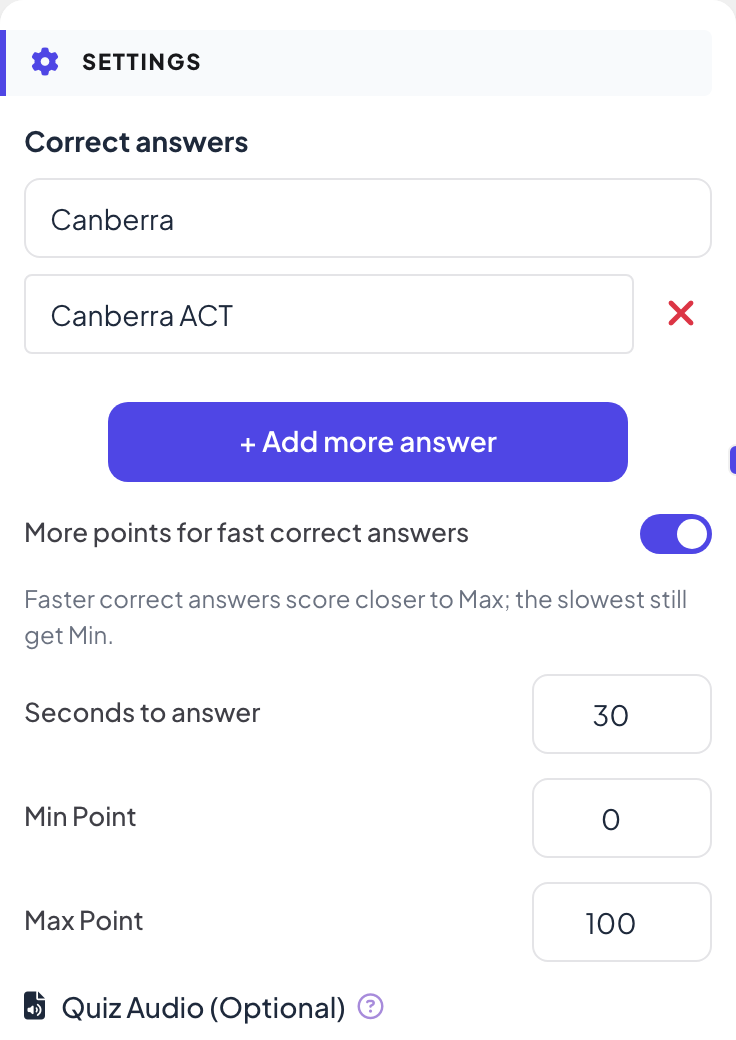
Under Settings, type the answer in Correct answers. Click + Add more answer for every other answer you accept, such as another spelling or a longer form.
- 4
Set time and points
Below the answers, set Seconds to answer and the points. Typing takes longer than tapping: allow 20 to 30 seconds.
Play it live
- 1
Start the question
Click Present. When you reach the first quiz slide, the big screen shows the lobby with everyone who has joined. People who have not given a name yet type a Nickname on their phone first, so they appear on the leaderboard. Click Start Game when the room is ready. The game then keeps going: each later quiz slide you move forward to opens straight on its question, without the lobby. After you go back a slide, quiz slides show the lobby again until you click Start Game.
- 2
People type
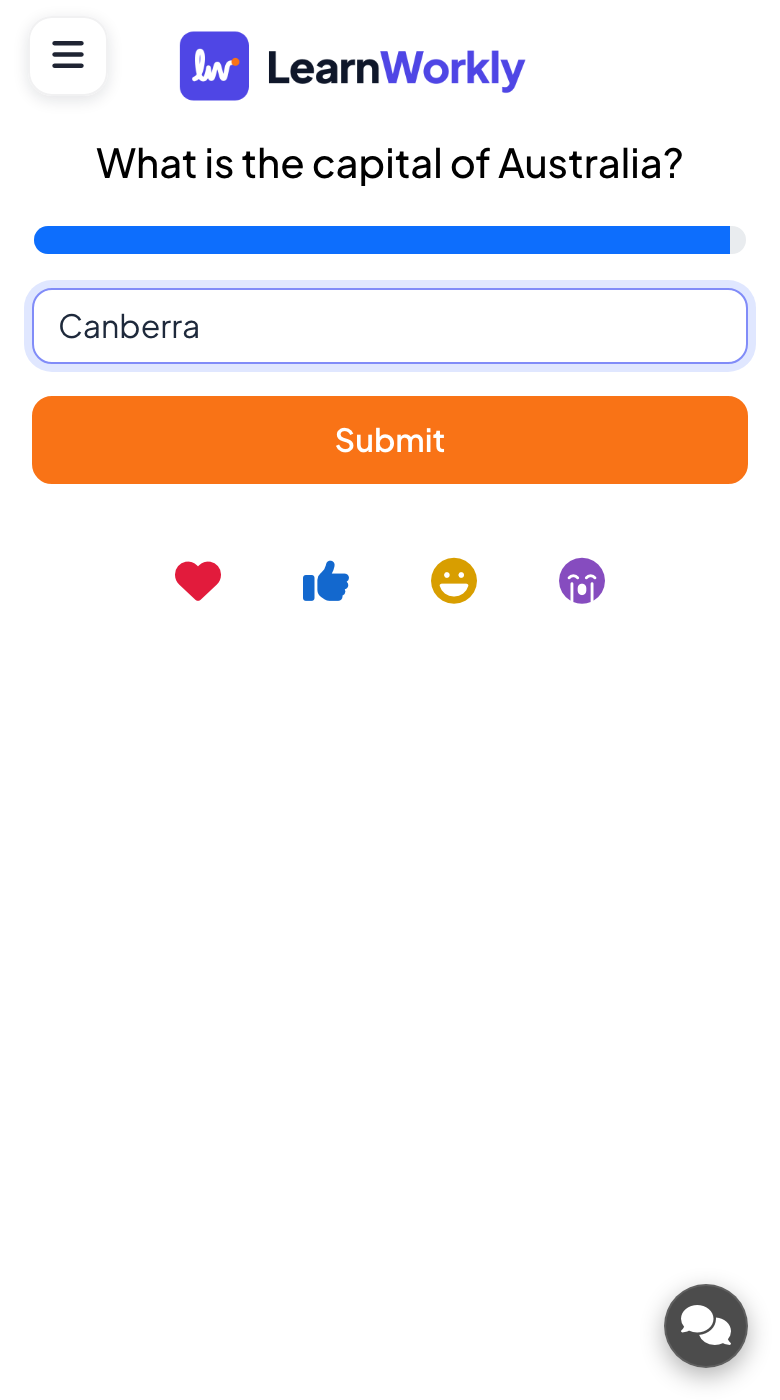
Each phone shows a text box (Your answer..., up to 100 characters) and a Submit button.
- 3
Marking
An answer is right when it matches one of your accepted answers. Upper and lower case and spaces at the start or end do not matter, but spelling does.
- 4
Reveal
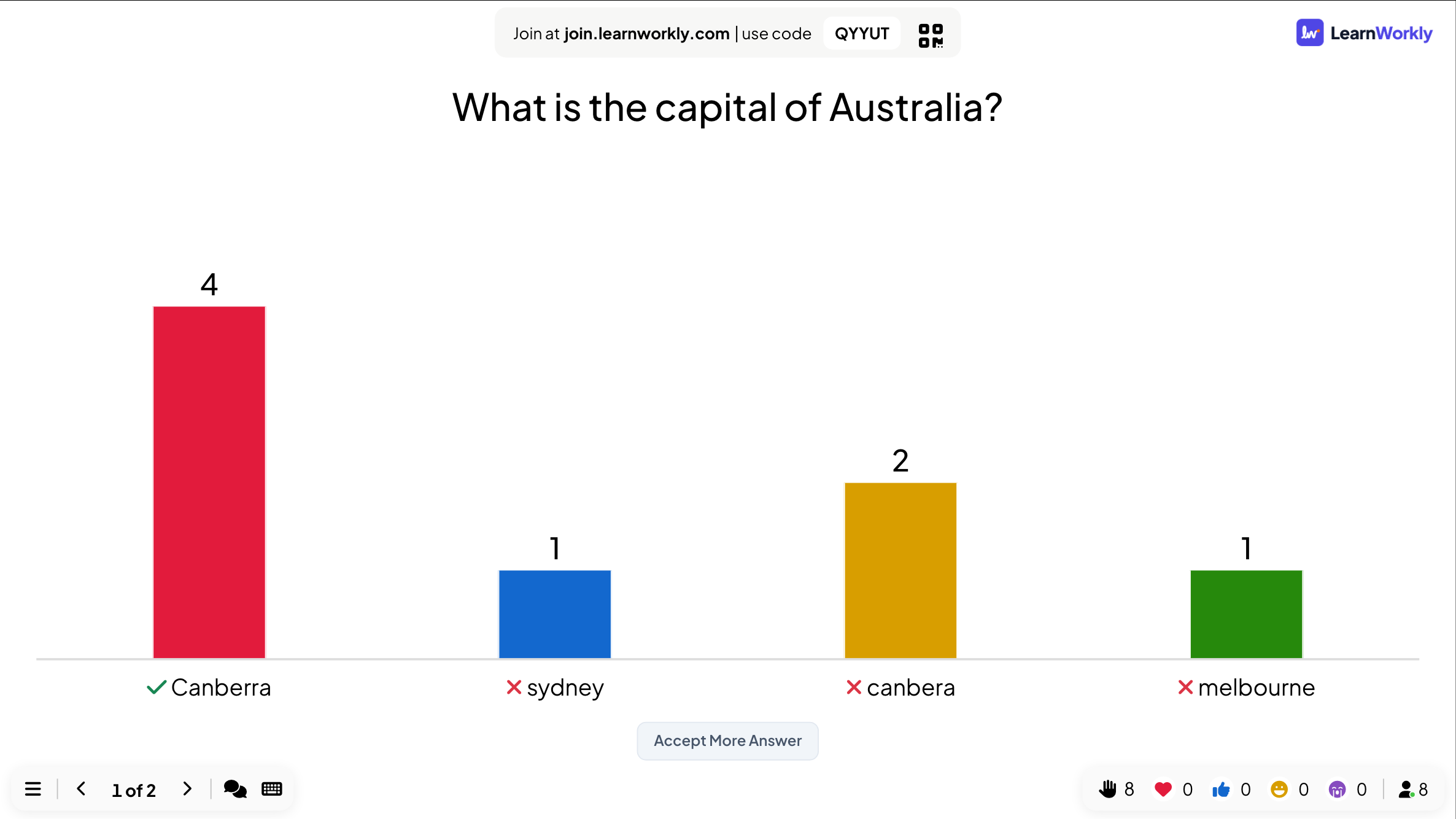
When time is up, the big screen shows a bar for each different answer, with the right one ticked.
Accept an answer after the question
- 1
Open the review
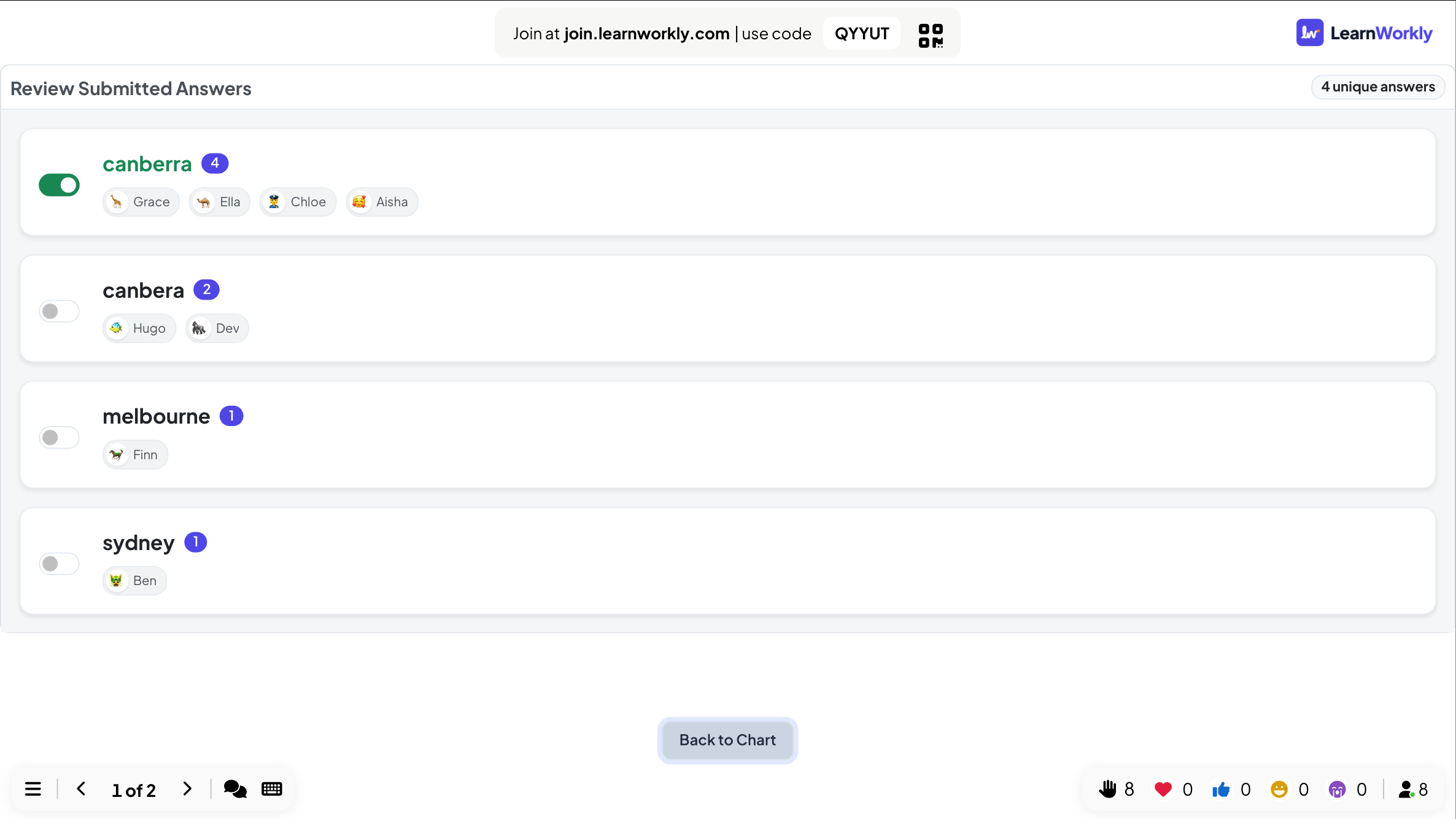
On the reveal, click Accept More Answer. Review Submitted Answers lists every different answer with who gave it.
- 2
Switch an answer on
Turn on the switch next to an answer to accept it. It is added to your accepted answers and the points of everyone who typed it are worked out again.
- 3
Go back
Click Back to Chart to return to the results.
Frequently asked questions
Does capitalisation matter?
No. "canberra" and "Canberra" both match. Spaces before or after the answer are ignored too.
A participant made a small spelling mistake.
Use Accept More Answer on the reveal and switch that spelling on. Everyone who typed it gets their points.
Can people see the other answers?
Only on the big screen at the reveal. Answers are shown without names on the chart; the names are only in Review Submitted Answers and in the report.
Someone joined while the question was running.
After they type a nickname, their phone shows the question and they can still answer until the countdown ends. Points from earlier questions are not added afterwards.
Last checked against the app on 17 November 2026.
Related articles
- Fill in the Blank: complete the sentenceHide words in a sentence with brackets. Participants type the missing words or pick them from a word bank, with partial scoring per blank.
- Select Answer: multiple-choice quiz questionsAsk a multiple-choice question with up to six options, mark the right answers, set the time and points, and play it live with a countdown and a reveal.
- Word Cloud: collect short answers as a live cloudParticipants type short words on their phones and the most common answers grow biggest on the screen. Set the number of answers and multiple submissions.