Quizzes and games
Quizzes and games the whole room plays on their phones
Turn a lesson, a training session or a team event into a game. Ask quiz questions with a timer and points for fast right answers, show the leaderboard between rounds, play as teams, or pick one of the live games: everyone plays on their phone and the action happens on the big screen.
Ten ways to ask
Select answer, true or false, puzzle, type answer, match pairs, fill in the blank, estimate, pin answer, bet and vote-discuss-revote.
Leaderboards and teams
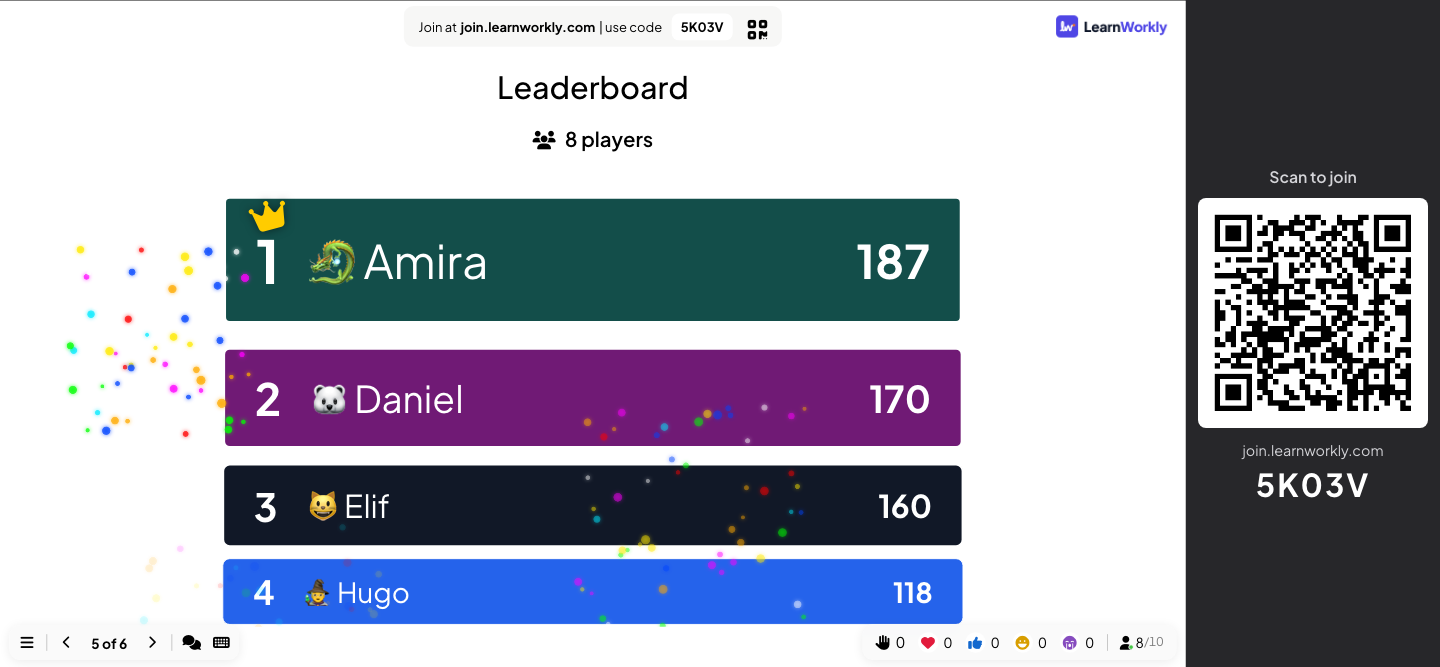
Points for right and fast answers, a leaderboard slide whenever you want one, and a team mode where the scores add up per team.
Live games
Duck Race, Zombie Race, Tug of War, Spinner Wheel, Draw & Guess, Bingo, Last One Standing, Sort It, Hot Potato, Escape Room and more.
Sound and suspense
Countdown music, sound effects and keyboard magic effects such as a drumroll before you reveal the answer.
Fair play
A profanity filter for typed answers, and results kept off the big screen until you choose to show them.
Questions in a minute
Let AI draft a quiz from a topic, start from a template, or reuse questions you saved in your question library.
In a real session
A Friday team quiz, from lobby to the final race
An office manager runs a 20-minute quiz for three teams at the end of the week: two quiz questions, a team leaderboard and a Duck Race to decide who picks next week’s topic. The same steps work for a revision quiz in class or a quiz night at a club.
- 1
Teams pick a side in the lobby
Team quiz mode is on with 3 teams of up to 5 and Average points (shared equally), so a smaller team is not at a disadvantage. When she reaches the first quiz slide, the big screen shows the team lobby and fills up as people join.
- On phones
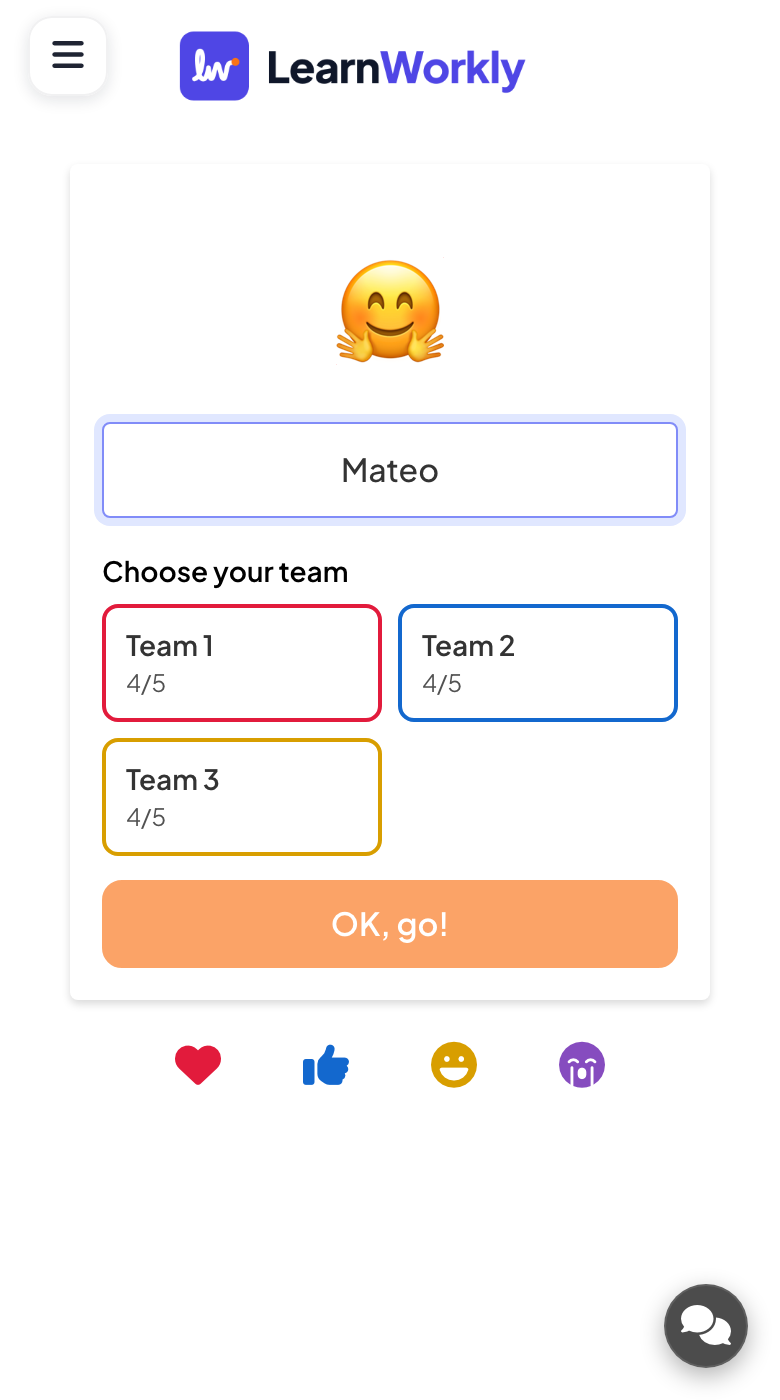
- On phones: Each person types a nickname, picks an emoji avatar if they like, and taps a team under Choose your team. A full team cannot be picked, and people can Change team until the game starts.
- On the big screen
- On the big screen: Team 1, Team 2 and Team 3 in their own colours, with the players in each and how many places are taken.
Tip: Turn on Team quiz mode under Presentation settings → General Settings → Presenting. Number of teams can be 2 to 50 and Members per team 1 to 200.
Big screen 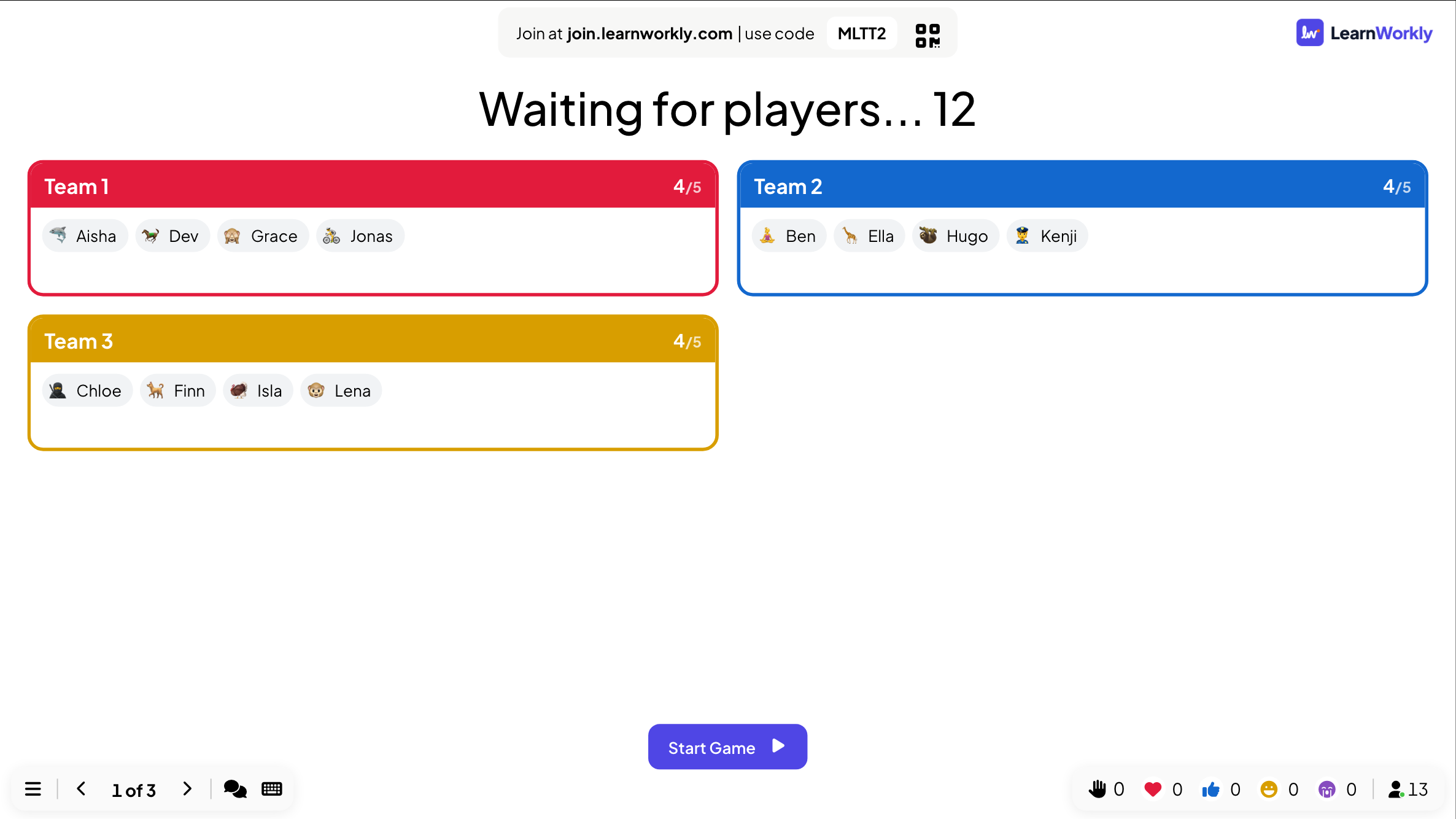
- 2
Ask the first question
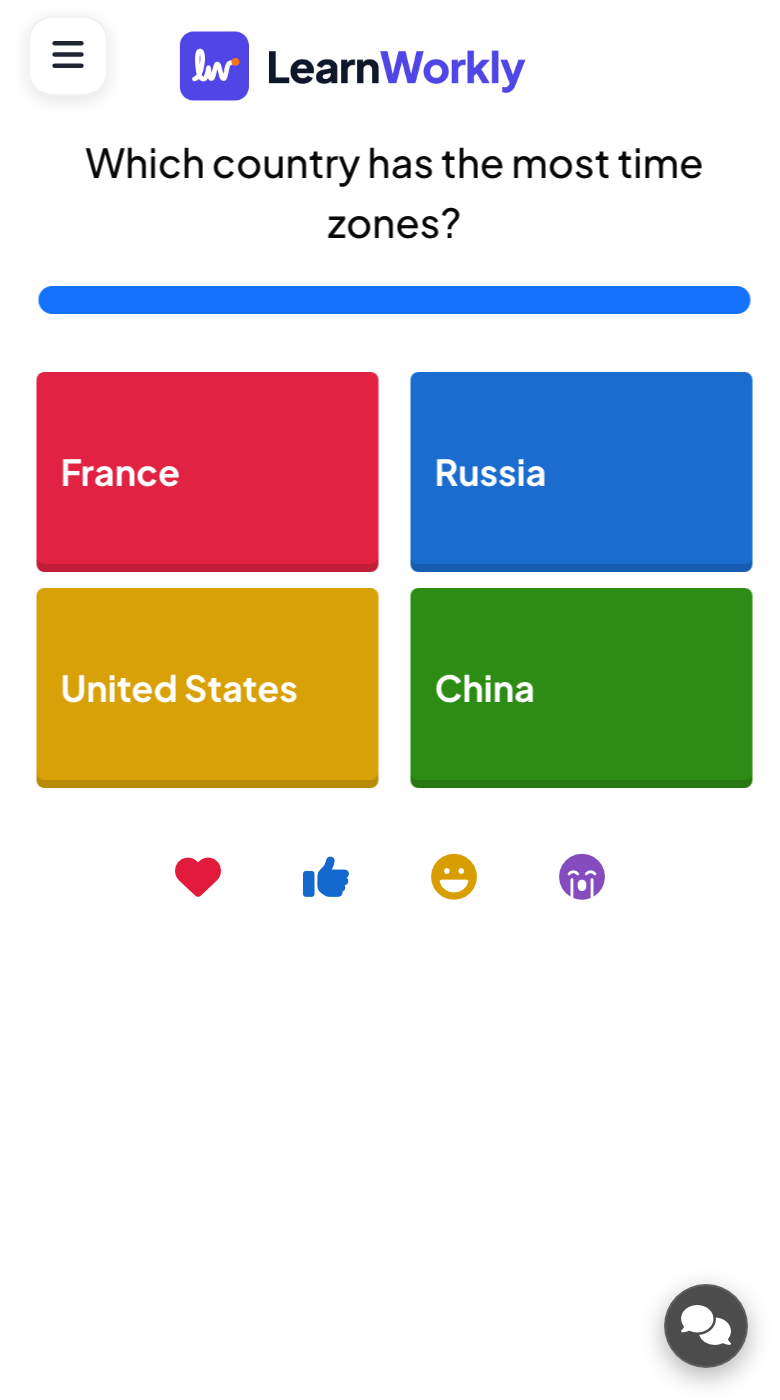
She clicks Start Game. “Which country has the most time zones?” appears with a 20-second countdown, then the four options appear on every phone. With More points for fast correct answers on, a quick right answer scores close to Max Point and a slow one still gets Min Point.
- On phones
- On phones: Four big coloured buttons. One tap sends the answer when there is only one right option.
- On the big screen
- On the big screen: The question, the countdown and how many people have answered so far.
Tip: Set Seconds to answer longer for questions that need thinking or reading, and set the points to 0 for a practice question that does not count.
Big screen 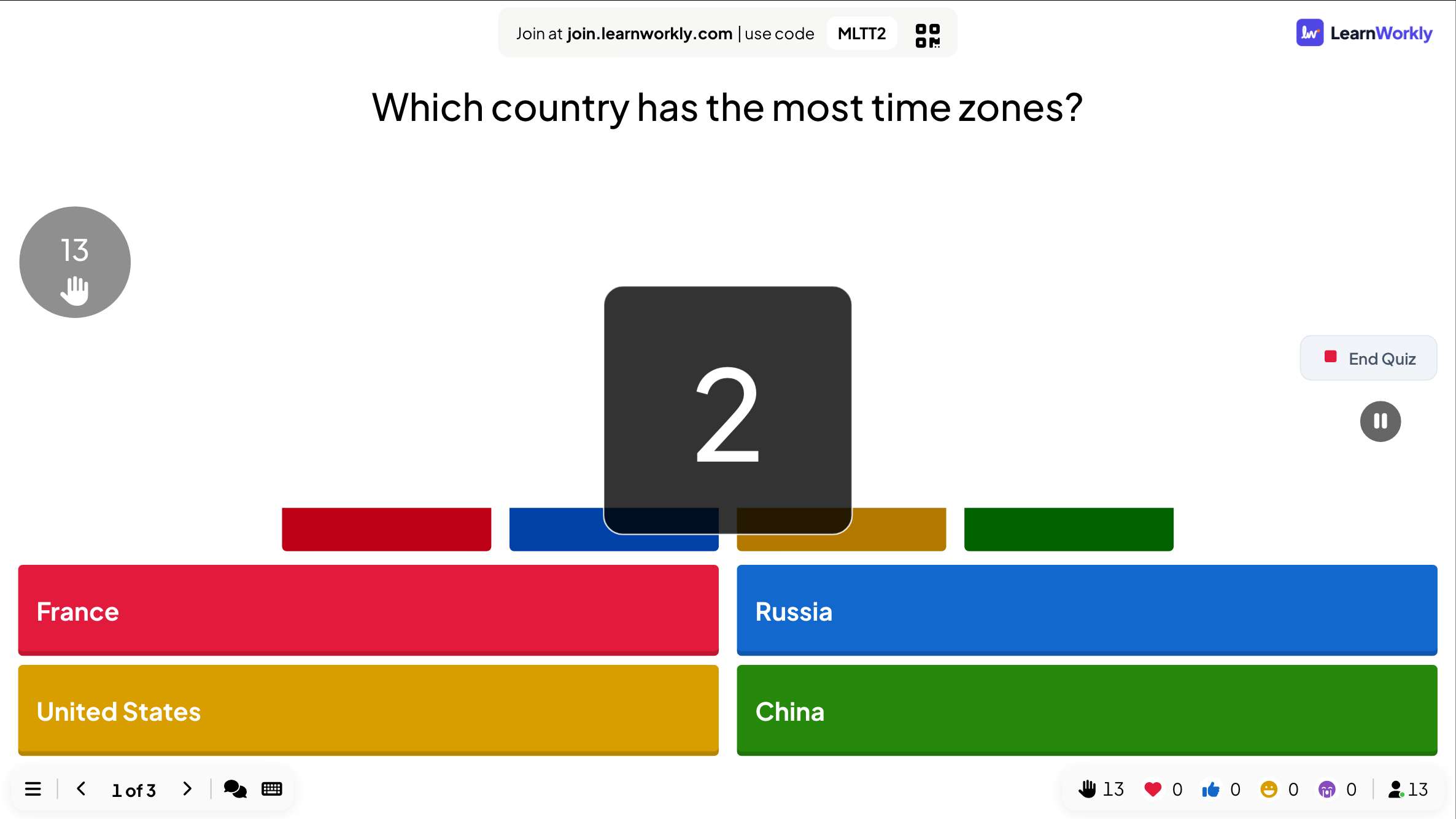
- 3
Reveal the answer, and the surprise
When the time is up (or she clicks End Quiz), the right answer is marked and the bars show how the room voted. Most of the room got it, but two people were sure it was Russia: the answer is France, because of its overseas territories. That moment of surprise is what people remember.
- On phones
- On phones: Each player sees whether they were right and how many points they earned.
- On the big screen
- On the big screen: How many chose each option, with the right one marked.
Tip: Press D before the reveal for a drumroll and C afterwards for confetti (Keyboard Magic, on by default).
Big screen 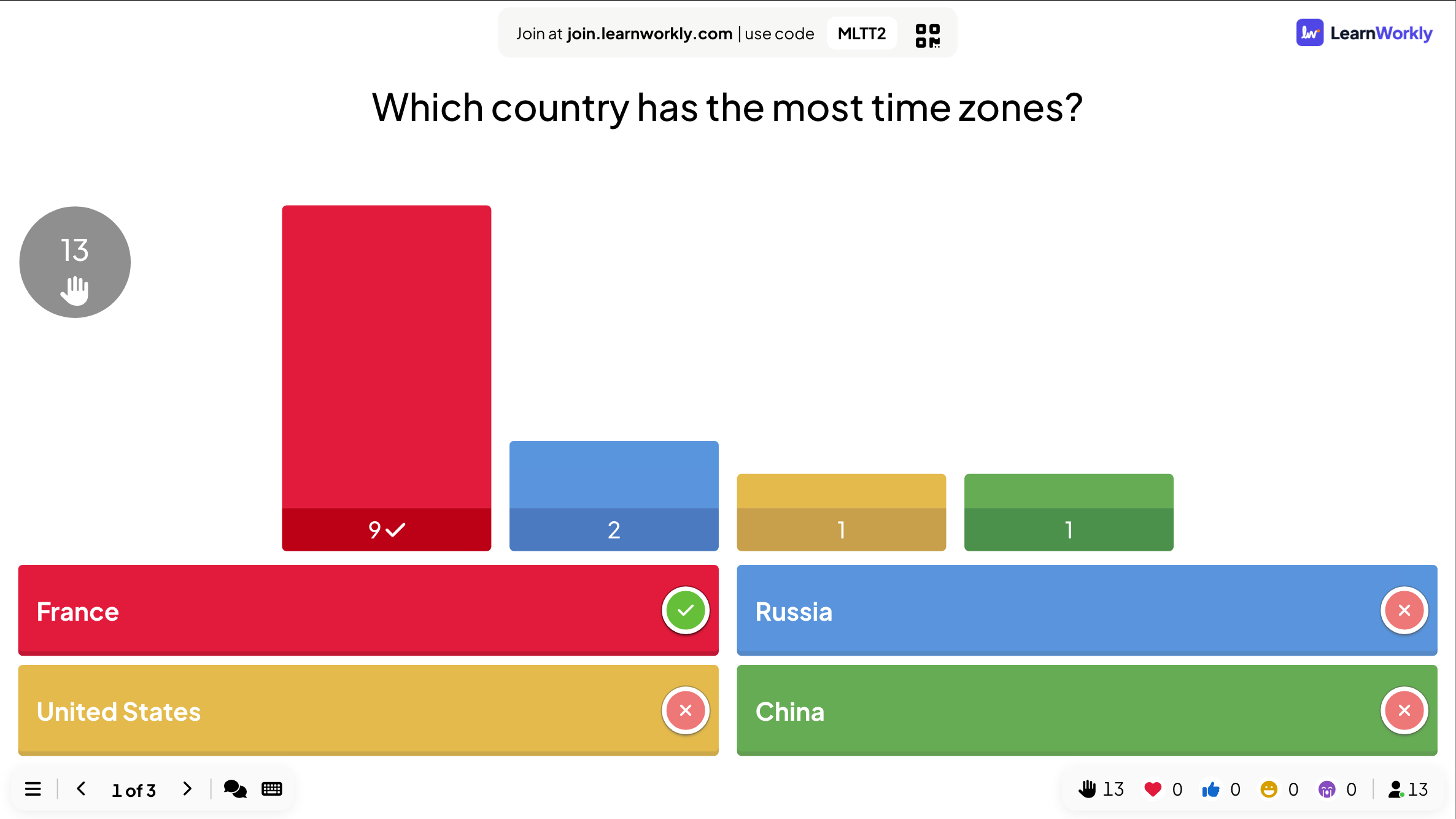
- 4
Show the team leaderboard
After a True or False question (“Honey kept in a sealed jar never goes off.”), the Leaderboard slide opens on the team ranking. The scores move from the previous totals to the new ones, so the room sees who climbed.
- On phones
- On phones: Every player sees the same ranking with their own row highlighted.
- On the big screen
- On the big screen: A Teams view and a Players view. When no quiz slide follows, the winner gets a CONGRATULATIONS! pop-up with fireworks.
Tip: Add a leaderboard after each round and another at the end, rather than one after every question: it keeps the pace up.
Big screen 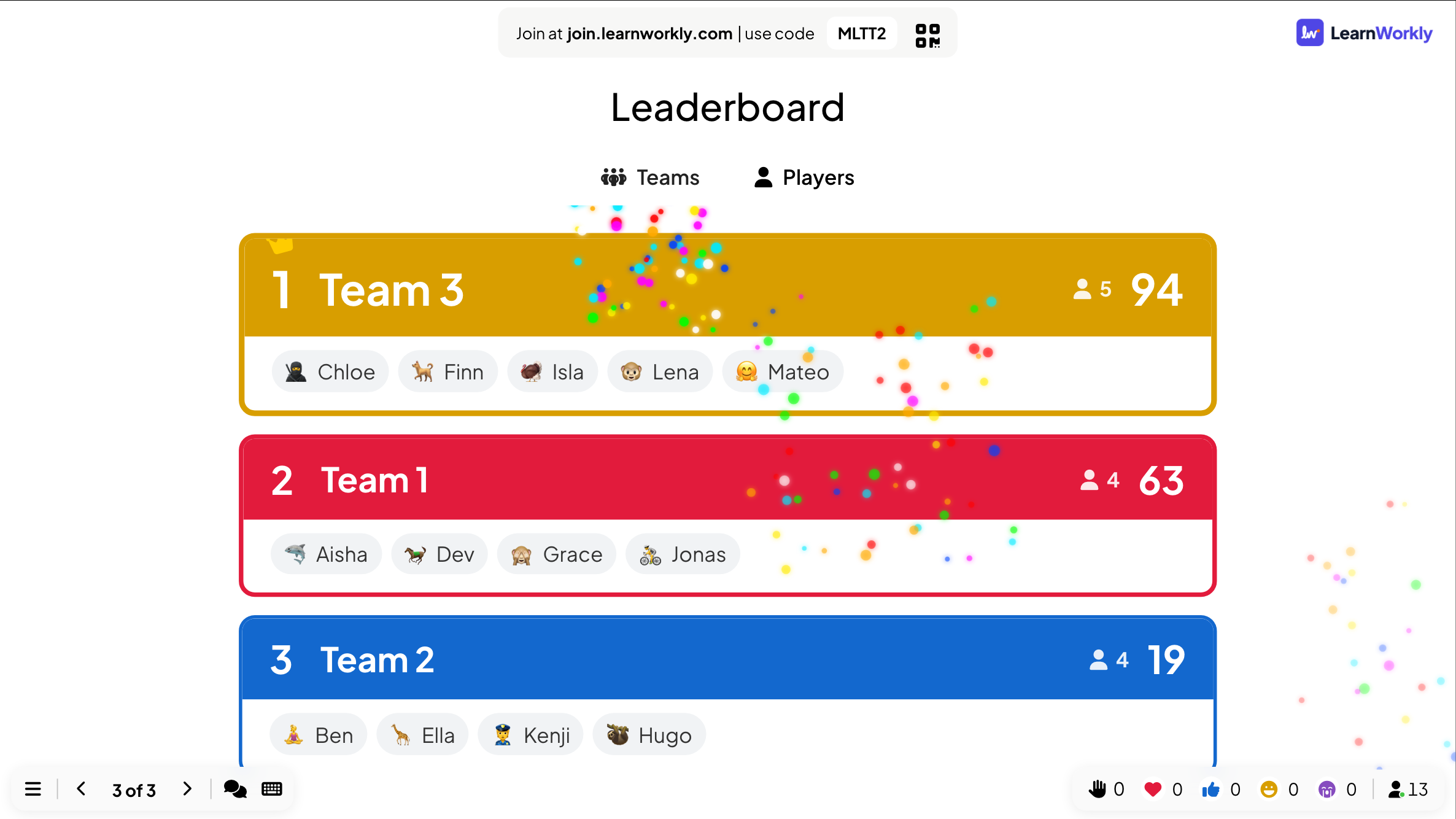
- 5
Finish with a game
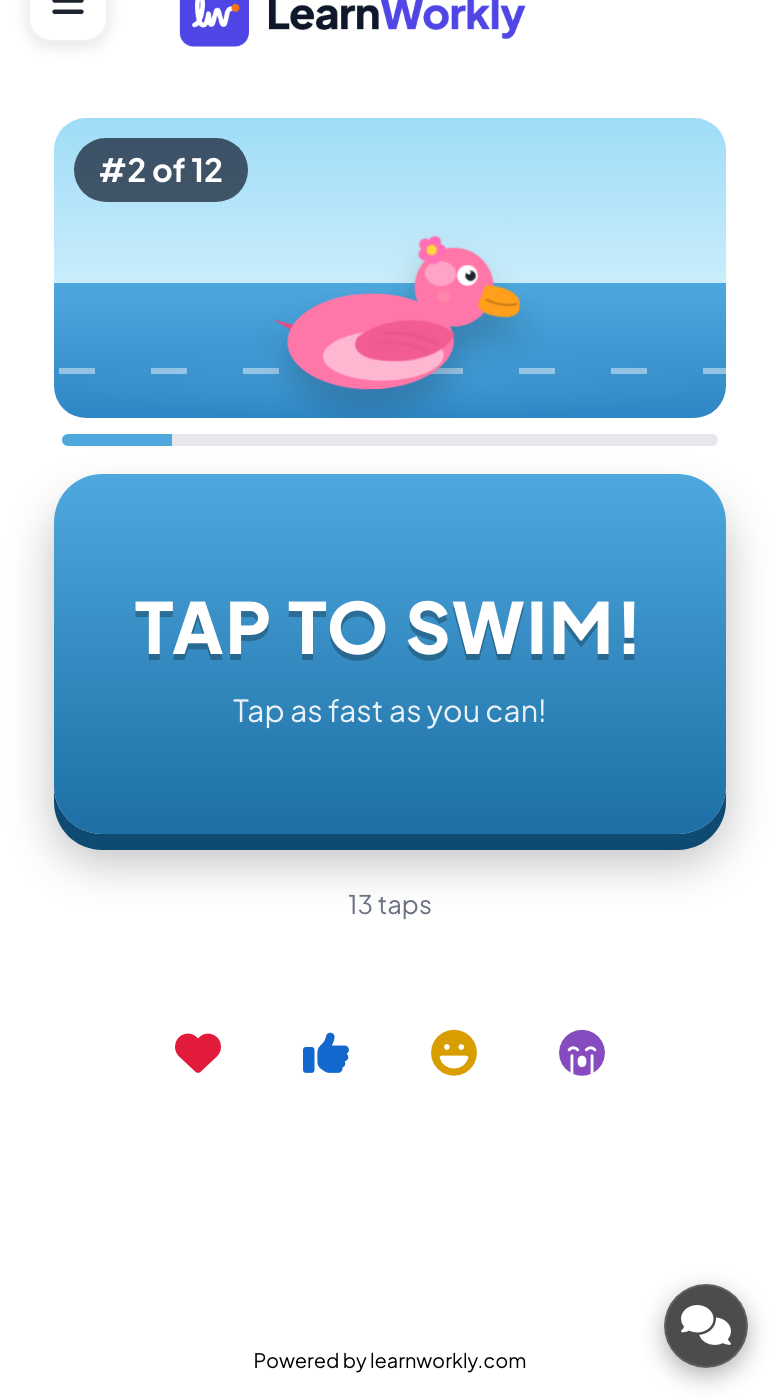
To decide who picks next week’s topic, she ends with a Duck Race. Everyone picks a duck on their phone and the ducks race down the river on the big screen. With Let participants boost on, players tap their phones to swim faster; turn it off and the winner is down to chance, so everyone has the same shot.
- On phones
- On phones: Join the Duck Race!, a duck (or Random duck) and a nickname. With boost on, a big TAP TO SWIM! button that counts the taps.
- On the big screen
- On the big screen: The race, the camera following the leaders and the winner at the finish line. AGAIN ↺ runs another race.
Tip: Duck Race has seasonal themes, including Christmas, Halloween and Lunar New Year, under Theme.
Big screen 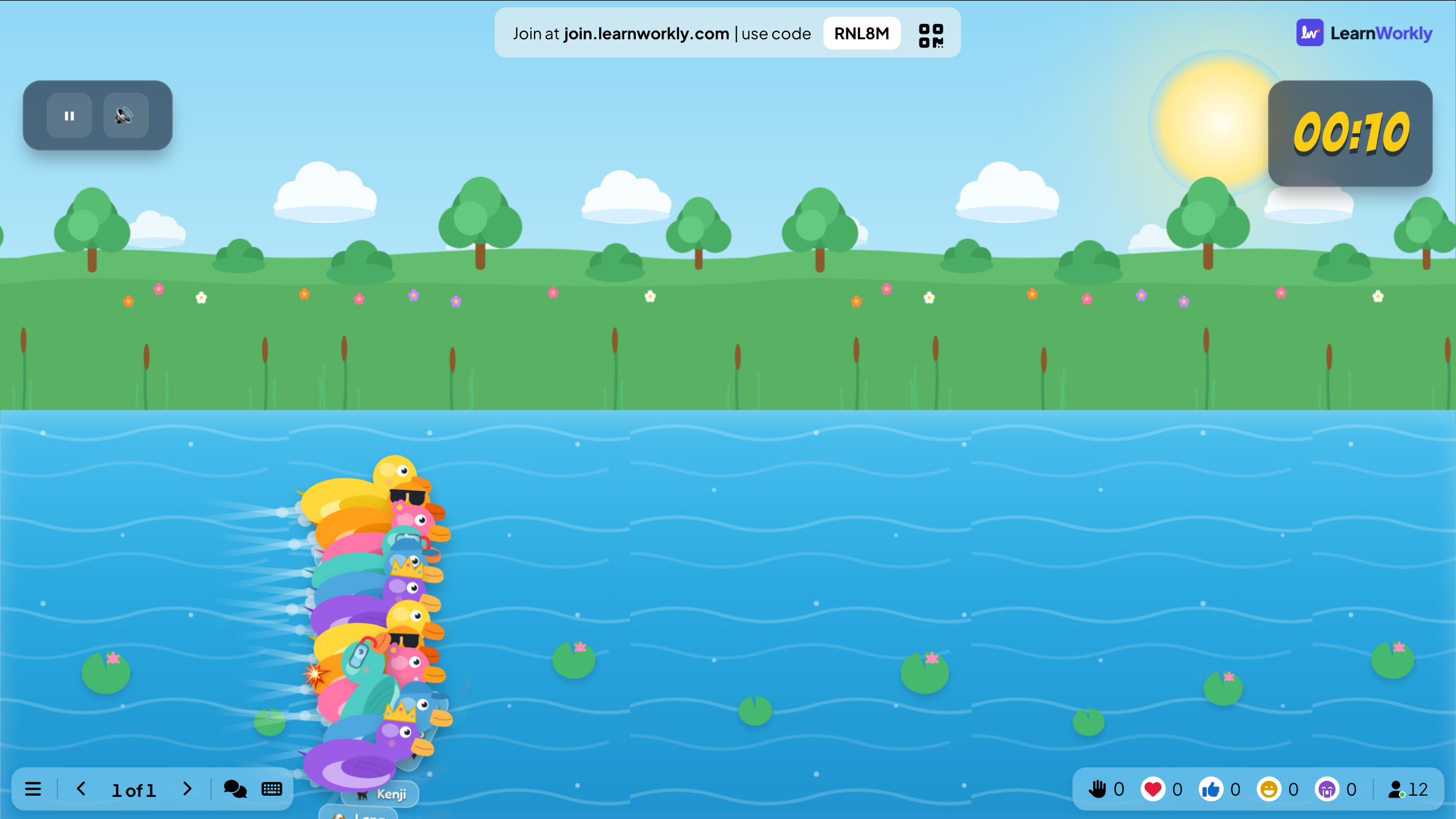
Settings that matter
Quiz settings are on each quiz slide’s Content tab; team mode and sound are presentation settings.
| Setting | What it does | Default |
|---|---|---|
| More points for fast correct answers | On: the faster a right answer, the closer to Max Point. Off: every right answer gets the same Point. | On |
| Seconds to answer | How long players have to answer each question. | Set per slide |
| Min Point / Max Point | The range of points for a right answer when speed counts. Use 0 for practice questions. | Set per slide |
| Partial scoring | With several right options: a share of the points for picking some of them and no wrong one. | Off |
| Team quiz mode | Players choose a team when they join, and the leaderboard gets a team ranking. | Off |
| Team scoring | Total points (sum of members), Average points (shared equally) or Fastest answer per question. | Total points |
| Lobby Music / Playing Music | The music while people wait and while they answer, on the slide’s Audio tab. Choose None for silence. | Built-in tracks |
| Enable Profanity Filter | Hides rude words in typed answers on the big screen, such as Type Answer. | Off |
What participants see
Before the first quiz question, players type a nickname and can pick an emoji avatar so they appear on the leaderboard. In team mode they also pick a team. Then each question appears on their phone with big buttons, a box to type in or a slider, depending on the slide type.
After each question they see whether they were right and how many points they earned. Games such as Duck Race, Tug of War and Hot Potato turn the phone into a controller: a button to tap, a side to pick or a bomb to pass.
Limits by plan
| Feature | Free | Basic | Pro | Enterprise |
|---|---|---|---|---|
| Live participants at the same time | 10 | 100 | 5,000 | Flexible |
| Every quiz type and every game | ✓ | ✓ | ✓ | ✓ |
| Team quiz mode and leaderboards | ✓ | ✓ | ✓ | ✓ |
| Export the results to PDF and Excel | – | ✓ | ✓ | ✓ |
| Remote control from your phone | – | – | ✓ | ✓ |
Quiz slides
Questions with right answers, points for right and fast answers, and a leaderboard.
- Select AnswerMultiple-choice quiz questions with scoring and a leaderboard.
- True or FalsePlayers pick a side, then the answer is stamped on screen with the reason why.
- PuzzlePut the choices in the correct order to score points.
- Type AnswerType a short answer that is matched to the correct response.
- Match PairMatch pairs of items between two columns.
- Fill in the BlankComplete the sentence, typed or picked from a word bank.
- Bet / WagerBet points before the options appear: right doubles the bet, wrong loses it.
- EstimateDrag a slider to guess a number. The closer the guess, the more points.
- Pin AnswerTap the right spot on a picture: a map, a diagram or a screenshot.
- Vote · Discuss · RevoteVote alone, discuss with a neighbour, vote again, and see how the room changed its mind.
- LeaderboardShow the scores so far, between rounds or at the end.
Live games
Live games everyone plays on their phone while the action happens on the big screen.
- Duck RaceA duck race on the big screen that shows each player’s progress.
- Zombie RaceEveryone picks a zombie and shambles toward the brains.
- Tug of WarTwo teams answer right and fast, then tap to pull the rope.
- Spinner WheelA lucky wheel that picks a player, a prize or a topic.
- Draw & GuessPlayers take turns drawing while everyone else races to guess the word.
- ScenarioA branching story: the room votes on what to do, and every choice changes what happens next.
- BingoEveryone gets a card on their phone and races to complete a line.
- Last One StandingAn elimination quiz: a wrong answer drops your tile.
- Sort ItSort items into the right groups against the clock.
- Quick DrawPhones turn red, then green. The fastest tap wins.
- Stop the ClockStop a hidden clock as close to 10.00 seconds as you can.
- Higher or LowerGuess whether the next card is higher or lower and keep your streak alive.
- Rock Paper ScissorsThe whole room plays against the screen until two players face off.
- Heads or TailsCall the coin; wrong calls are out until the winners are left.
- Hot PotatoA bomb jumps from phone to phone. Pass it before it blows.
- Lucky DrawA prize draw: people join on their phone and the big screen draws the winners of each prize.
- Treasure HuntAnswer at your own pace; every right answer opens a treasure chest.
- Escape RoomTeams crack a chain of locks. First team out wins.
Frequently asked questions
Are the games on the free plan?
Yes. Every quiz type and every game is on every plan, including Free, which allows up to 10 live participants.
How are points worked out?
With More points for fast correct answers on, a right answer scores between Min Point and Max Point depending on speed. Off, every right answer gets the same Point. Partial scoring gives part of the points when a question has several right options.
Can people play in teams?
Yes. Turn on Team quiz mode: players choose a team when they join, and the leaderboard gets a team ranking. Tug of War and Escape Room are built for teams.
How is a team score counted?
Choose Total points (sum of members), Average points (shared equally), which is fair when teams have different sizes, or Fastest answer per question.
How many players can join a quiz?
Up to 10 at the same time on Free, 100 on Basic and 5,000 on Pro. Enterprise limits are flexible.
Do players need an app?
No. They play in the browser on any phone, tablet or laptop, after typing the code or scanning the QR code on the big screen.
Can someone join halfway through?
Yes, with the same code. In games such as Duck Race, people who join after the game has started watch the big screen and can play the next game.
Can I stop a question early?
Yes. Click End Quiz on the big screen to close the question and reveal the answer.
Where are the scores afterwards?
In the report of the presentation, with every answer per slide and per participant. Basic, Pro and Enterprise can export it to PDF or Excel.
Learn more
- Help centerSelect Answer: multiple-choice quiz questions
- Help centerTeam quiz mode: play a quiz in teams
- Help centerLeaderboard: show the quiz scores
- Help centerDuck Race: a race on the big screen
- BlogChristmas quiz for work: rounds and questions for the office
- BlogDigital escape room for revision: build one in an hour
- BlogTrue or false questions with answers, and a why round
- Use caseEvents and team building
- Use caseSchool teachers
Who uses it, and for what
Related features
Try it in your next session
Free for up to 10 live participants, with every slide type and game. Build your first deck in minutes.
Free for up to 10 participants · No credit card