LearnWorkly vs Nearpod
A lighter Nearpod alternative for tutors
Nearpod is a full interactive lesson platform for schools, with a large content library. If you are a tutor who mainly needs to see what students are thinking and give feedback, LearnWorkly is simpler and billed monthly.
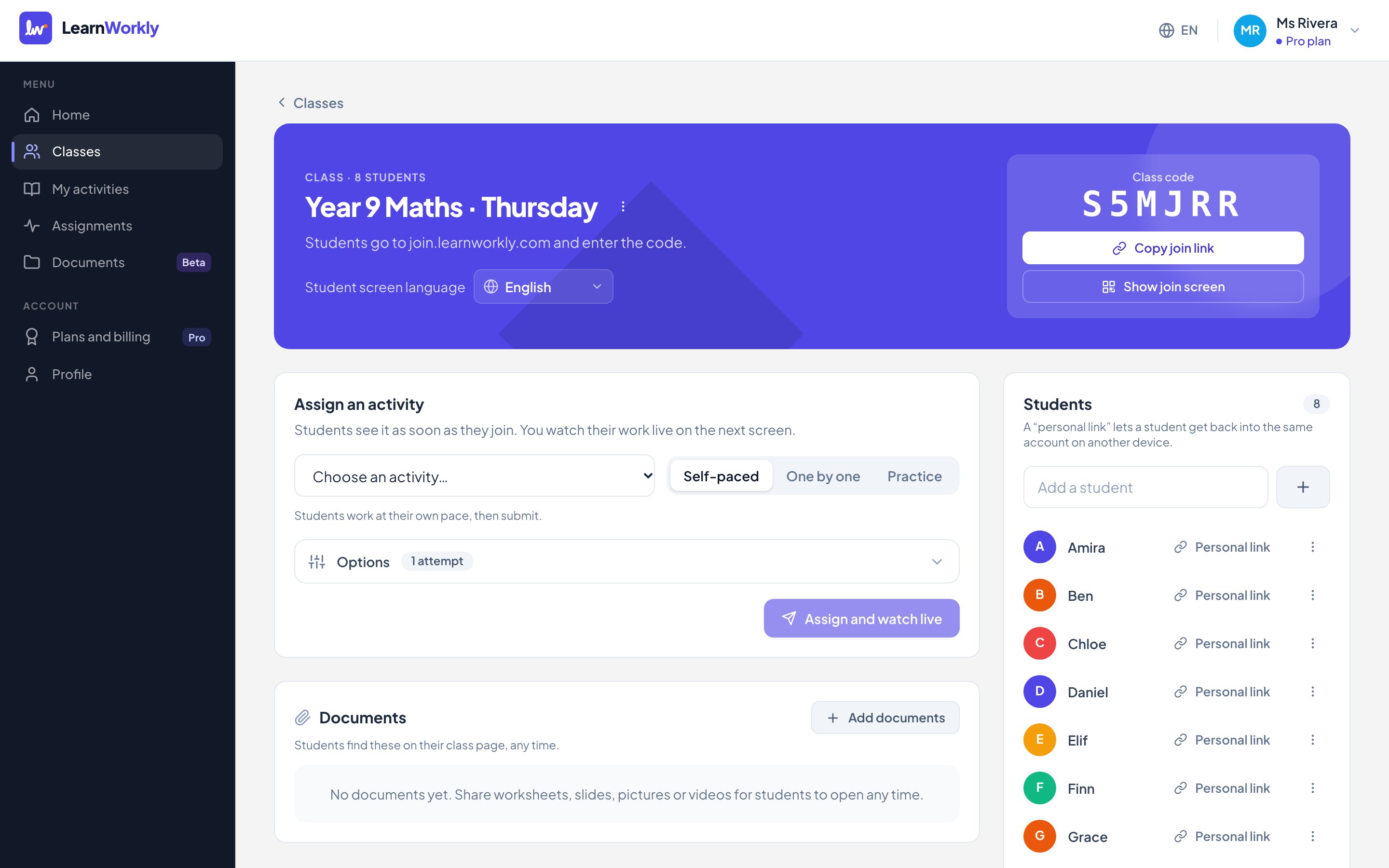
LearnWorkly and Nearpod side by side
Nearpod is built for K-12 schools, with interactive slide lessons, videos and a large library of ready-made lessons.
| LearnWorkly | Nearpod | |
|---|---|---|
| Made for | Tutors and small groups | K-12 schools |
| Paid plan price | Free for 10 students; Solo $9.99/month; Pro $14.99/month | About $159 per year |
| Monthly billing | Yes | Billed annually |
| Live view of student answers | Yes | Yes |
| Photos of handwritten work from a phone | Yes, by QR code with any phone | Not stated |
| Progress reports for parents | Yes, from real scores and skills (Solo and up) | Not stated |
| Ready-made lesson library | No | Yes |
Information about Nearpod from its public website and reviews, checked November 2026. It may have changed: check their website for the latest details. Nearpod is a trademark of its owner; LearnWorkly is not affiliated with it.
Why tutors choose LearnWorkly
Monthly, cancel any time
No yearly commitment. Cancel in one click, with a 14-day money-back guarantee.
Handwritten work
Students photograph their working, or draw it, and you see it straight away.
Reports for families
Progress by skill and short reports parents understand.
Fair to say: Choose Nearpod if you teach whole classes in a school and want a large library of ready-made interactive lessons.
See how it works
Handwritten work
Paper and pen, straight to your screen
Maths working, essay plans, diagrams: some work is simply easier on paper. Students scan a QR code with their phone, take a photo, and it lands on the question you asked, in front of you, seconds later.
Learn more: Photos of handwritten work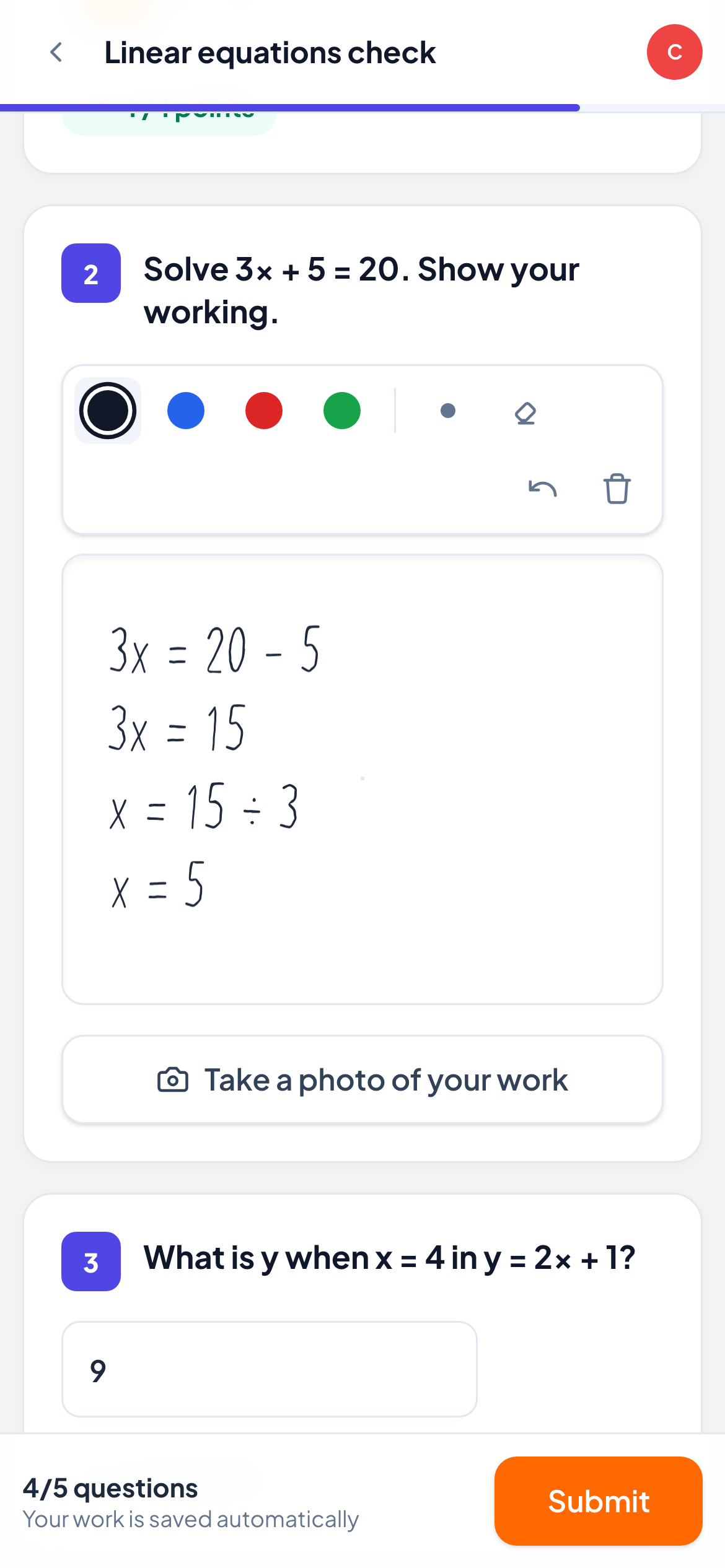
Parent reports
Show parents the progress, not just the hours
Parents pay for progress. LearnWorkly turns scores, skills and your notes into a short, friendly report you can review and email in a couple of minutes, for 1-to-1 students and small groups alike.
Learn more: Progress reports for parents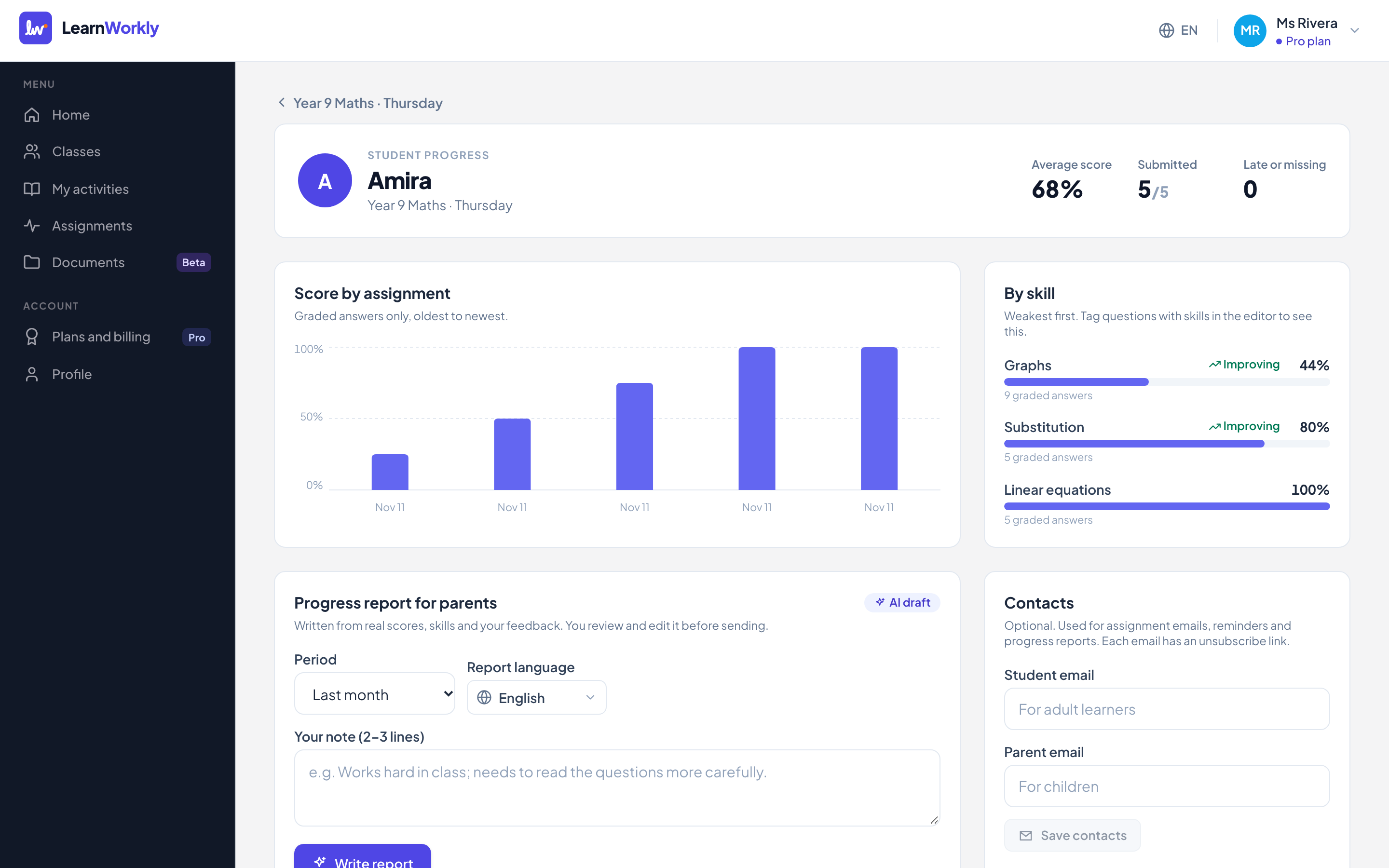
Frequently asked questions
Can I present slides in LearnWorkly?
You can add content blocks with text, images and videos, and move students through questions one at a time. LearnWorkly focuses on questions and feedback rather than slide decks.
How much does LearnWorkly cost?
Free for up to 10 students. Solo is $9.99 a month and Pro $14.99 a month, with yearly plans at the price of about 10 months.
Other comparisons
Try it in your next lesson
Free for up to 10 students, with every question type. Set up your first activity in five minutes.
Free for up to 10 students · No credit card