AI
A ready-to-use activity in under a minute
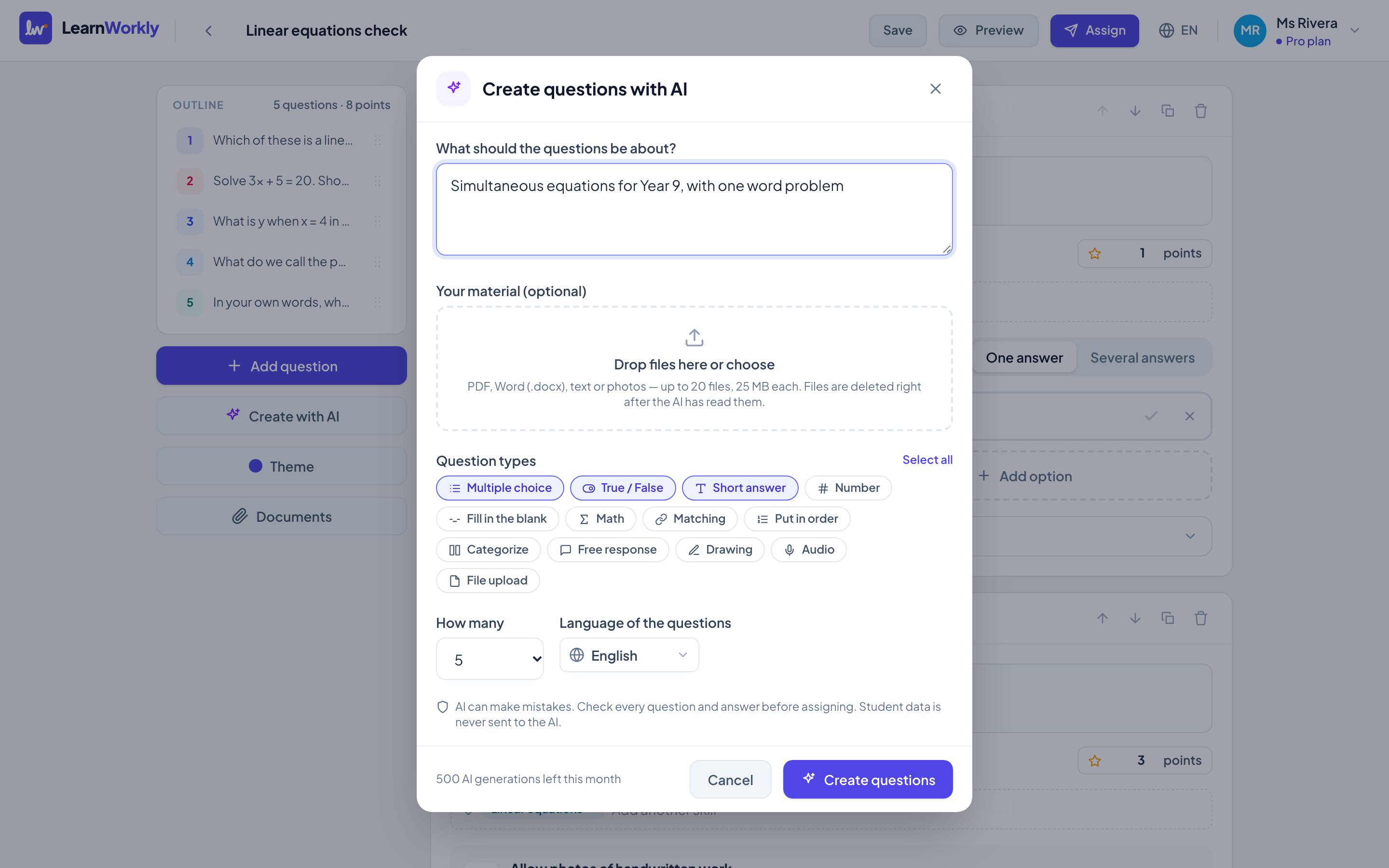
Describe what you are teaching, or upload a worksheet you already use, and LearnWorkly drafts questions with answer keys, hints and explanations. Everything stays editable: you are always the teacher.
From your worksheets
Turn a PDF or a photo of a worksheet into interactive questions. The file is deleted straight after.
Hints and explanations
Each question can come with a hint students ask for, and an explanation shown after they answer.
No student data sent
Only your prompt or worksheet is sent to the AI. Never student names, emails or answers.
How it works
- 1
Describe the topic, level and number of questions, or upload a worksheet.
- 2
Choose the question types you want.
- 3
Review, edit and assign.
Frequently asked questions
How many AI generations do I get?
Free includes 20 a month, Solo 200 and Pro 500. Academy plans have a custom allowance.
Is my students’ data used to train AI?
No. Student data is never sent to the AI provider, and requests are made with storage turned off.
Related features
Try it in your next lesson
Free for up to 10 students, with every question type. Set up your first activity in five minutes.
Free for up to 10 students · No credit card