LearnWorkly vs Wayground
Your activity and your video lesson, together
Wayground, formerly Quizizz, is a large platform of quizzes and lessons for K-12 schools. LearnWorkly is built for the lesson itself: a video lesson students join from their class page, every question type on the free plan, feedback on each answer and reports for parents.
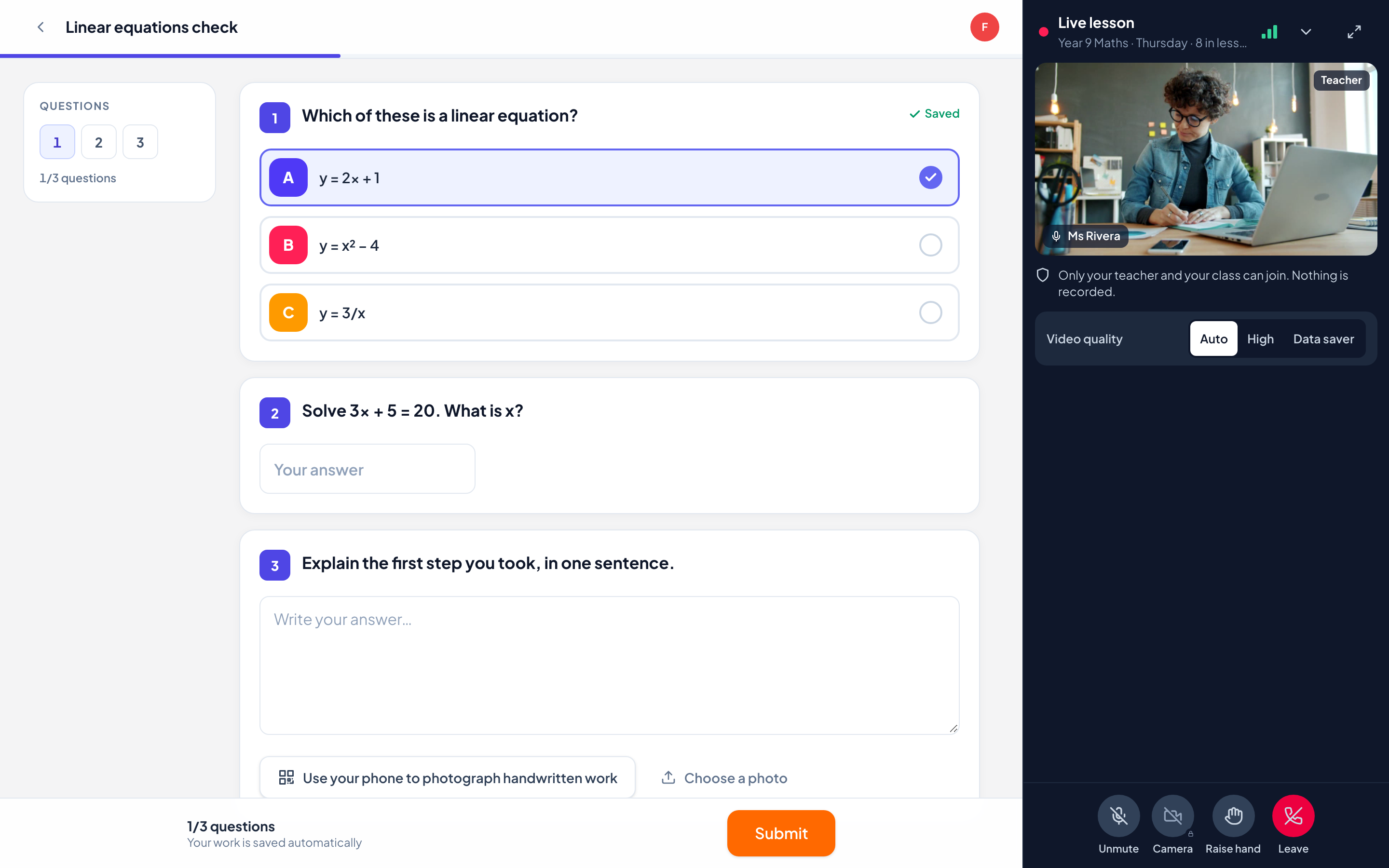
LearnWorkly and Wayground side by side
Wayground is built for K-12 teachers, schools and districts, with a large library of ready-made quizzes and lessons.
| LearnWorkly | Wayground | |
|---|---|---|
| Made for | Teachers, tutors and trainers, in the room or online | K-12 teachers, schools and districts |
| Built-in video calls | Included on every plan | Not stated |
| Question types on the free plan | All 13 on every plan, including Free | 5 on the free plan, 18 or more on paid plans |
| Drawing and photos of handwritten work | Yes, by QR code with any phone | Drawing questions |
| Live view of student answers | Yes | Yes |
| Homework with due dates | Yes | Yes |
| Free plan | 10 students, every question type | 100 participants, 20 stored items that expire after 14 days |
| Progress reports for parents | Yes, from real scores and skills (Solo and up) | Reports can be emailed to parents |
Information about Wayground from its public website and reviews, checked November 2026. It may have changed: check their website for the latest details. Wayground is a trademark of its owner; LearnWorkly is not affiliated with it.
Why teachers and tutors choose LearnWorkly
No second app for the lesson
Students join your video lesson from their class page and keep working beside you.
Everything on the free plan
All 13 question types for up to 10 students, with nothing that expires.
Feedback that lands
Reply to each answer with a comment or a drawing; students can reply back.
Fair to say: Choose Wayground if you want a very large library of ready-made quizzes and lessons for a K-12 school.
See how it works
Feedback
Feedback that lands while it still matters
The best moment to correct a misconception is right after it happens. Reply to any answer with text, a voice note or a drawing on top of the work, and students see it at once and can answer back.
Learn more: Two-way feedback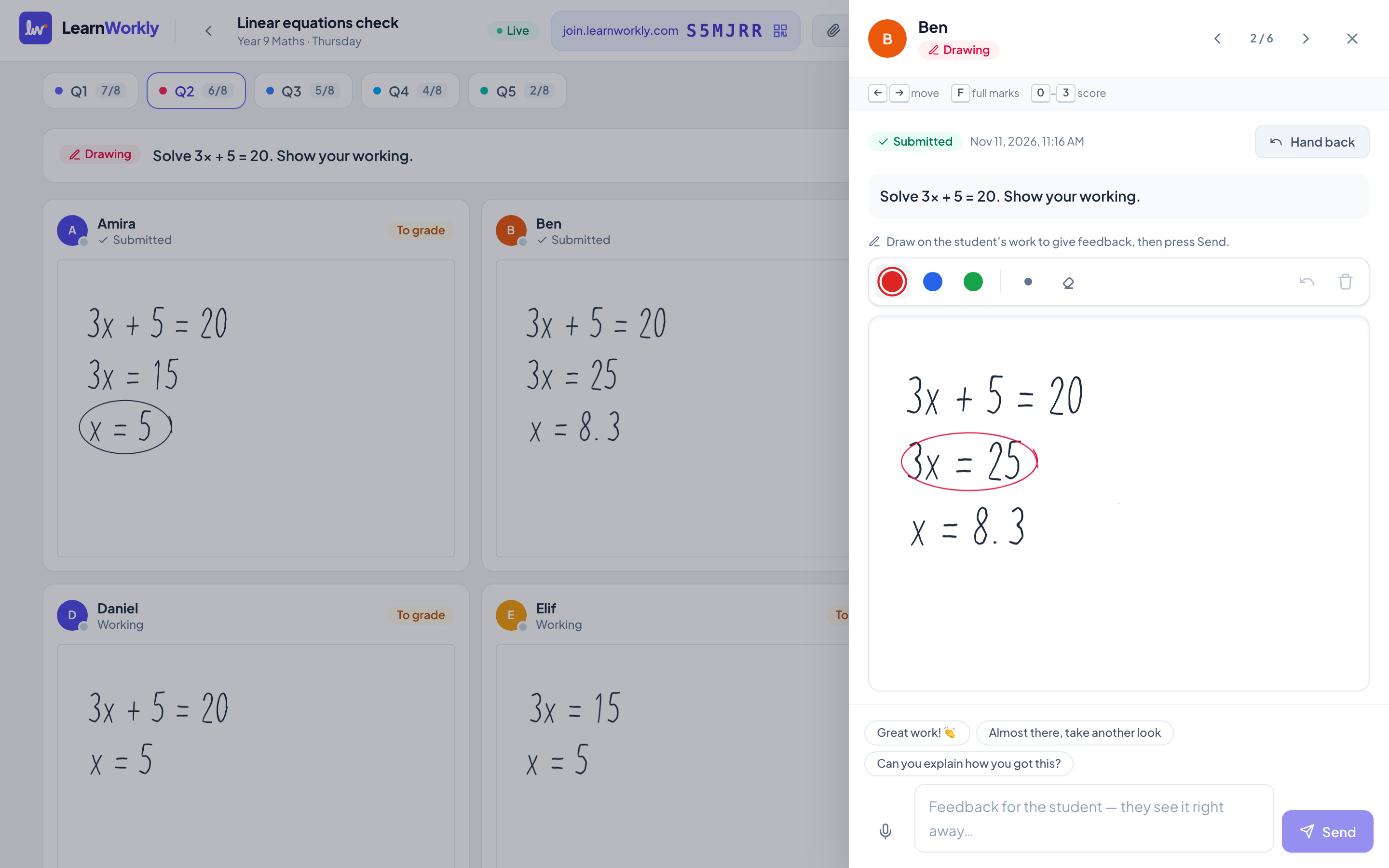
Parent reports
Show parents the progress, not just the hours
Parents pay for progress. LearnWorkly turns scores, skills and your notes into a short, friendly report you can review and email in a couple of minutes, for 1-to-1 students and small groups alike.
Learn more: Progress reports for parents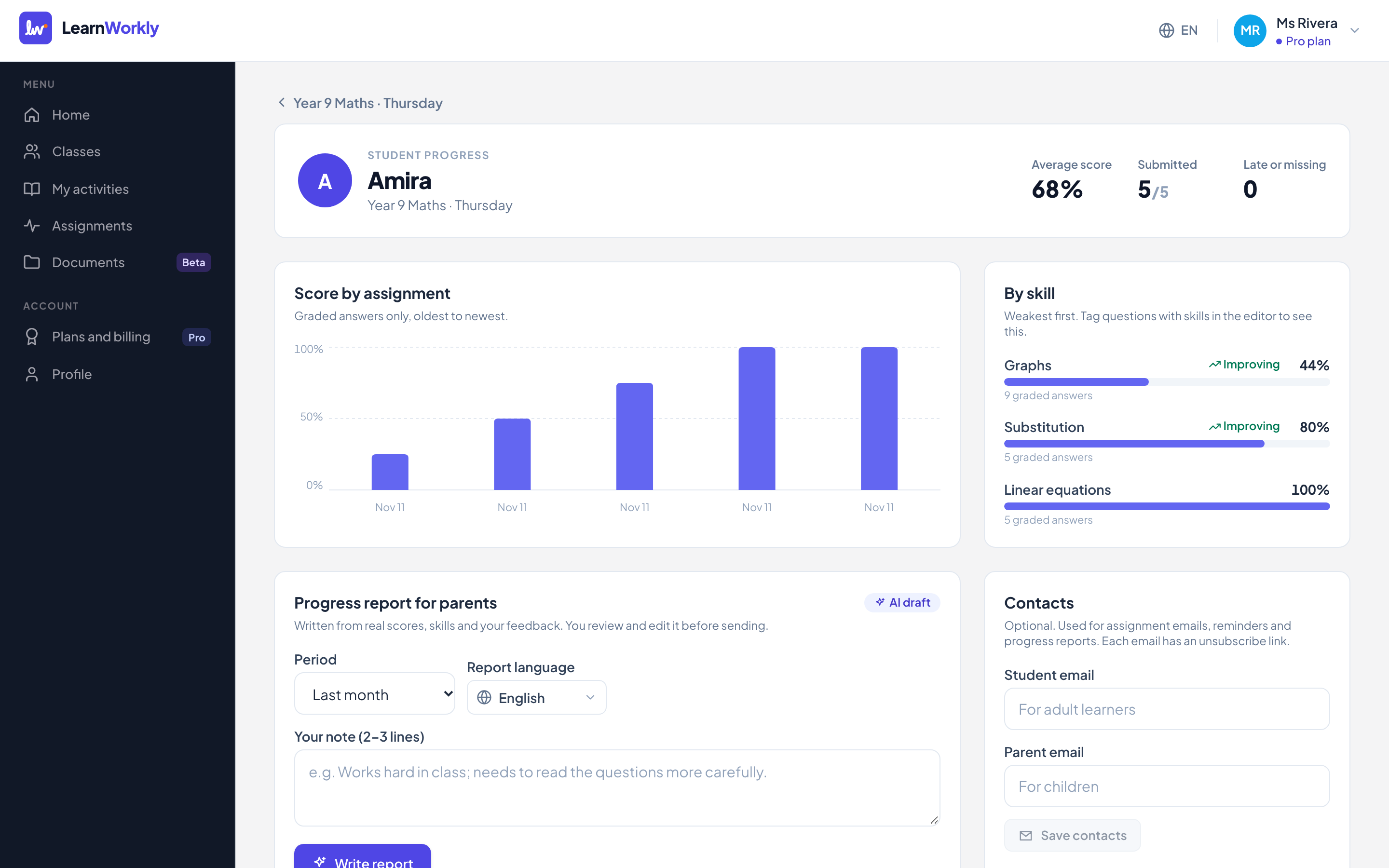
Frequently asked questions
Is LearnWorkly a quiz game?
No. Students answer at their own pace or one question at a time with you, and you see their working, not just a score.
Can students join from a phone?
Yes. Activities and video lessons work on phones, tablets and computers, with no account or app.
Other comparisons
Try it in your next lesson
Free for up to 10 students, with every question type. Set up your first activity in five minutes.
Free for up to 10 students · No credit card