Match Pair asks participants to match each item with its pair. It suits vocabulary, definitions, formulas and anything else that comes in pairs.
Set it up
- 1
Add the slide
In the editor, click + New Slide. In Choose Slide Type, open the Quizzes tab and click Match Pair. A Leaderboard slide is added right after it, unless the next slide already is one.
- 2
Write the question
For example "Match each French word with its meaning."
- 3
Add the pairs
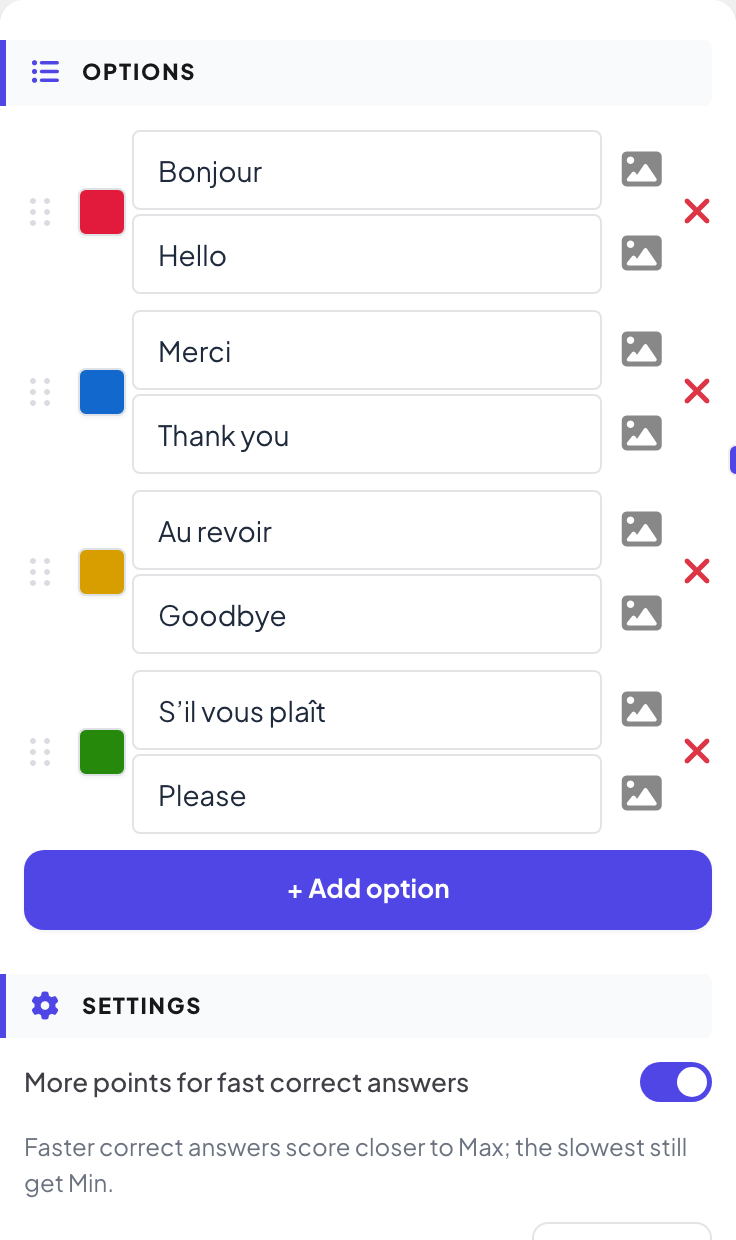
Under Options, fill in Option text and Pair text for each pair, up to 6 pairs. Both sides can have an image.
- 4
Set time and points
Under Settings, set Seconds to answer and the points. Matching takes a while: 45 seconds suits four pairs.
Play it live
- 1
Start the question
Click Present. When you reach the first quiz slide, the big screen shows the lobby with everyone who has joined. People who have not given a name yet type a Nickname on their phone first, so they appear on the leaderboard. Click Start Game when the room is ready. The game then keeps going: each later quiz slide you move forward to opens straight on its question, without the lobby. After you go back a slide, quiz slides show the lobby again until you click Start Game.
- 2
People match
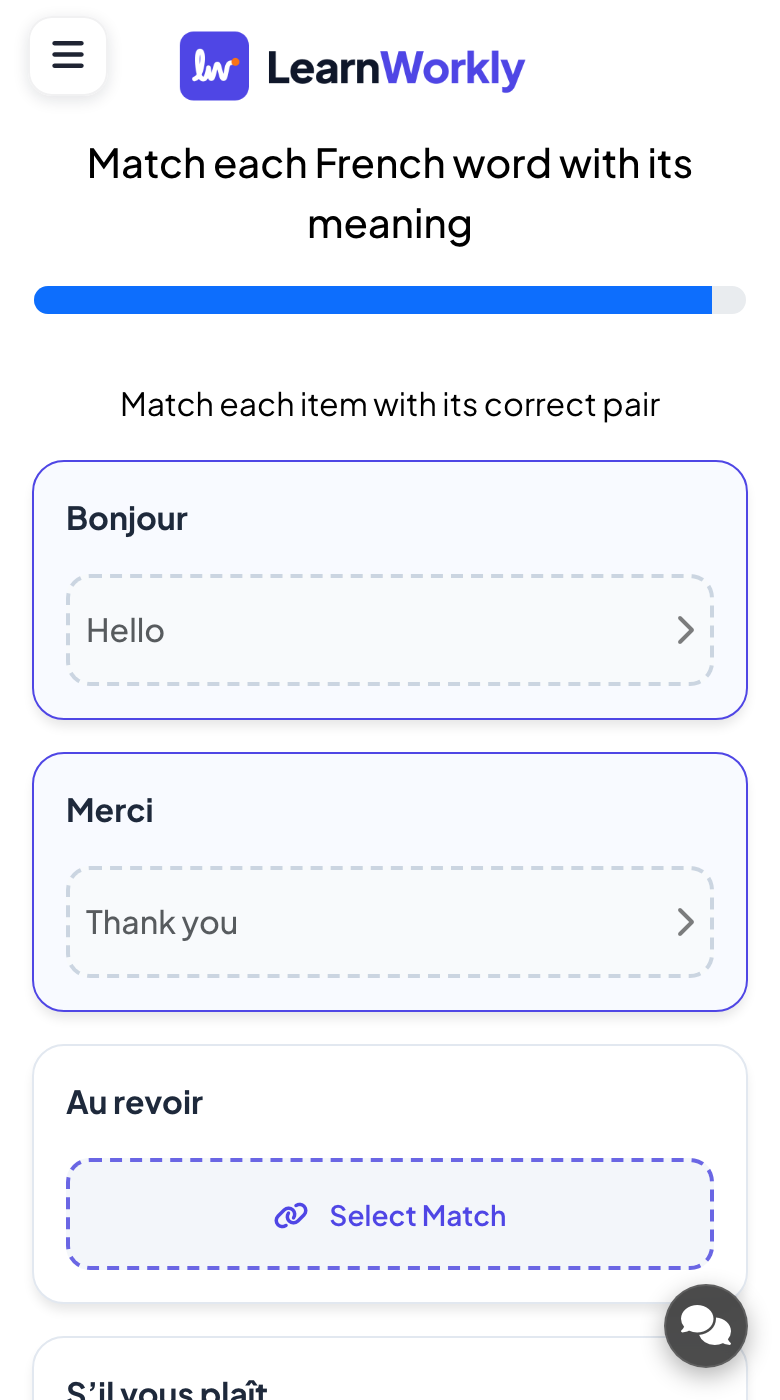
Each phone says Match each item with its correct pair and lists the items. Participants tap Select Match under an item, choose its pair from the list, and do the same for every item. Then they tap Submit Answer.
- 3
Reveal
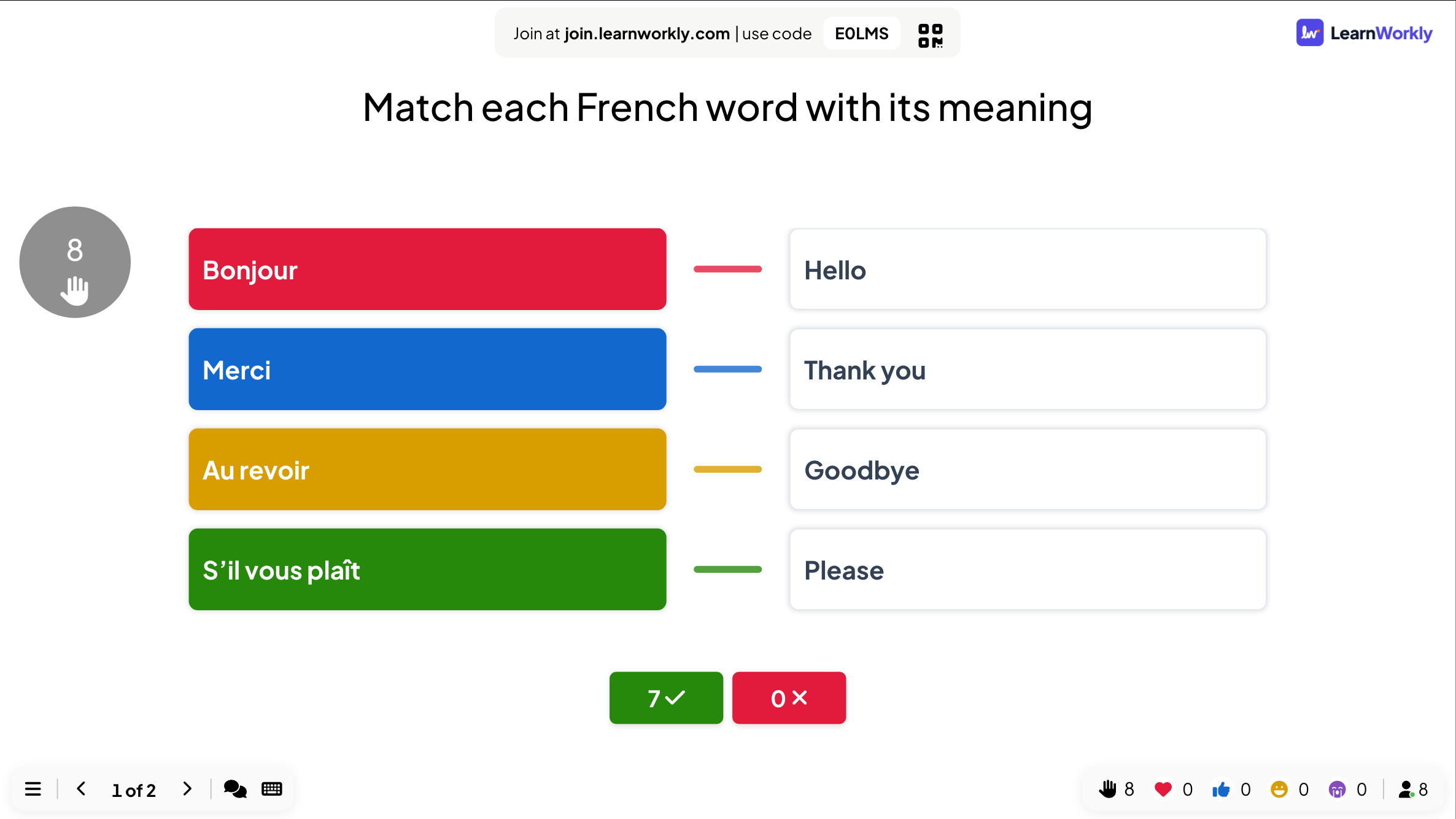
When time is up, the big screen draws the right pairs and shows how many people matched everything right.
Read the results
After the session, open the report of the presentation. Slide Results has a card for this slide with the number of submissions and the chart of answers; View Details lists who answered what and when.
Frequently asked questions
Is there partial credit?
No. The answer is right when every item is matched with its pair.
Can two items share the same pair?
No. Each pair is used once, so write pairs that cannot be confused.
Someone joined while the question was running.
After they type a nickname, their phone shows the question and they can still answer until the countdown ends. Points from earlier questions are not added afterwards.
Last checked against the app on 17 November 2026.
Related articles
- Puzzle: put the options in the right orderPlayers drag items into the correct order on their phone: steps of a process, dates on a timeline or sizes from smallest to largest.
- Flip Cards: reveal questions and answersInteractive flip cards for learning, revision, speaking practice and Q&A sessions. Click a card on the big screen to reveal it, with an optional timer.
- Select Answer: multiple-choice quiz questionsAsk a multiple-choice question with up to six options, mark the right answers, set the time and points, and play it live with a countdown and a reveal.