Free
Try it with a few students
$0
Free forever
- 10 students
- All 13 question types
- Unlimited classes and assignments
- 20 AI generations a month
For online tutors and small groups
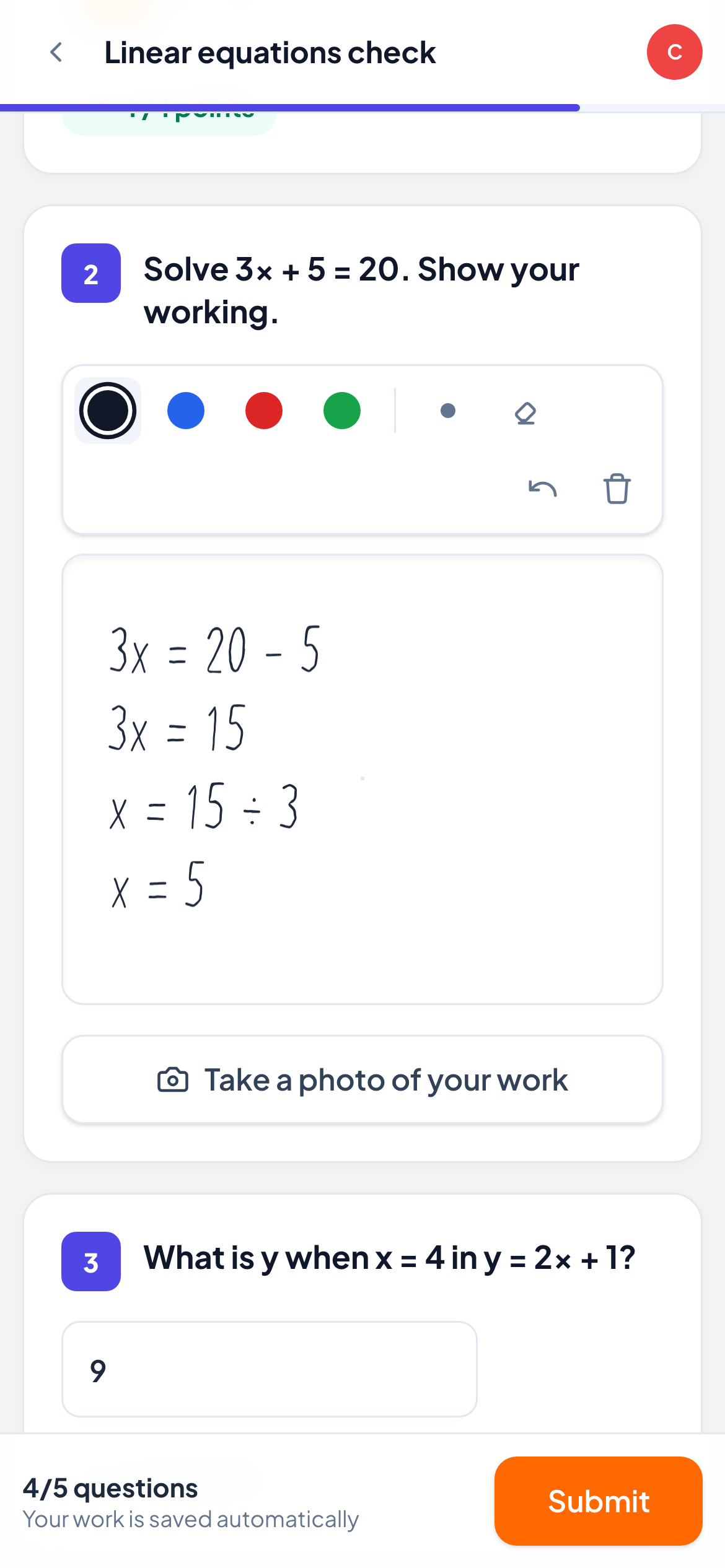
Students answer, draw or snap a photo of their handwritten work. You see it instantly, reply on top of it, and know who needs help before the lesson ends. No stylus, no app to install.
Free for up to 10 students · No credit card
The problem
In a classroom you walk around and see who is stuck. In an online lesson you see faces and hear “yes, I get it”. LearnWorkly gives you back the view over their shoulder: every answer and every line of working, as it happens.
“Does that make sense?” replaced by real answers from every student, in seconds.
Mistakes found next week become mistakes fixed in the same minute.
Hours of marking shrink to the few answers that need your eye.
How it works
Pick from 13 question types, or let AI draft questions from a topic or your own worksheet.
Share a code or a link. Students type their name and start: no account, no download.
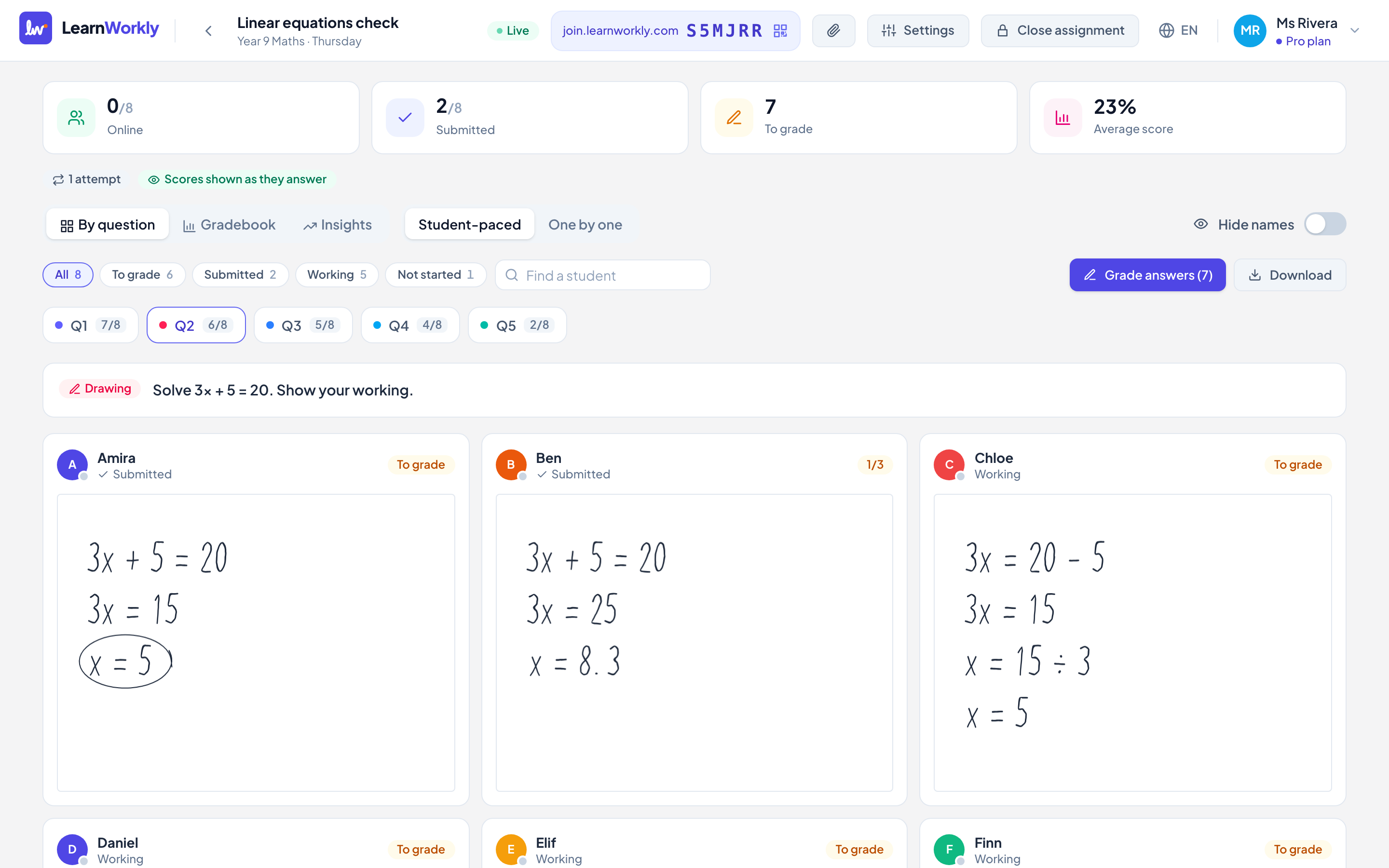
Answers and working appear live. Reply with comments, voice notes or a drawing on their work.
Live view
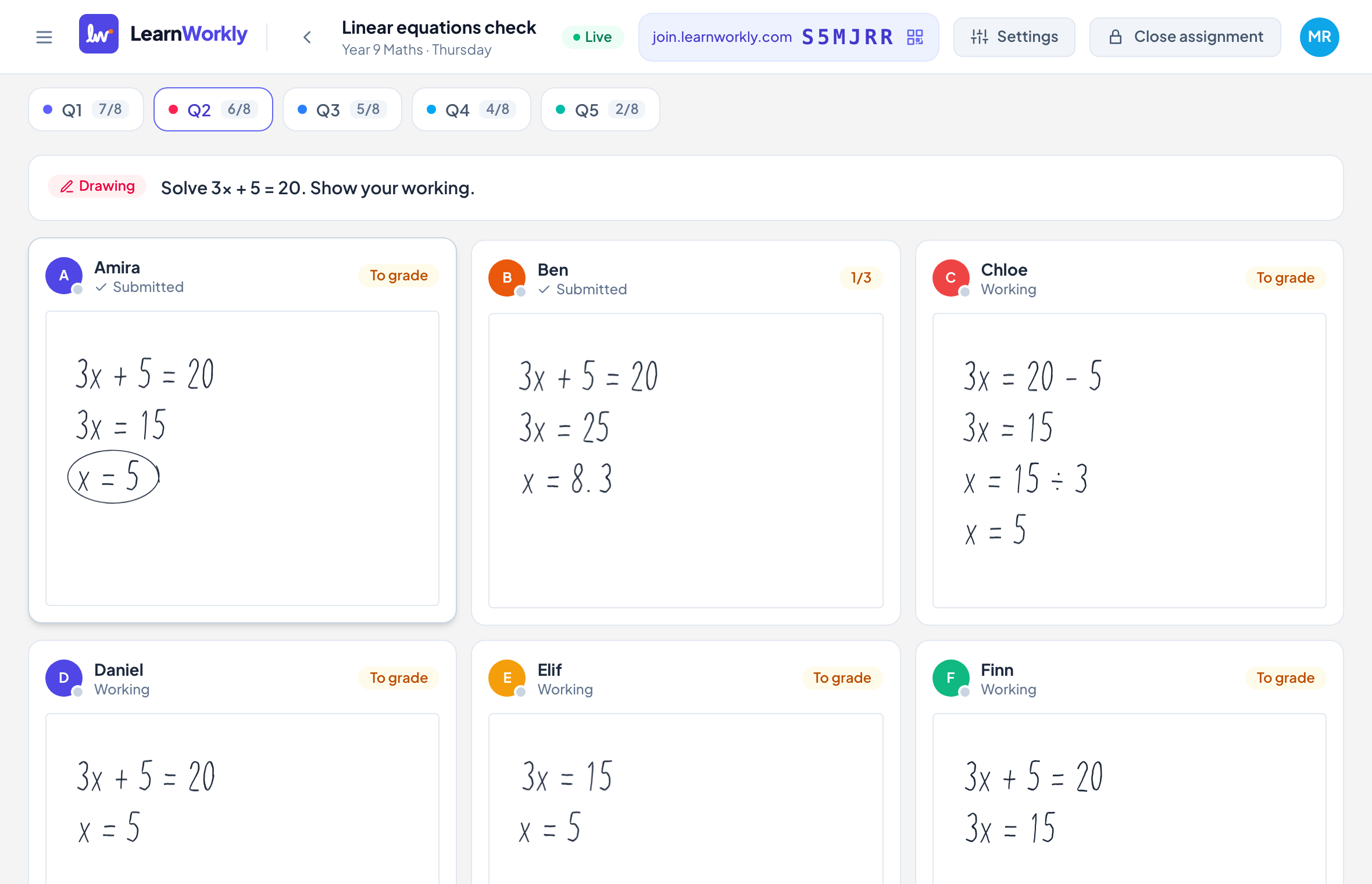
A grid of students fills in as they work. Drawings update stroke by stroke, auto-marked questions turn green or red, and you see at a glance who is stuck.
Feedback
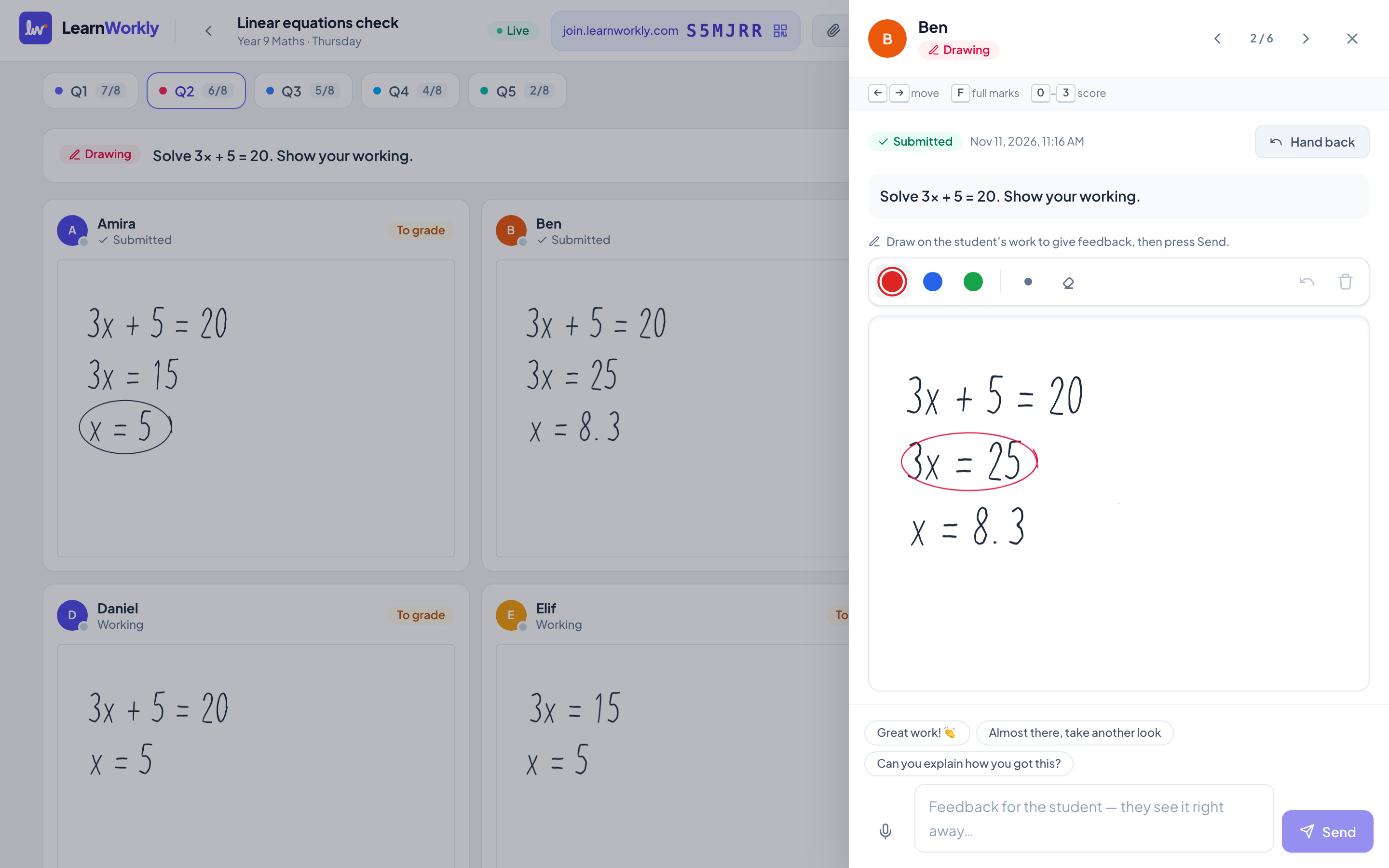
Open any answer to record a voice note or type a comment, or draw on top of a drawing. The student sees it straight away and can reply.
Handwritten work
Some work is simply better on paper. Students draw on any touch screen, or scan a QR code and take a photo of their page with their phone.
Progress
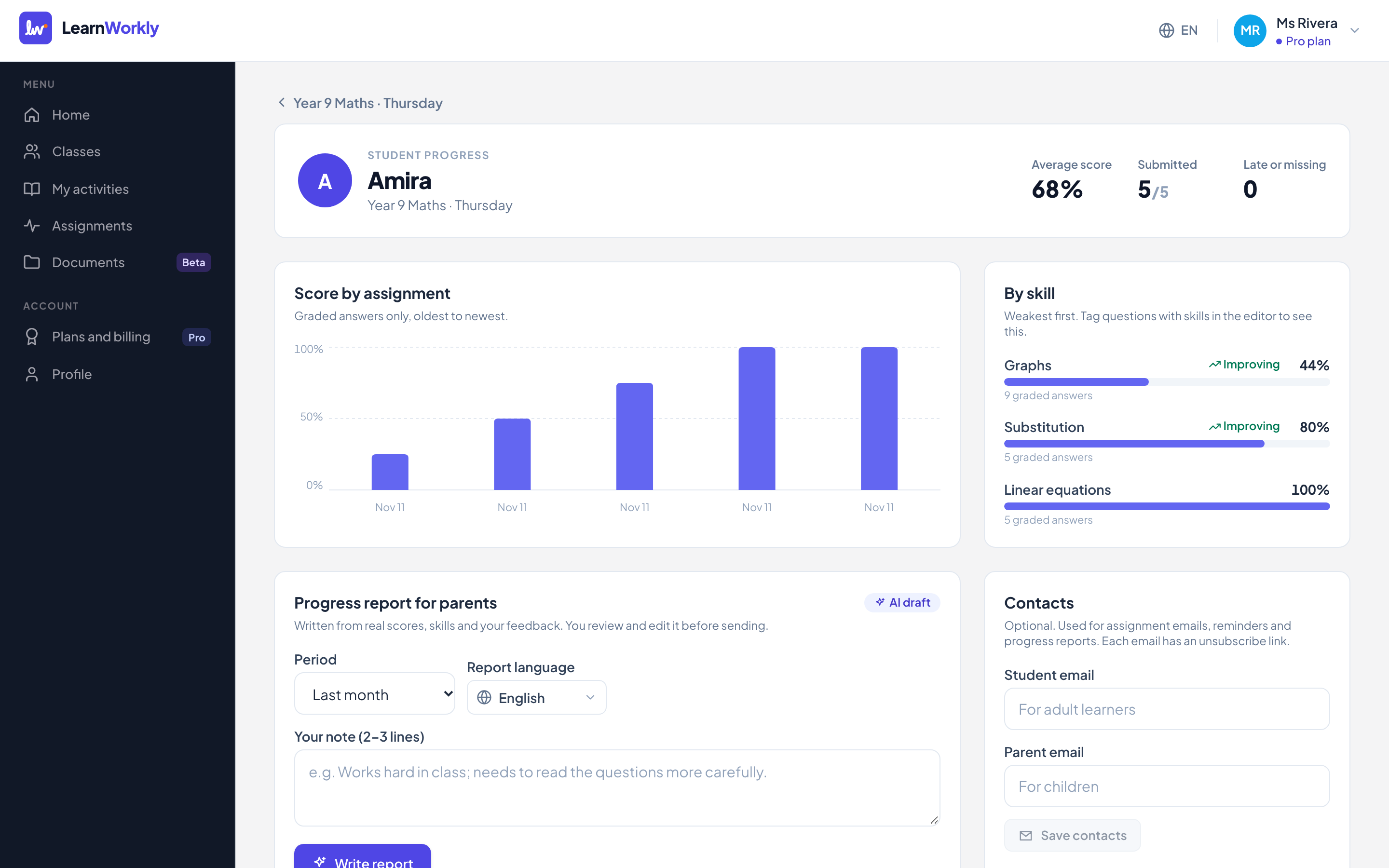
Scores by skill over time, from the work students actually did. Turn it into a friendly report for parents in a couple of minutes, reviewed by you before it is sent.
An example lesson
How a tutor might run a small-group lesson on equations. The screens are real; the class is an example.
Students join with the class code and answer three questions on last week’s topic. Two of the five get the same one wrong.
You open that question, show the answers with names hidden and talk through the common mistake together.
You teach the method, then send one question. Every student’s handwritten working appears on your screen as they write it.
One student adds 5 instead of subtracting it. You circle the step in red and leave a short voice note; they fix it before moving on.
Two auto-marked questions show who is ready for the next topic and who needs another go next lesson.
Set the practice as homework with a due date. The scores feed each student’s progress, ready for a report to parents.
Real screens from the app. Example class, not real students.
Who it is for
Speaking answers, writing with feedback, grammar checks marked for you. LearnWorkly helps ESL and language tutors see progress in every online lesson.
For ESL and language tutorsStudents show their working by drawing or with a phone photo of their paper. Spot the step where it goes wrong, live, and mark it up in seconds.
For maths tutorsRun online small-group lessons where every student answers, not just the confident ones. Live answers, hidden names, gradebook and reports per student.
For small-group classesGive every tutor in your centre live answers, a shared approach to feedback and progress reports for parents. Custom Academy plans.
For tutoring centres and schoolsPrivacy
Many of your students are under 18. LearnWorkly collects as little as possible, never sells it and never uses it for advertising.
Privacy policyA display name is enough. No birth dates, no phone numbers.
No ads, no third-party analytics, no tracking cookies.
Export or delete everything from your profile, any time.
Our promises
Not a trial: use it for as long as you like.
All 13, including drawing, audio and maths, on Free too.
Not right for you? Email us within 14 days of your first payment.
Monthly plans, no contract. You keep your plan until the end of the period.
Students never see advertising, and nothing is tracked for marketing.
Your students’ work is used only to run LearnWorkly for you.
Pricing
Monthly plans you can cancel in one click. Yearly plans cost the same as 10 months.
Try it with a few students
$0
Free forever
For a private tutor
$9.99/month
or $99 a year (2 months free)For busy tutors and trainers
$14.99/month
or $149 a year (2 months free)Prices in US dollars, plus tax where it applies. In the UK and Europe you pay in pounds or euros, VAT included.
Coming from another tool?
Why we built LearnWorkly
In a classroom you glance at a page and know who is stuck. On a video call you hear “yes, I get it”, and find out at the next test that they did not.
So we started with one idea: every answer and every line of working on your screen, as it happens. Everything else, from feedback to parent reports, is built on that real work instead of guesses.
LearnWorkly is small and independent. We read every email, and what we build next comes from the tutors who use it. Tell us what would make your lessons better.
No. Students join with a class code or a personal link and type their name. Nothing to install, on any device with a browser.
No. Students can draw with a finger or a mouse, or take a photo of their handwritten work with their phone by scanning a QR code.
Yes. LearnWorkly runs in a browser tab next to whatever you use for the call, and students can answer on a phone while the lesson stays on their computer.
Up to 10 students, unlimited classes and active assignments, all 13 question types, live view, feedback and 20 AI generations a month.
Yes. Monthly plans cancel in one click from your account, and there is a 14-day money-back guarantee on your first payment.
Set up your first activity in five minutes. Free for up to 10 students, no credit card needed.
Free for up to 10 students · No credit card
Can we measure your visit?
We would like to use Google Analytics to see which pages help tutors. It sets cookies, so it only runs if you agree.Privacy policy