Bet / Wager is a multiple-choice question with a betting round first. Players bet on how sure they are; a right answer pays out the bet, a wrong one loses it. It makes a strong final round because players behind on the leaderboard can still catch up.
Set it up
- 1
Add the slide
In the editor, click + New Slide. In Choose Slide Type, open the Quizzes tab and click Bet / Wager. A Leaderboard slide is added right after it, unless the next slide already is one. Put it after a few other quiz questions, so players have points to bet.
- 2
Write the question and options
Write the question and up to 6 options, and tick the right ones, as in Select Answer. A new slide starts with a sample question.
- 3
Set the chips
Under Betting, set up to 4 Bet amounts (10, 20 and 50 to start with) and click the empty chip with a + to add another. Each player bets one chip.
- 4
Set the payout and time
Under Correct answer pays, choose ×1, ×1.5, ×2 or ×3 the bet (×2 to start with). Choose a Betting time of 10, 15, 20 or 30 seconds (15 to start with).
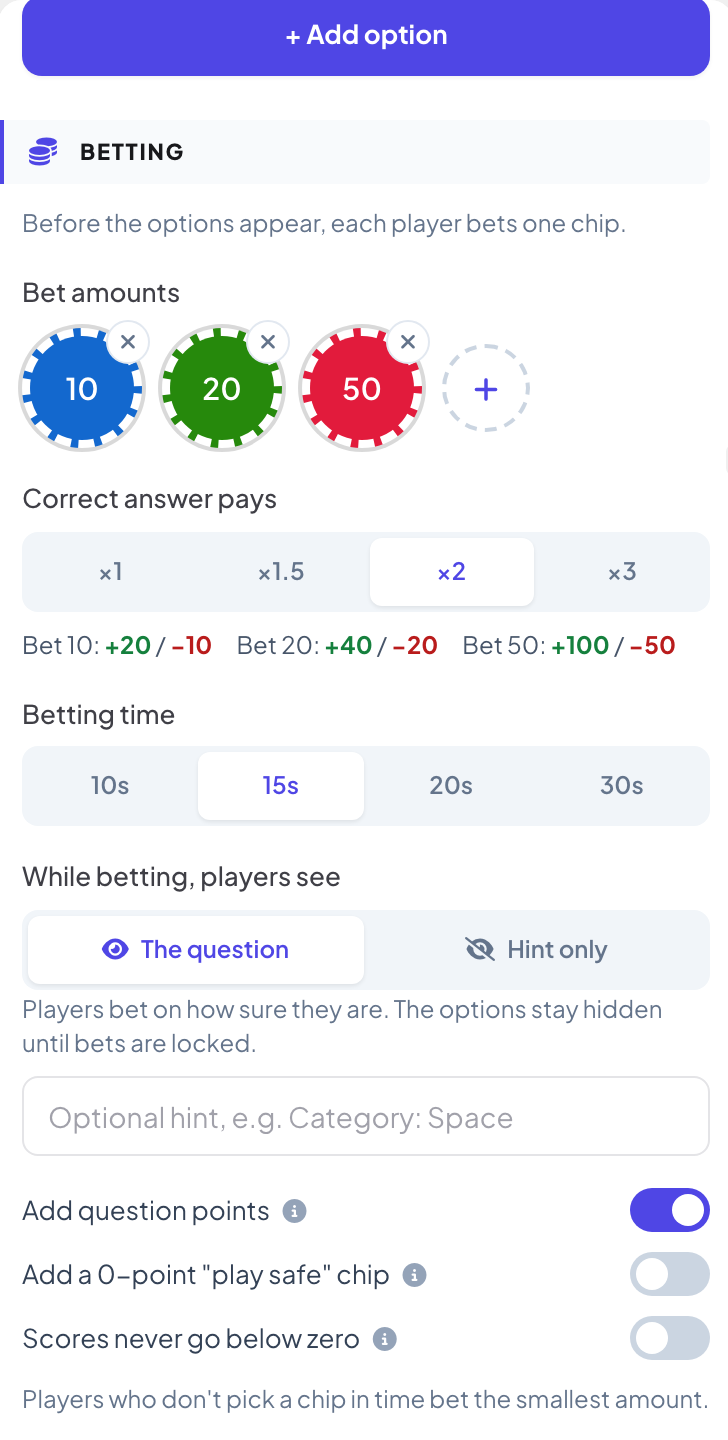
Betting options
| Option | What it does | Default |
|---|---|---|
| While betting, players see | The question: players bet on how sure they are, and the options stay hidden until bets are locked. Hint only: a blind bet, the question appears only after bets are locked. You can write an optional hint, such as a category. | The question |
| Add question points | On: a right answer earns the question points (set under Settings, like any quiz) plus the bet winnings. Off: only the bet counts. | On |
| Add a 0-point "play safe" chip | Lets unsure players sit this one out without losing points. | Off |
| Scores never go below zero | A lost bet can only take the points a player already has. | Off |
Play it live
- 1
Open the betting
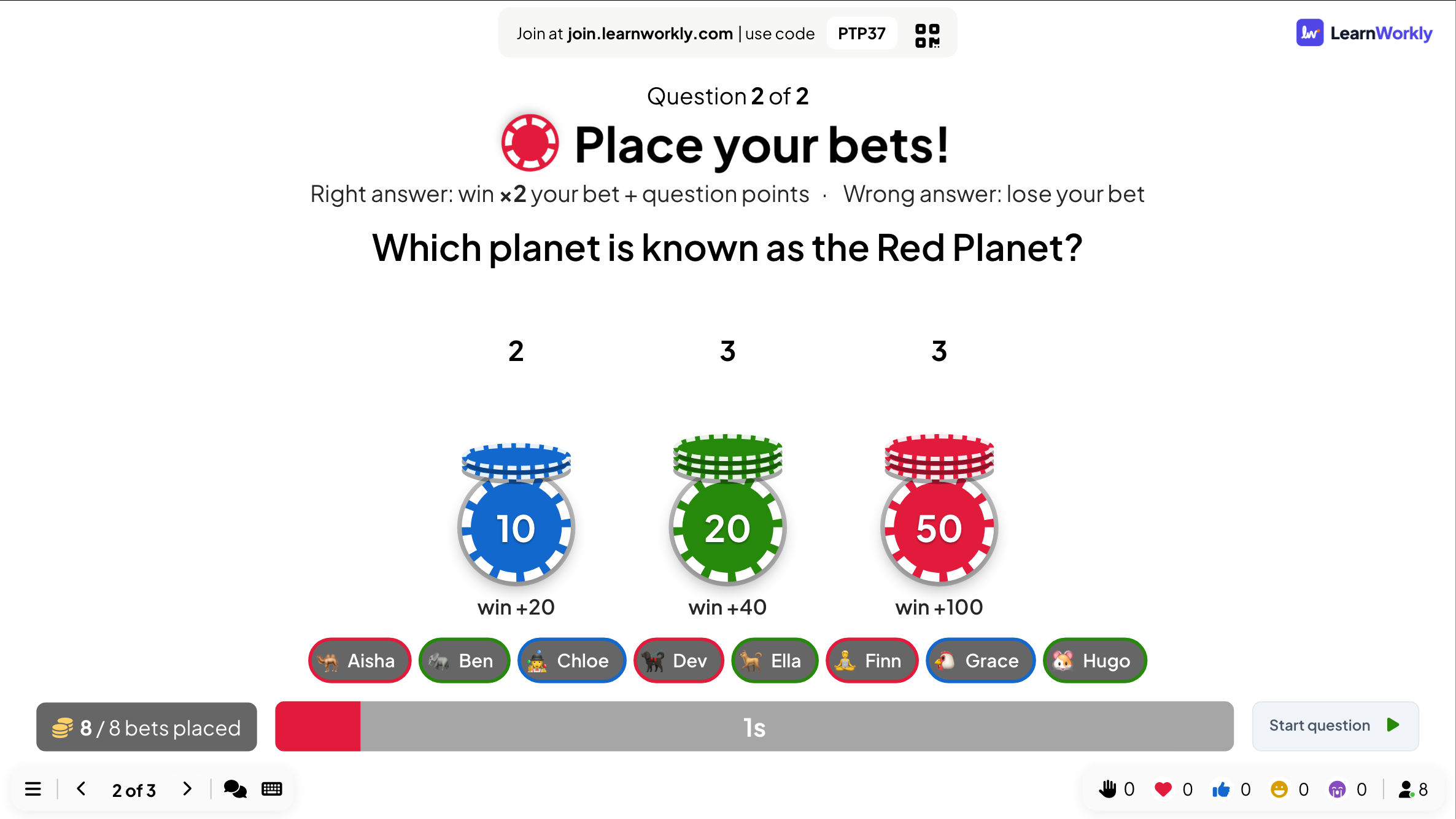
If this is the first quiz slide, click Start Game in the lobby. Later in a game, the betting opens as soon as you move to the slide. The big screen shows Place your bets! with the payout rule, a timer, and how many bets are placed on each chip.
- 2
Players bet
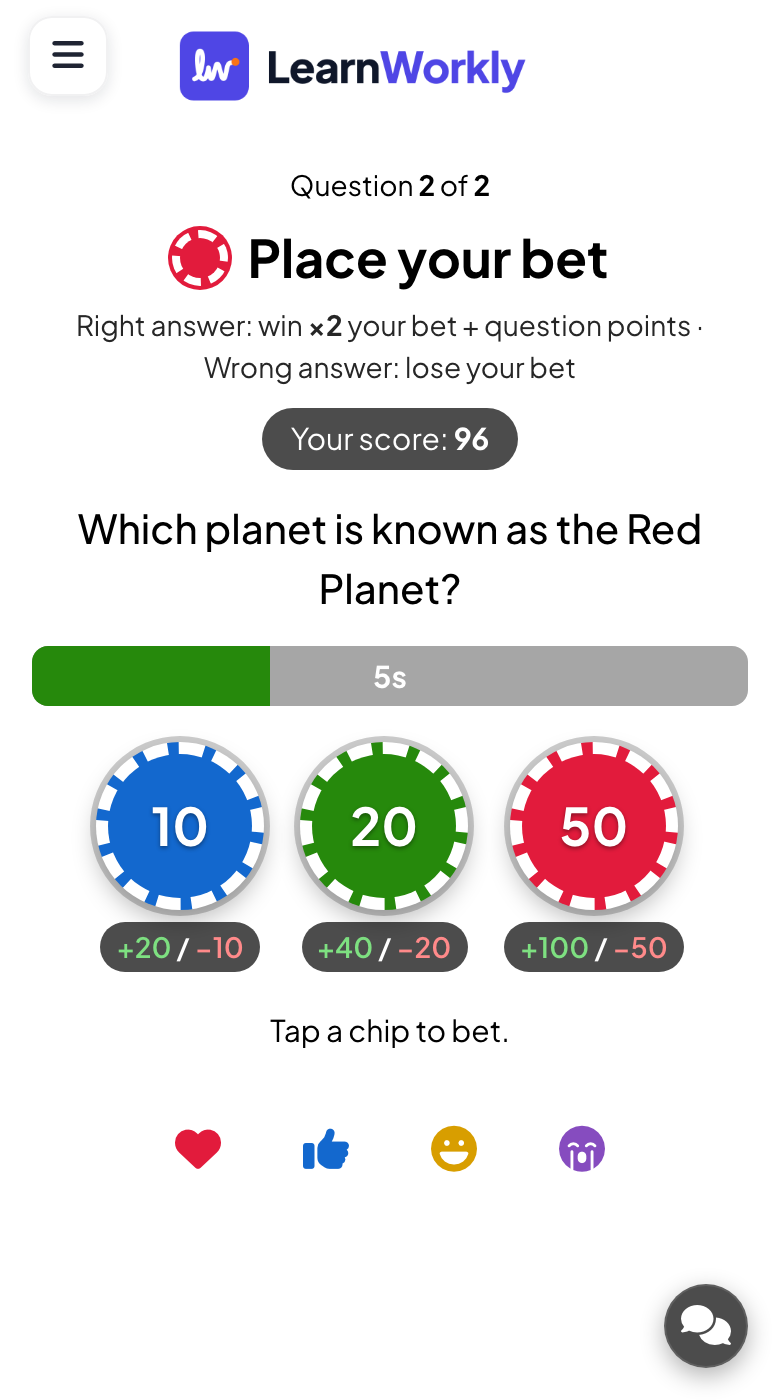
Each phone shows the chips with what each one can win or lose. Players tap one and can change it until time runs out. A player who does not choose plays for the smallest amount.
- 3
Play the question
When the betting timer ends, or when you click Start question, bets are locked and the question plays like a normal quiz question.
- 4
Reveal and leaderboard
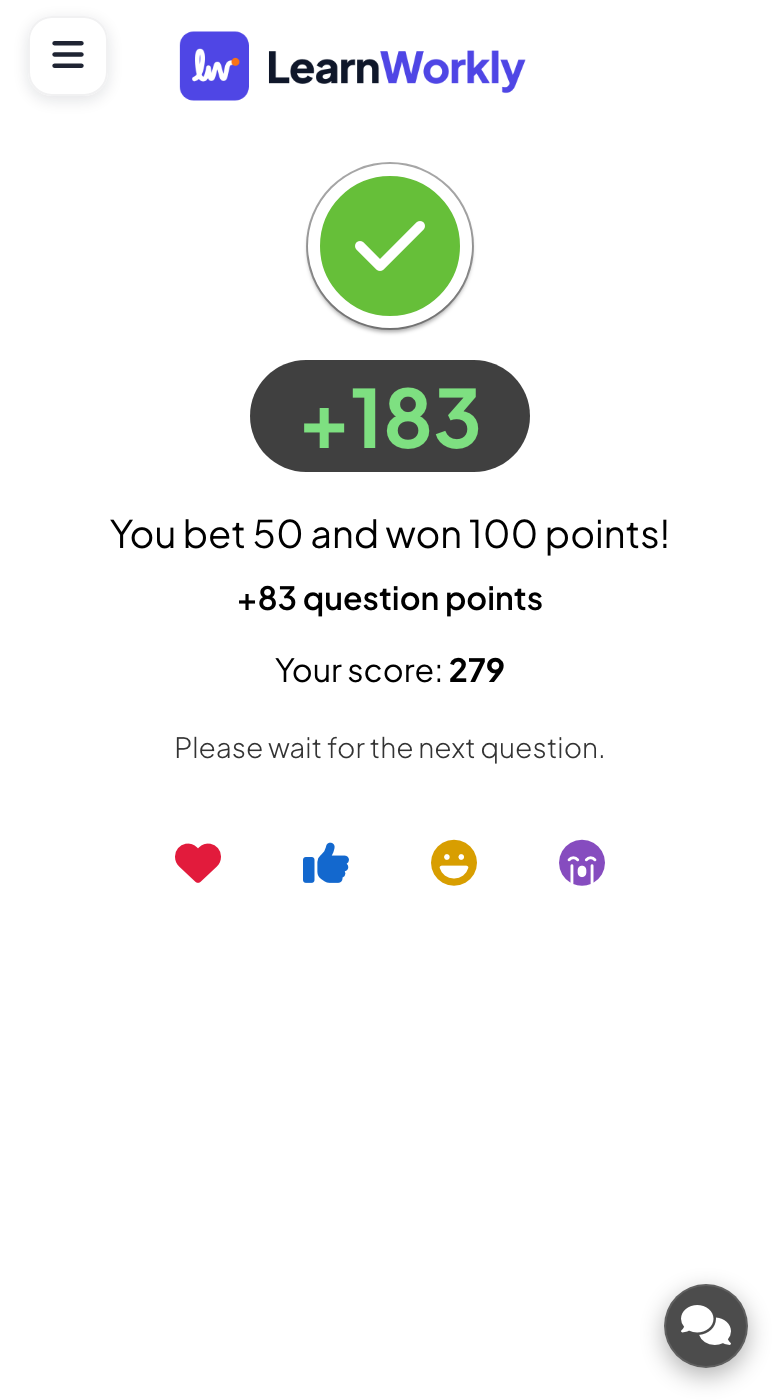
After the reveal, each phone shows what the player bet and won or lost, plus any question points. The Leaderboard slide after the question shows each player’s gain.
Frequently asked questions
What if a player does not bet?
They play for the smallest chip, or for 0 if you added the "play safe" chip.
Can a player end up with a negative score?
Yes, unless you turn on Scores never go below zero.
Can I start the question before the betting time runs out?
Yes. Click Start question on the big screen as soon as everyone has bet.
Someone joined while the question was running.
After they type a nickname, their phone shows the question and they can still answer until the countdown ends. Points from earlier questions are not added afterwards.
Last checked against the app on 17 November 2026.
Related articles
- Select Answer: multiple-choice quiz questionsAsk a multiple-choice question with up to six options, mark the right answers, set the time and points, and play it live with a countdown and a reveal.
- Leaderboard: show the quiz scoresAdd a Leaderboard slide after your quiz questions to show every player’s rank and score, with team rankings in team mode and a winner at the end.
- Estimate: guess a number on a sliderPlayers drag a slider to guess a number. The closer the guess, the more points. Set the answer, the slider range, the unit and who scores points.