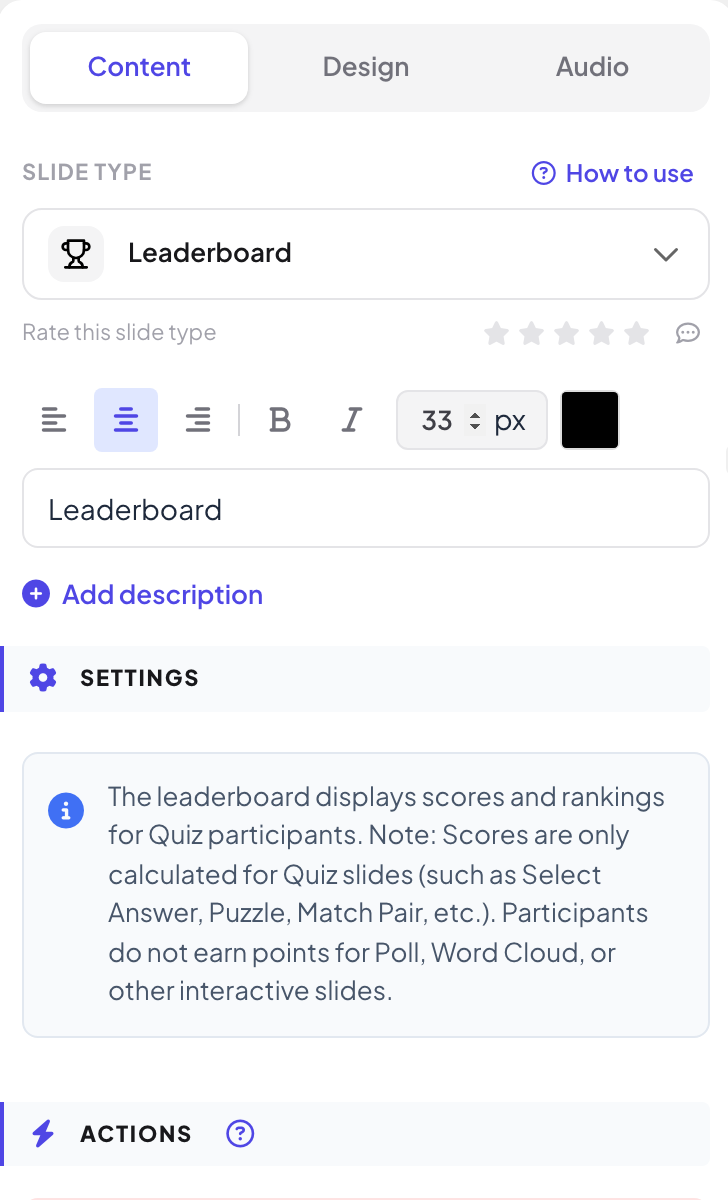
The Leaderboard slide shows participant scores and ranks. Scores only come from quiz slides, such as Select Answer, Puzzle and Match Pair: participants do not earn points for Poll, Word Cloud or other interactive slides.
Add a leaderboard
- 1
It is often already there
When you add a quiz slide, a Leaderboard slide is added right after it, unless the next slide already is one.
- 2
Add one yourself
Click + New Slide, open the Quizzes tab and click Leaderboard. Drag it after one or more quiz slides.
- 3
Check the warning
If there is no quiz slide before it, the slide shows No Quiz slides found before this Leaderboard.
- 4
Between rounds
Add a leaderboard after each round and another one at the end. Delete the ones you do not want.
What people see
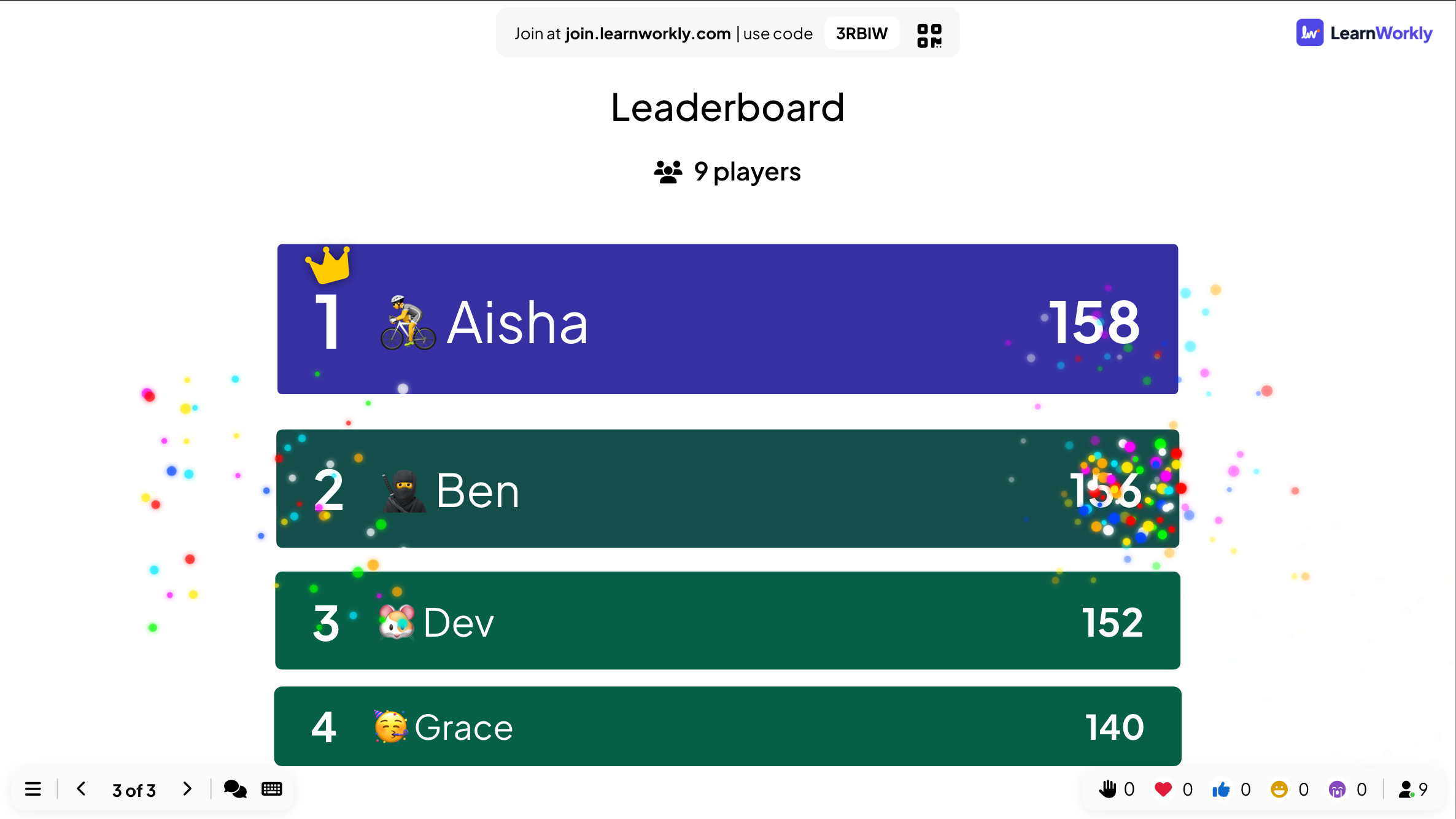
The big screen lists every player with their rank, avatar, nickname and total score; players on the same score share a rank. The list starts with the scores before the last question and then moves to the new totals, so the room sees who climbed.
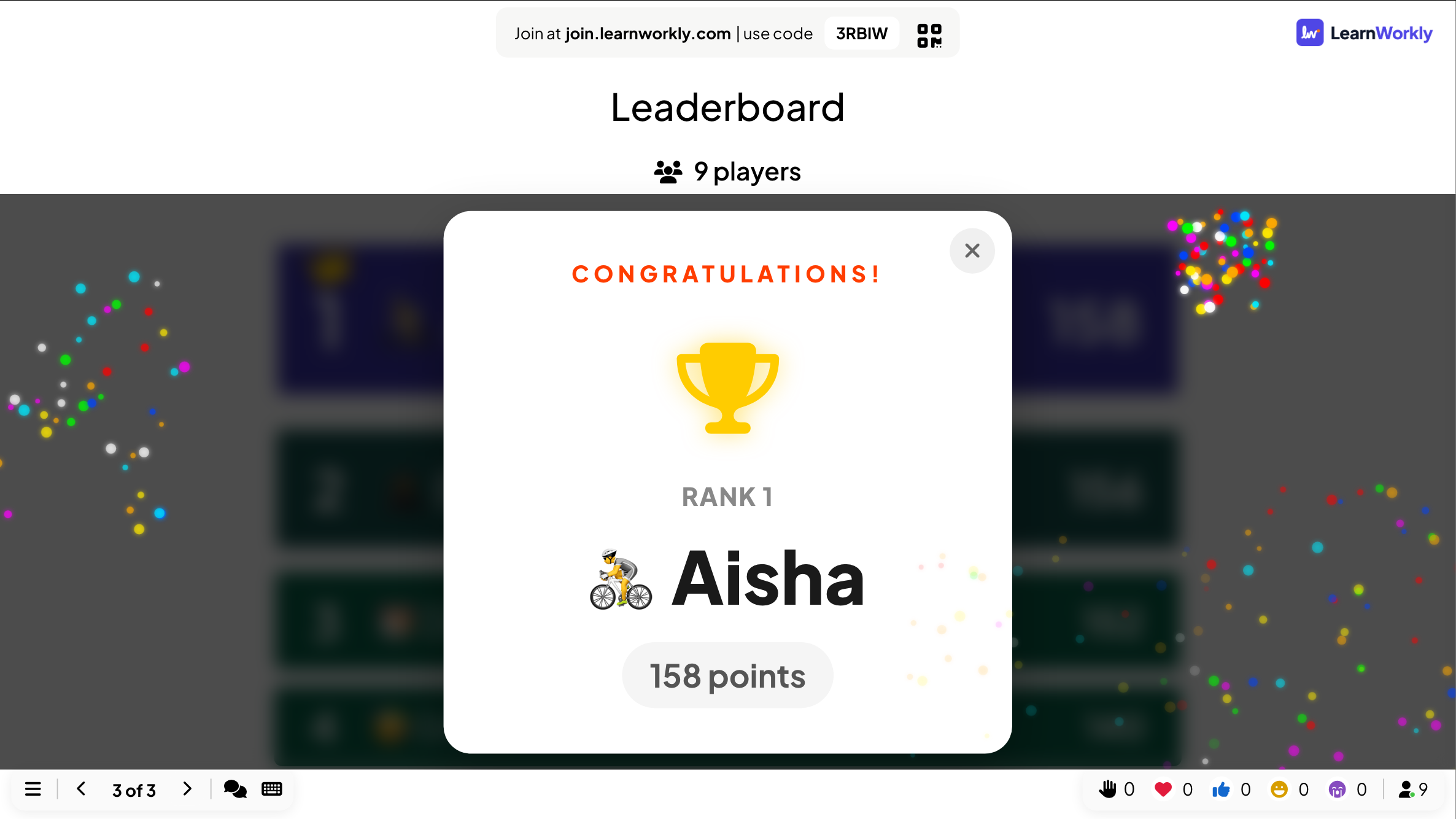
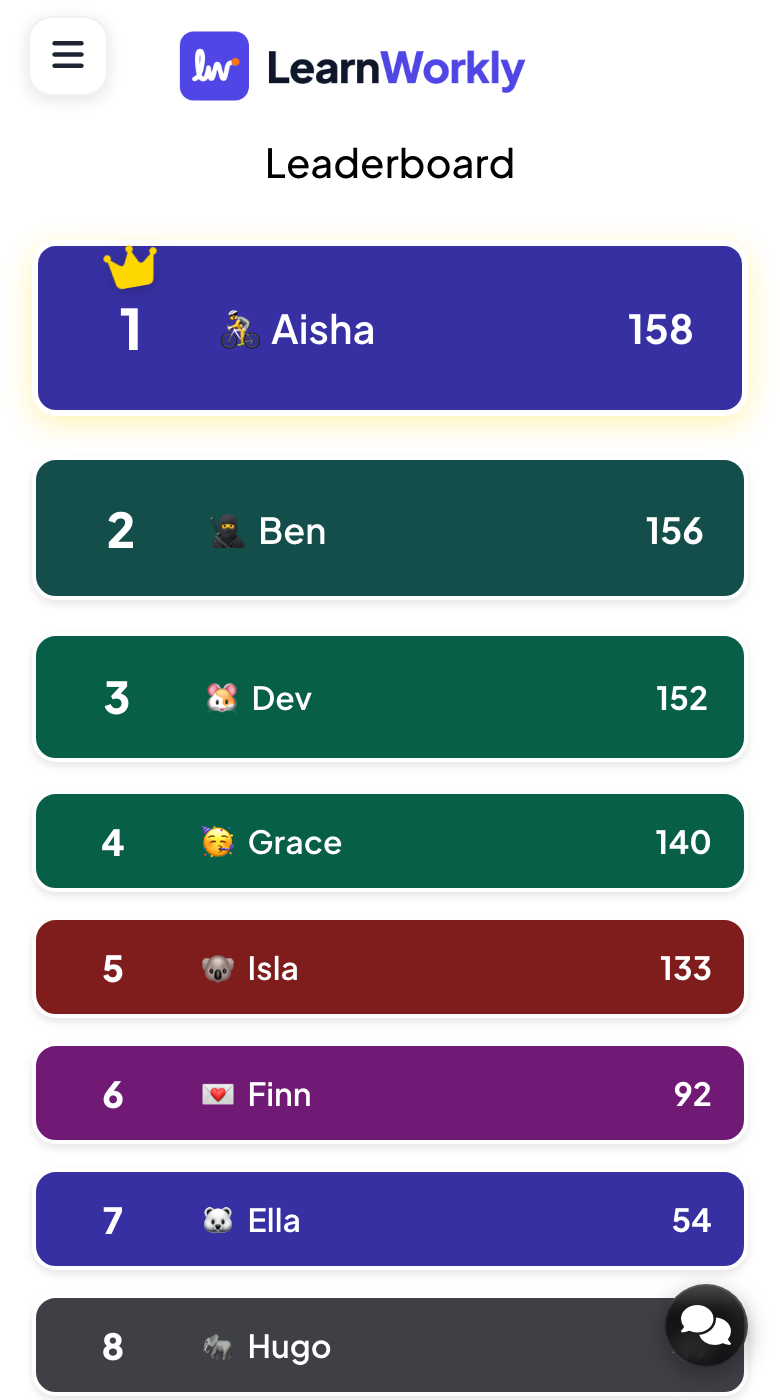
When no quiz slide comes after the leaderboard, it is the final one: the winner is celebrated with a CONGRATULATIONS! pop-up, fireworks and sound. Close the pop-up to show the full list. On their phone, each participant sees the same list with their own row highlighted.
Frequently asked questions
A player has 0 points.
They answered, but every answer was wrong or too late. They are still on the leaderboard, at the bottom.
Two players have the same rank.
Players on the same score share a rank.
How do I reset the scores?
Click Clear all results in the top bar of the editor. The scores so far stay in the report.
Can I hide the leaderboard?
Yes. Delete the Leaderboard slide or skip it while presenting. People still see on their phone whether each answer was right and the points they earned.
Last checked against the app on 17 November 2026.
Related articles
- Team quiz mode: play a quiz in teamsLet participants join teams when they enter the quiz. Set the number of teams, the team size and how team points are counted for the team leaderboard.
- Select Answer: multiple-choice quiz questionsAsk a multiple-choice question with up to six options, mark the right answers, set the time and points, and play it live with a countdown and a reveal.
- Bet / Wager: players bet points before answeringPlayers bet one of your chip amounts before the options appear. A right answer multiplies the bet, a wrong one loses it. Great for a final round.
- Read the report of a presentationEvery presentation has a report: participants, submissions, reactions and ratings, the results of each slide, who answered what and audience feedback.