Events and team building
Get the whole room playing, on the big screen
A quiz night, a kick-off, a fun day or a conference break: put LearnWorkly on the big screen and everyone plays on their phone. Race ducks, pull a tug of war, escape a dungeon as a team or run a classic pub quiz with a leaderboard, with nothing to install.
Sound familiar?
What gets in the way today
The same few people join in
When everyone plays on their own phone, the whole room takes part, not just the loudest table.
Hours of preparation
Start from a template or let AI draft the quiz, then add a game in a few clicks.
A big crowd on one screen
Up to 5,000 live participants on Pro, all joining with one code or QR code.
A real session, step by step
A company fun day afternoon
Doors open, a warm-up on the big screen, four teams, two quiz rounds, a duck race for the prize and a last-one-standing final. Everyone plays on their own phone; every screenshot below comes from this programme in the real app, with sixteen players.
- 1Word Cloud 10 min
As people arrive
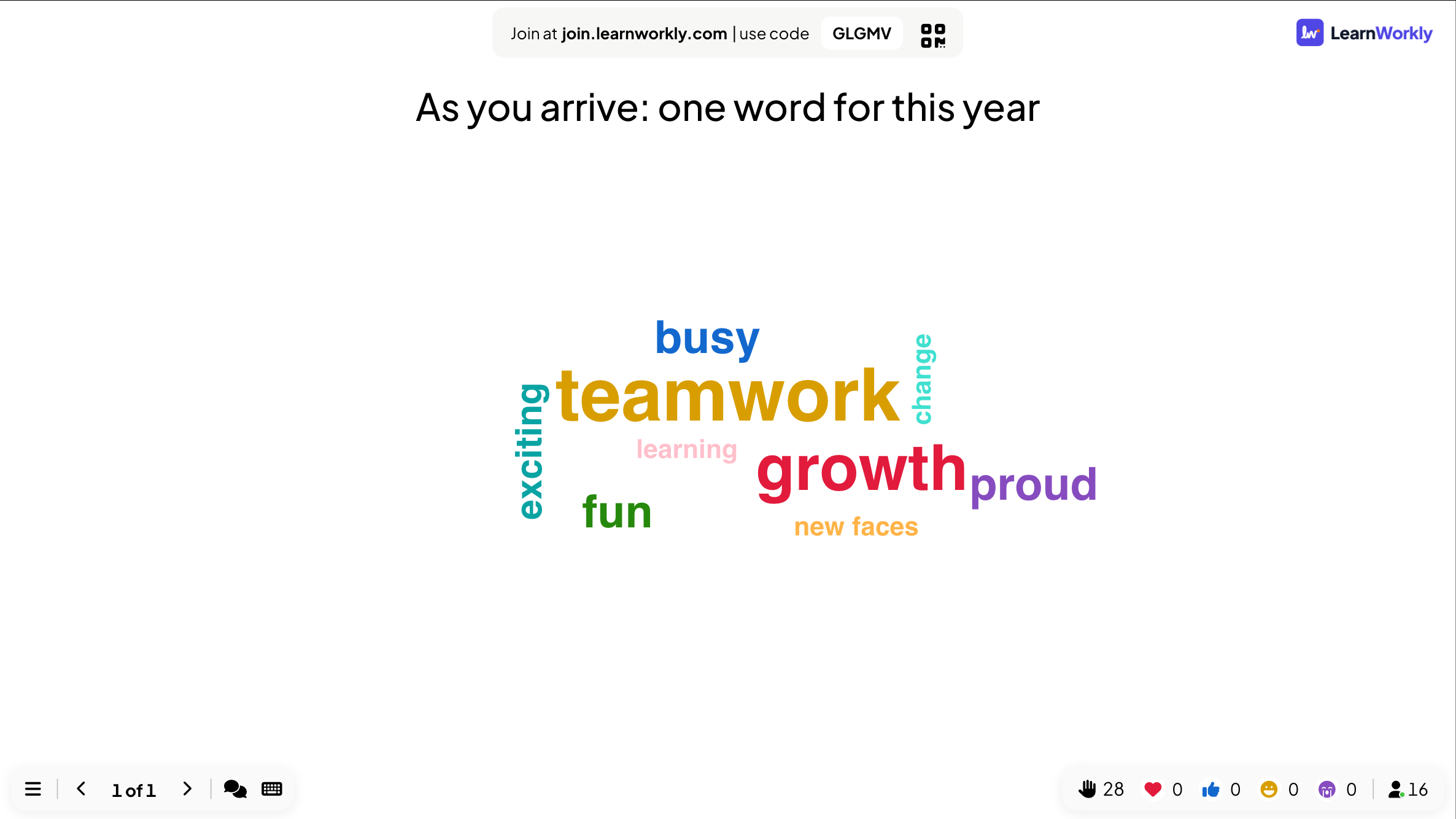
As you arrive: one word for this year
- You
- Put the slide up with the QR code before people come in. Background music on, nothing else to explain.
- On their phones
- Scan, type a word, tap Submit. Most people have joined before you say hello.
- On the big screen
- Teamwork and growth fill the screen as the room fills up, with a few surprises such as new faces.
Tip: Add background music under Presentation Audio Setting, and turn on reactions so people can send hearts and laughs during the day.
- 2Team quiz mode 3 min
Pick the teams
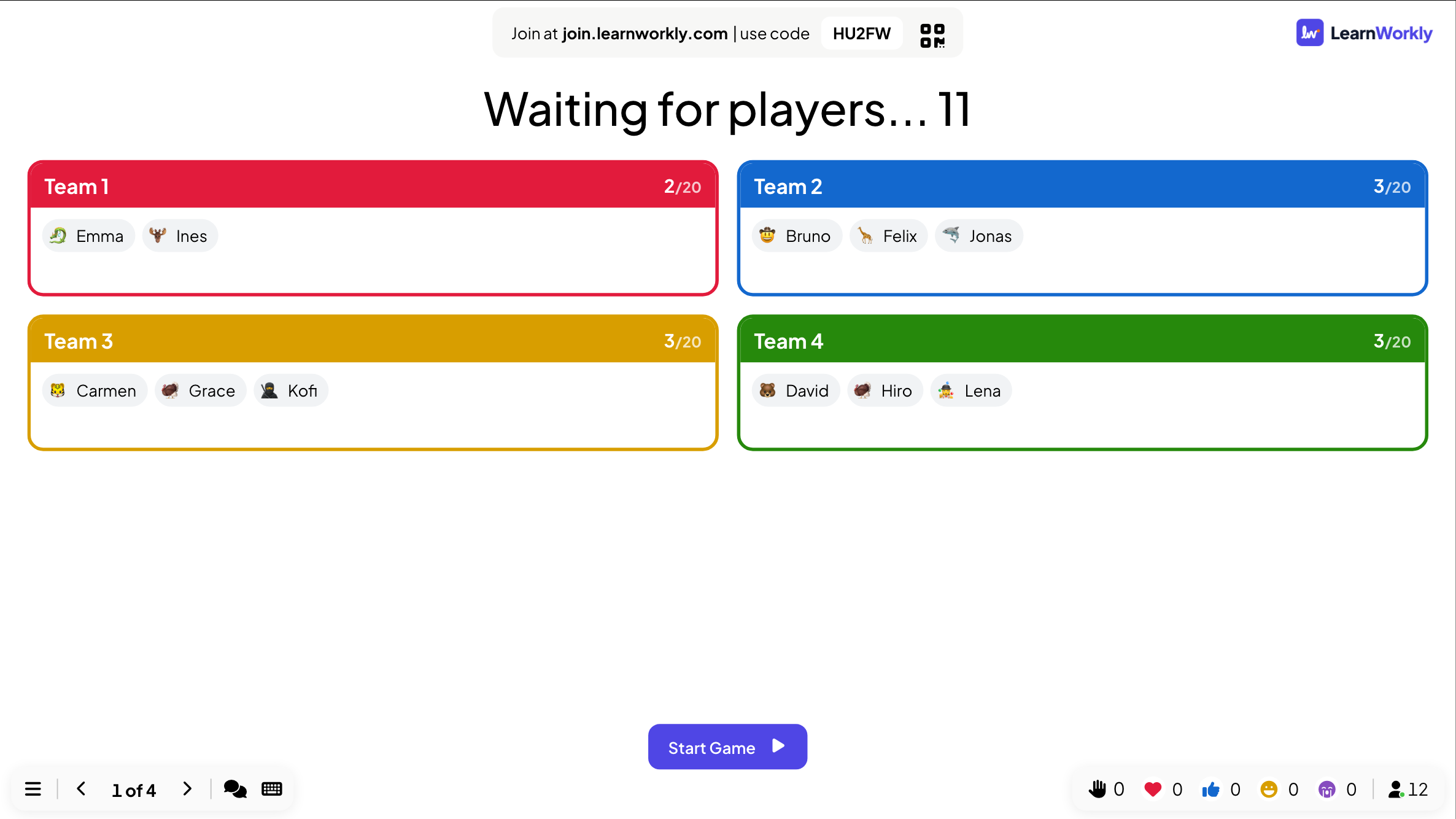
Four teams of up to 20: Team 1, Team 2, Team 3, Team 4
- You
- Turn on Team quiz mode in Presentation settings and set the Number of teams and Members per team. When people join the first quiz slide, the lobby fills team by team.
- On their phones
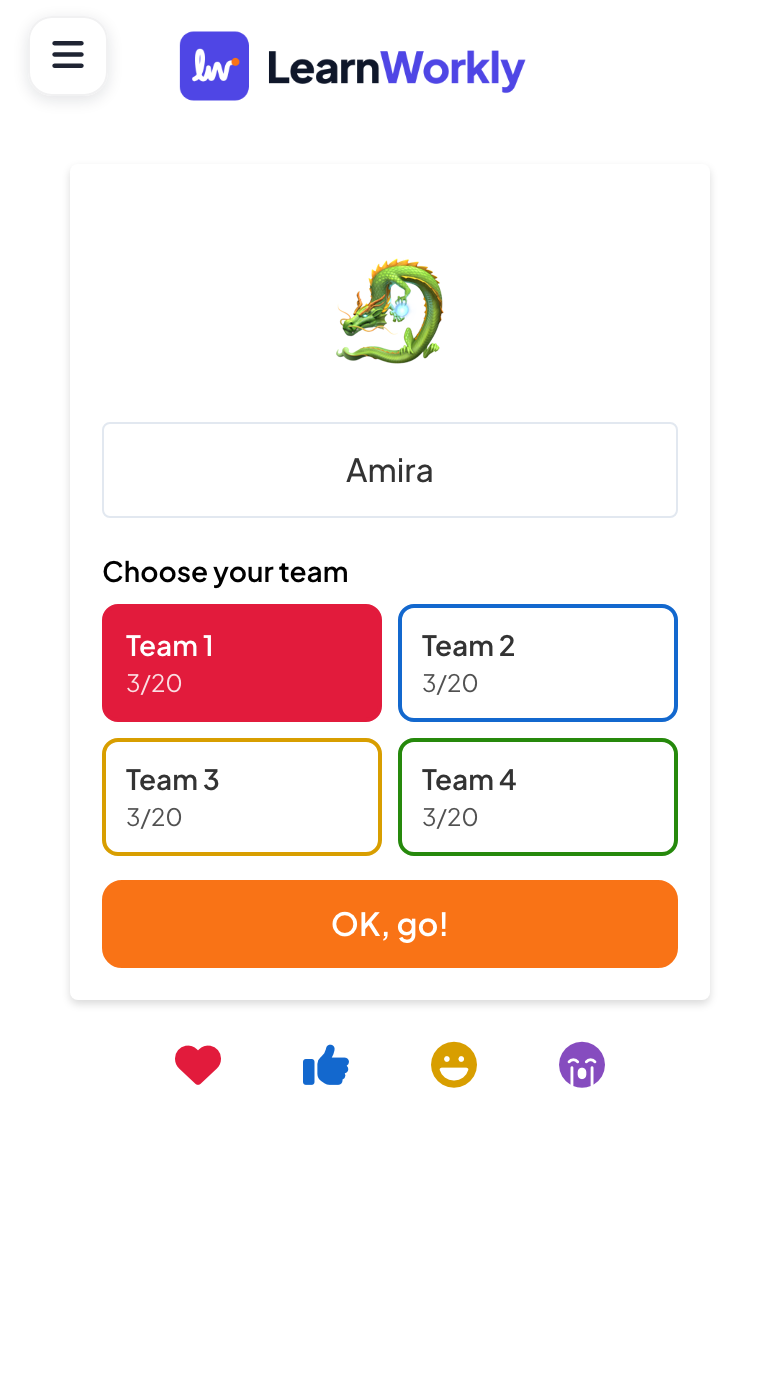
- People type a nickname, Choose your team from the grid (each team shows how many places are taken) and tap OK, go!. They can Change team until the game starts.
- On the big screen
- A lobby with one box per team and everyone’s nickname and avatar inside it, so tables can check they are all in before you click Start Game.
Tip: Pick the Team scoring that fits the room: Total points rewards big teams, Average points (shared equally) is fairer when teams have different sizes.
- 3Select Answer 10 min
Quiz round one
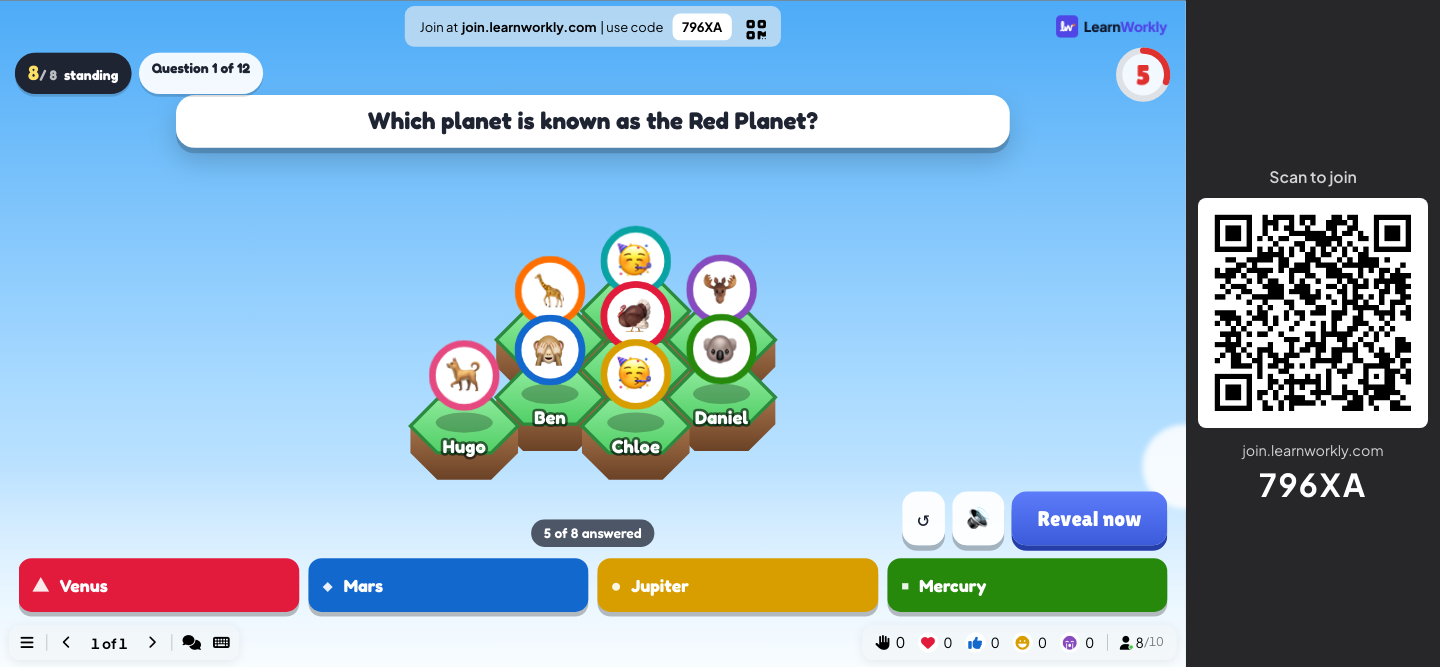
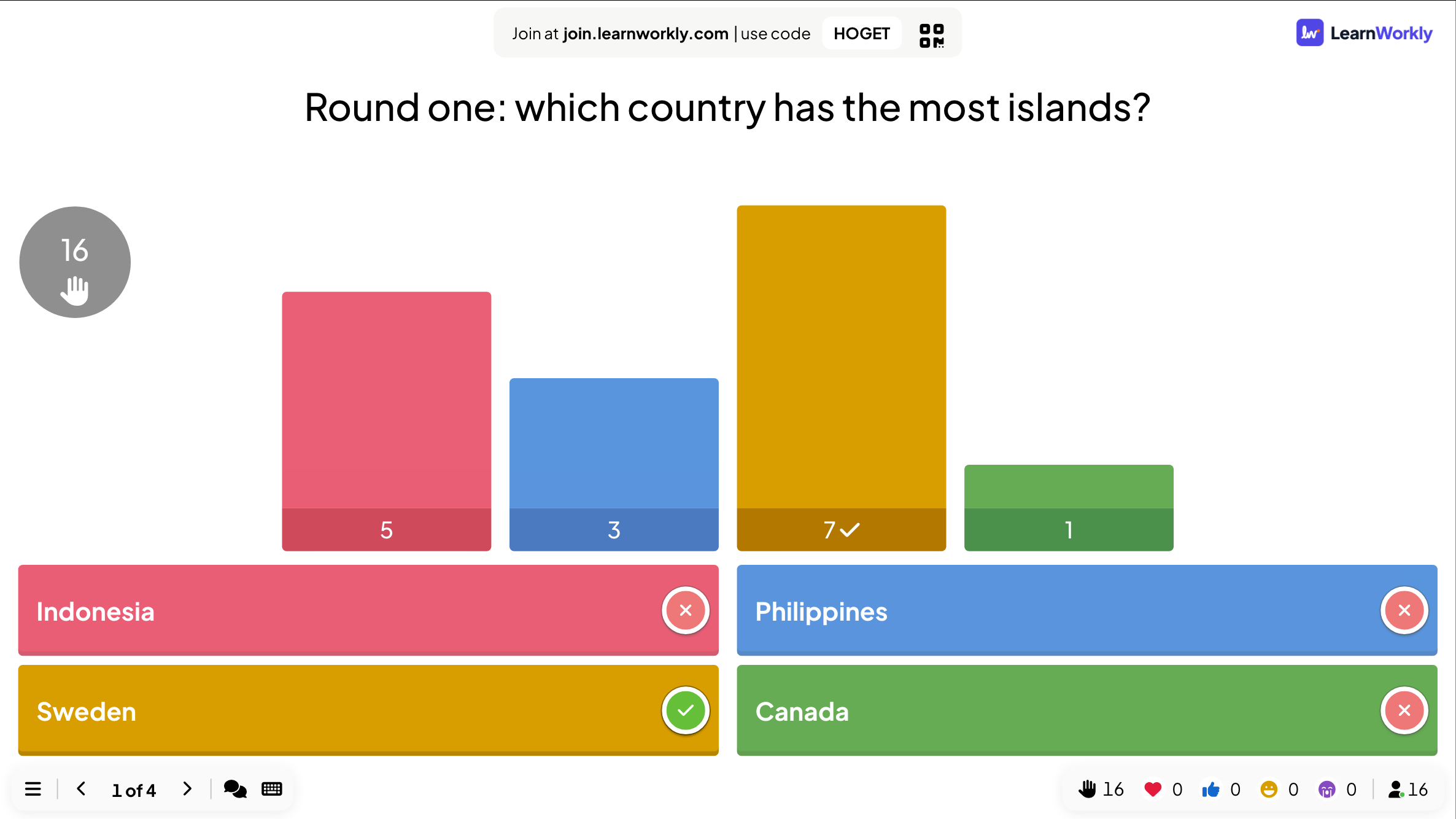
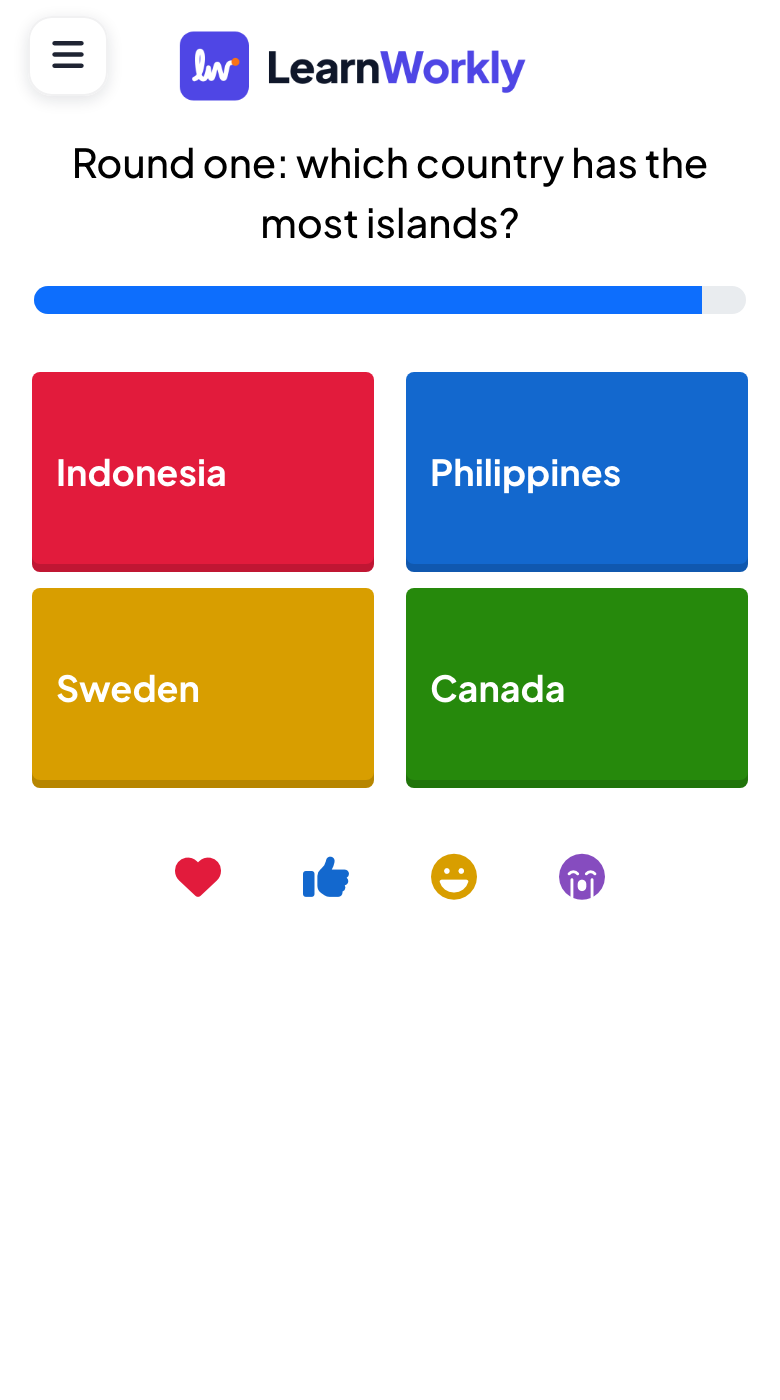
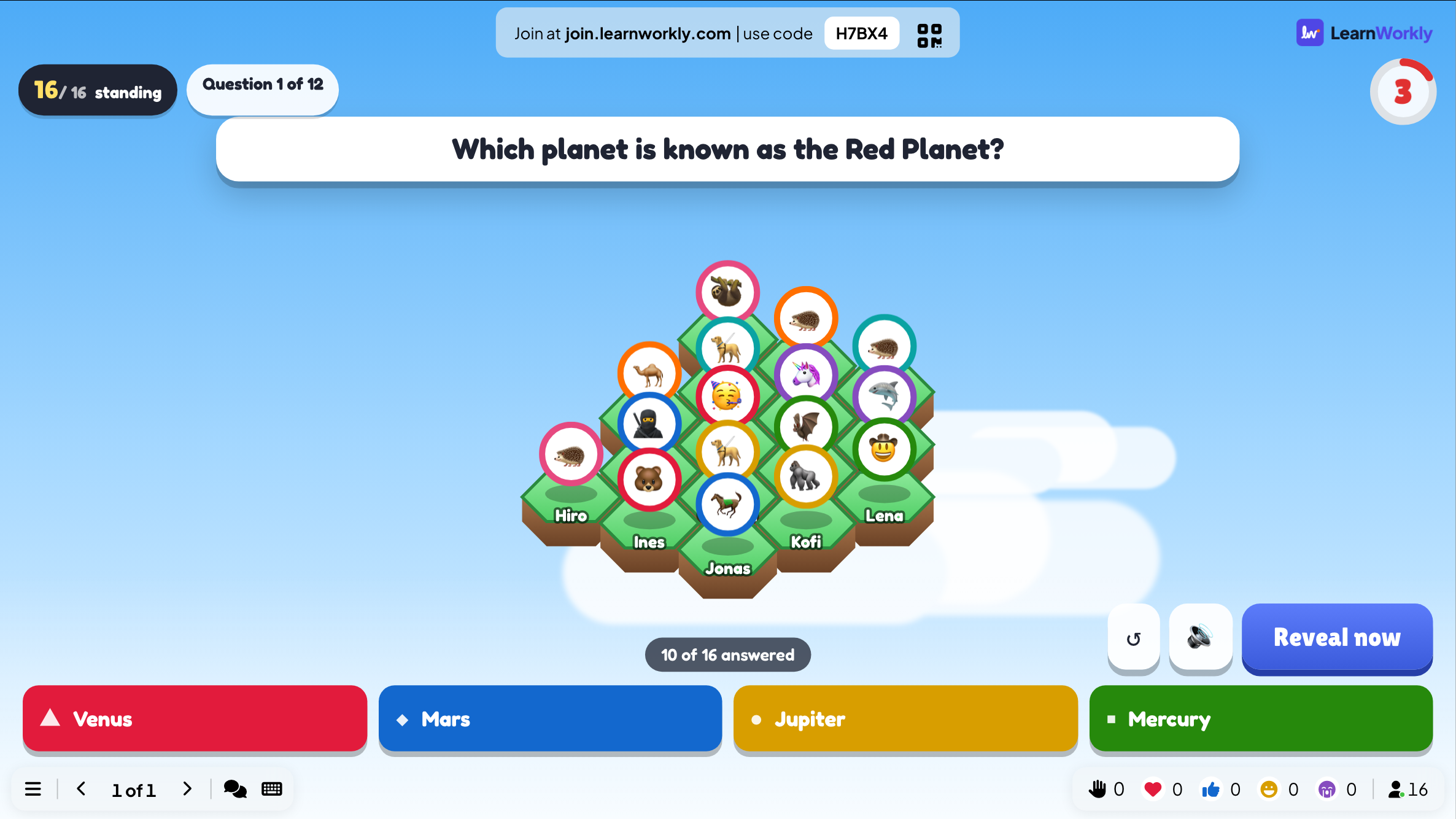
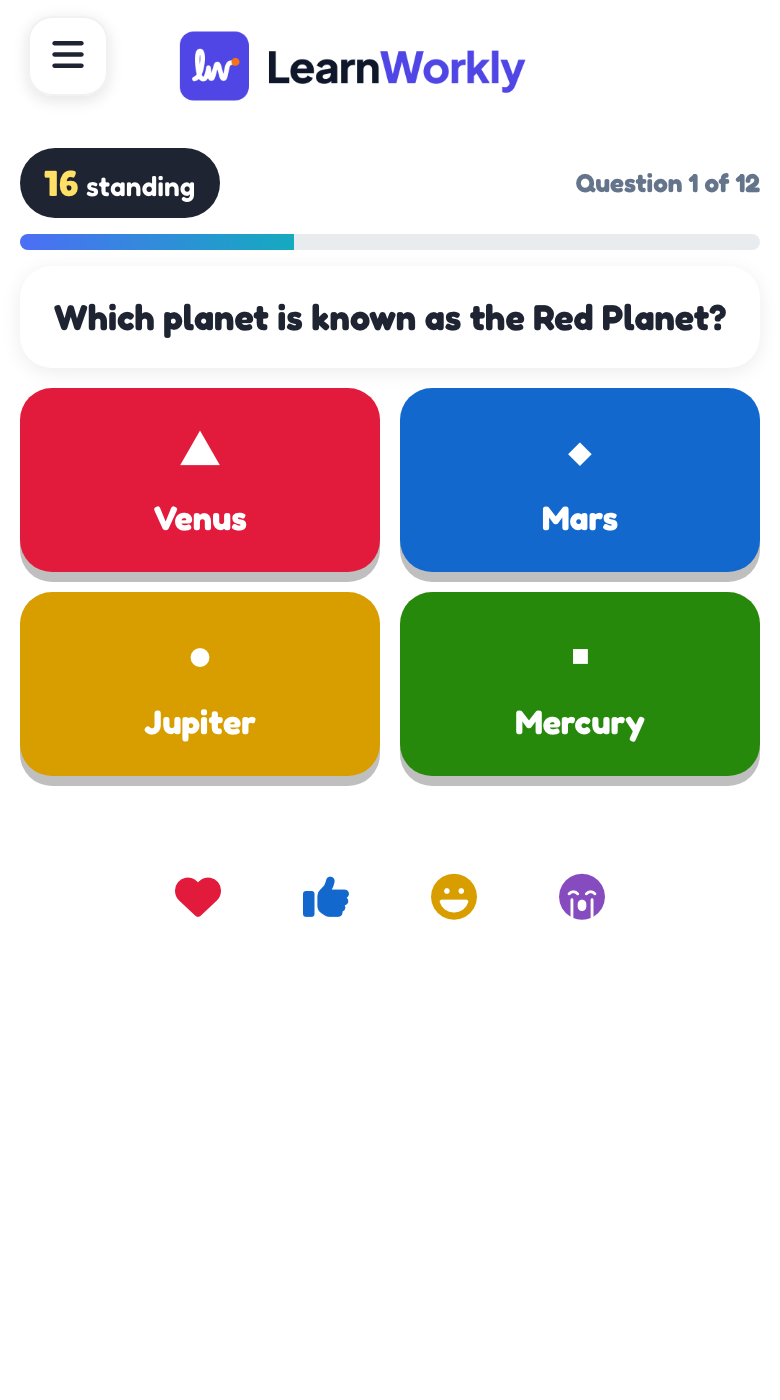
Round one: which country has the most islands? Indonesia / Philippines / Sweden / Canada
- You
- Click Start Game and read the question out. Leave a pause at the reveal: the surprise is the fun.
- On their phones
- Four coloured buttons and a countdown. Every right answer adds points for the player and for their team.
- On the big screen
- Seven of sixteen found Sweden; five went for Indonesia. The room groans, which is exactly the point.
Tip: Press keys for keyboard magic effects such as a drumroll before the reveal, and add background music under Presentation Audio Setting.
- 4Leaderboard 2 min
The leaderboard between rounds
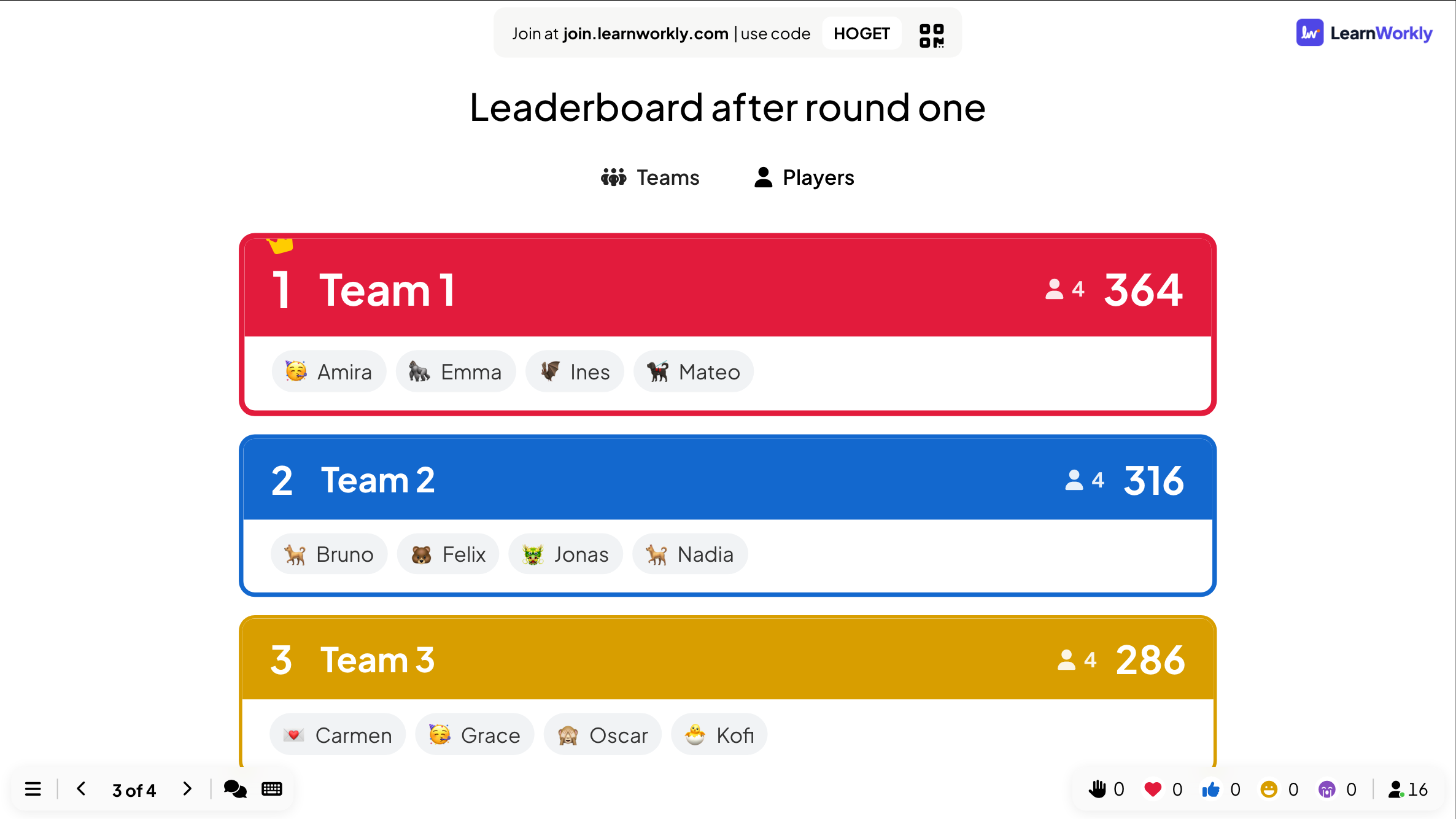
Leaderboard after round one
- You
- Add a Leaderboard slide after each round. In team quiz mode it opens on the team ranking; click Players for the individual one.
- On their phones
- Each phone shows the same ranking with the player’s own row highlighted.
- On the big screen
- Team 1 leads with 364 points, Team 2 is close behind with 316, and every team lists its members. On the last leaderboard, the winner gets a congratulations pop-up, fireworks and sound.
Tip: Put a leaderboard after every round, not only at the end: a close race between teams keeps the whole room playing.
- 5Duck Race 3 min
Half-time: a duck race for the prize
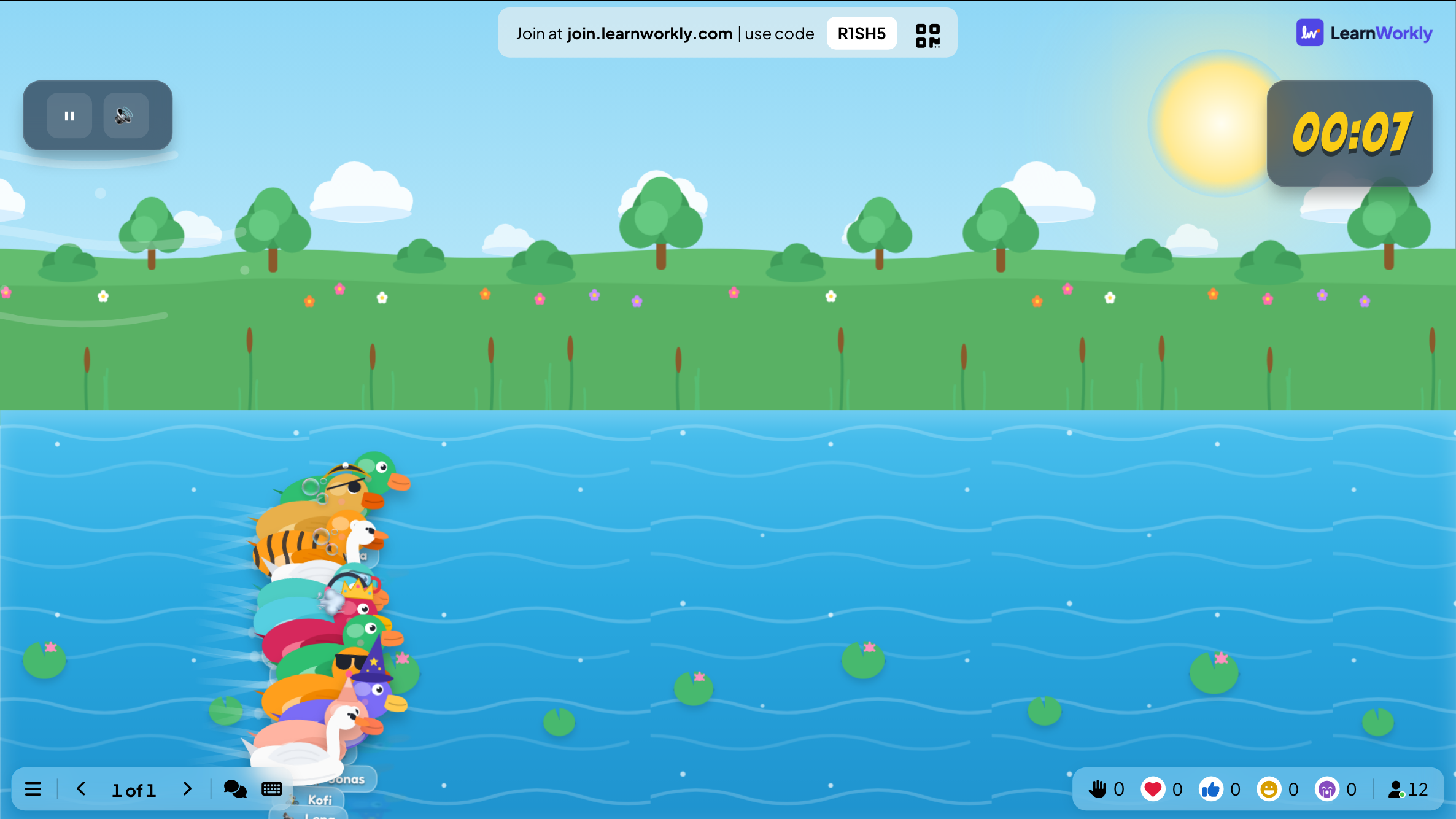
Duck Race for the hamper
- You
- Everyone in the room is a duck. Press GO! and let the camera follow the race to the finish.
- On their phones
- People pick a duck and enter their name. With boost on, they tap TAP TO SWIM! as fast as they can.
- On the big screen
- Twelve ducks racing down the river with the clock running. The camera follows the race, slows down for the finish and shows the winner.
Tip: Leave Let participants boost off for a fair prize draw where chance picks the winner; turn it on when you want the room tapping and shouting.
- 6Last One Standing 10 min
The final: last one standing
A run of general knowledge questions: a wrong answer drops your tile
- You
- Press START and Next question after each reveal, until one player is left standing.
- On their phones
- Tap an answer and see Answer locked in!, then whether you are still standing.
- On the big screen
- Every player on a floor tile. Wrong answers drop tiles until the last two face off in the final showdown.
Tip: Add 10 or more questions so the floor has time to empty, and use 2 lives if the room is big and you want the final to last.
How LearnWorkly helps
Everything for a great event
Party games
Duck Race, Zombie Race, Tug of War, Spinner Wheel, Hot Potato, Rock Paper Scissors, Heads or Tails and more.
Team quizzes
Team mode adds up the points per team, and Escape Room and Tug of War are built for teams.
Atmosphere
Background music, sound effects, reactions and keyboard magic effects such as confetti and a drumroll.
Polls and word clouds
Ask the room anything and show the answers on the big screen.
Your event’s look
Fonts, colours and background images on every plan; your logo on Pro and Enterprise.
Run it from your phone
Remote control on Pro and Enterprise, so you can host from the stage or the floor.
Ideas to start from
Decks you can build in minutes
Slide lists to copy into a new presentation: add the slides in the editor, type your own questions and present.
Pub quiz night
Four rounds, teams at tables
- 1Team quiz mode on
- 2Round 1: Select Answer × 5, Leaderboard
- 3Round 2: Estimate and Pin Answer, Leaderboard
- 4Round 3: Bet / Wager, Leaderboard
- 5Final: Last One Standing
Team-building afternoon
Mixed teams, 60 to 90 minutes
- 1Word Cloud: one word for this year
- 2Escape Room in teams
- 3Tug of War
- 4Draw & Guess
- 5Spinner Wheel: prize draw
Conference break
Ten minutes between sessions
- 1Quick Draw: fastest tap wins
- 2Stop the Clock
- 3Rock Paper Scissors against the screen
- 4Duck Race for a prize
Holiday party
End-of-year celebration
- 1True or False: festive myths
- 2Higher or Lower
- 3Bingo with company words
- 4Heads or Tails: last one standing wins
Features you will use most
Read more
Frequently asked questions
Do guests need an app?
No. They scan the QR code or type the code at join.learnworkly.com and play in the browser of any phone.
How many people can play?
Up to 10 on Free, 100 on Basic ($7.99 a month) and 5,000 on Pro ($14.99 a month). For bigger events, Enterprise limits are flexible.
Can we play in teams?
Yes. Team quiz mode lets players choose a team when they join and adds a team leaderboard. Escape Room and Tug of War are built for teams.
Can remote colleagues join?
Yes. Anyone with the code can join from wherever they are and play along with the room.
What do players need to type?
Only a nickname for games and quizzes, and they can pick an emoji avatar. No email, no account.
Can I host from the stage with my phone?
Yes. Remote control on Pro and Enterprise lets you move through the slides from your phone while the deck runs on the big screen.
Can it look like our event?
Fonts, colours, background images and music are on every plan. Your logo is on Pro and Enterprise.
How long does it take to prepare?
Start from a template or let AI draft the quiz from a theme, then check the questions and add a game in a few clicks. The Question Library keeps your best questions for next time.
Is there a winner at the end?
Yes. The final leaderboard celebrates the winner with a congratulations pop-up, fireworks and sound, and most games show their own winner too.
Also made for
Plan your next event
Start free, with nothing for anyone to install. Build your first deck in minutes.
Free for up to 10 participants · No credit card