LearnWorkly vs Slido
Live Q&A and polls, inside your presentation
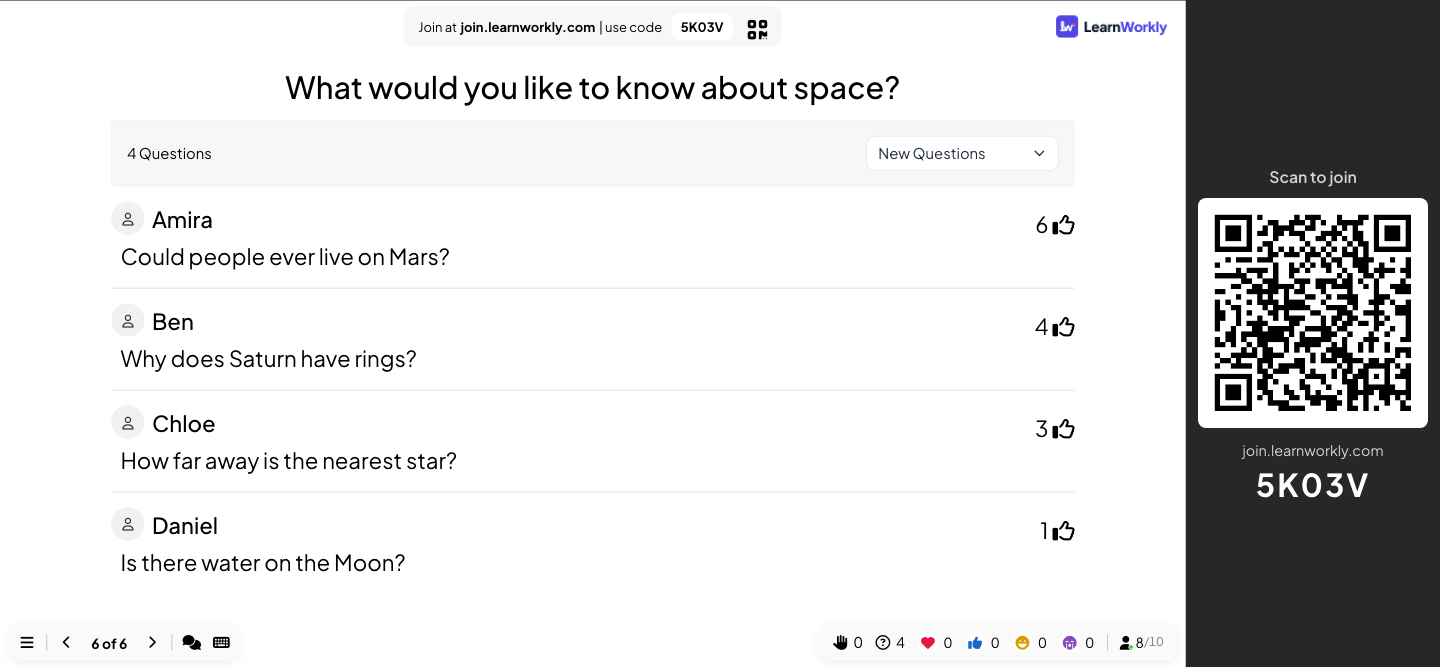
Slido is a well-known tool for audience Q&A and polls in meetings and events. LearnWorkly gives you Q&A with upvotes and moderation and live polls too, on the same deck as your slides, quizzes and games, with monthly plans and moderation on every plan.
LearnWorkly and Slido side by side
Slido is built for audience interaction in meetings and events: live Q&A, polls, quizzes and word clouds.
| LearnWorkly | Slido | |
|---|---|---|
| Q&A with upvotes | Yes | Yes |
| Q&A moderation | Yes, on every plan, with a moderator link | Annual plans except Engage |
| Monthly billing | Monthly or yearly | Annual or one-time plans; no monthly plans |
| Free plan | 10 live participants, every slide type and game, no expiry | Up to 100 participants, 3 polls and 1 quiz per event |
| Participants on paid plans | 100 on Basic, 5,000 on Pro, flexible on Enterprise | 200, 1,000 or 5,000 per event, depending on the plan |
| Your own slides | PowerPoint with animations, editable, and PDF, on every plan | Works with PowerPoint and Google Slides through integrations |
| Live games beyond the quiz | 17 live games, on every plan | Not stated |
| Export results | PDF and Excel, from Basic | Annual plans; not on the free plan |
| Your own logo and colours | Colours on every plan; logo on Pro and Enterprise | Annual plans except Engage |
| Single sign-on | Enterprise, set up on request | Enterprise |
| Data stored in the EU | Yes | Not stated |
Information about Slido from its public website, checked November 2026. It may have changed: check their website for the latest details. Slido is a trademark of its owner; LearnWorkly is not affiliated with it.
Why people choose LearnWorkly
Moderation on every plan
Approve questions, share a moderator link and filter rude words, on Free too.
Slides and questions together
Present your slides from the same deck as your Q&A, polls, quizzes and games.
Pay monthly
Basic and Pro are monthly or yearly, and you can cancel any time.
Fair to say: Choose Slido if you want Q&A and polls to run inside the presentation tool you already use, through its integrations.
See how it works
Polls and word clouds
Hear from everyone in the room, not just the loudest
Ask a question and watch the answers arrive: votes turn into bars or a pie chart, short answers into a word cloud, longer ones into a wall of cards. Everyone answers on their own phone, so the quiet people count as much as the confident ones.
Learn more: Live polls and word clouds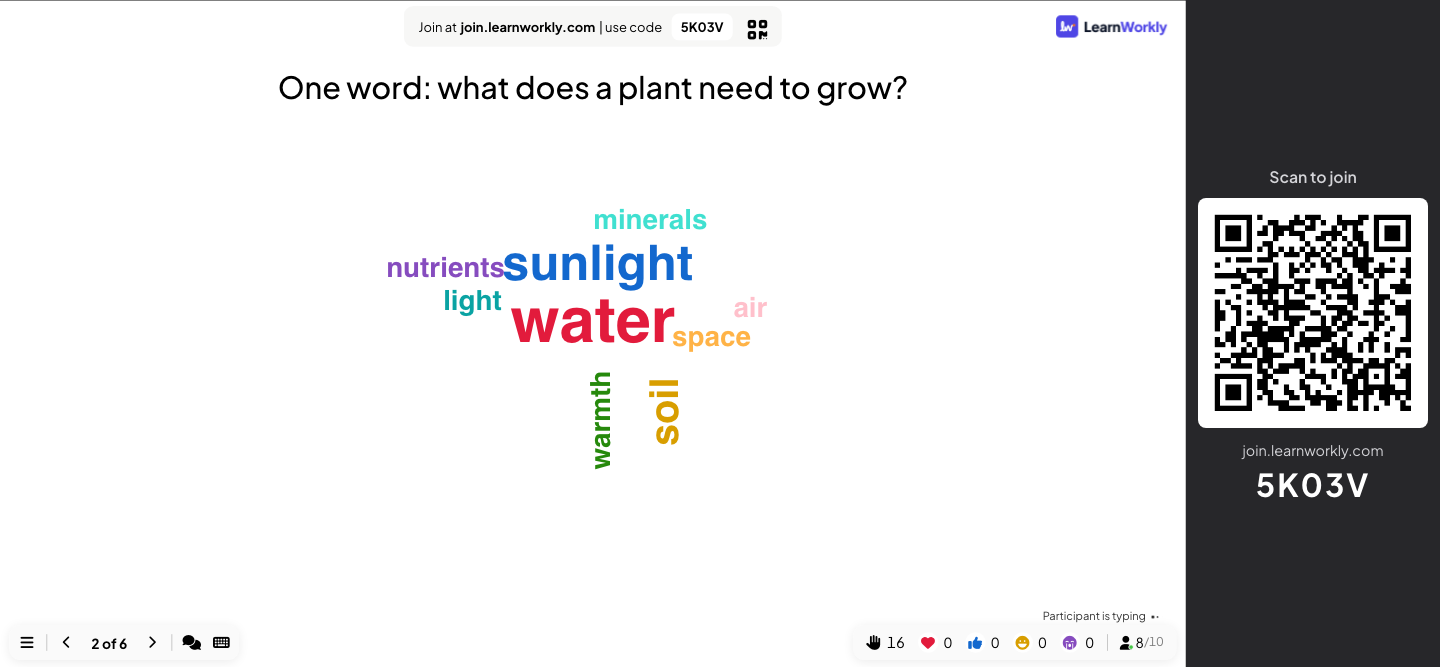
Reports
Know what the room thought, after the session too
Results build up on the big screen while you present, and every session is saved as a report: the answers to each slide, the scores of each participant and who took part. Look back at it the next day, or export it to share with your team.
Learn more: Reports and exports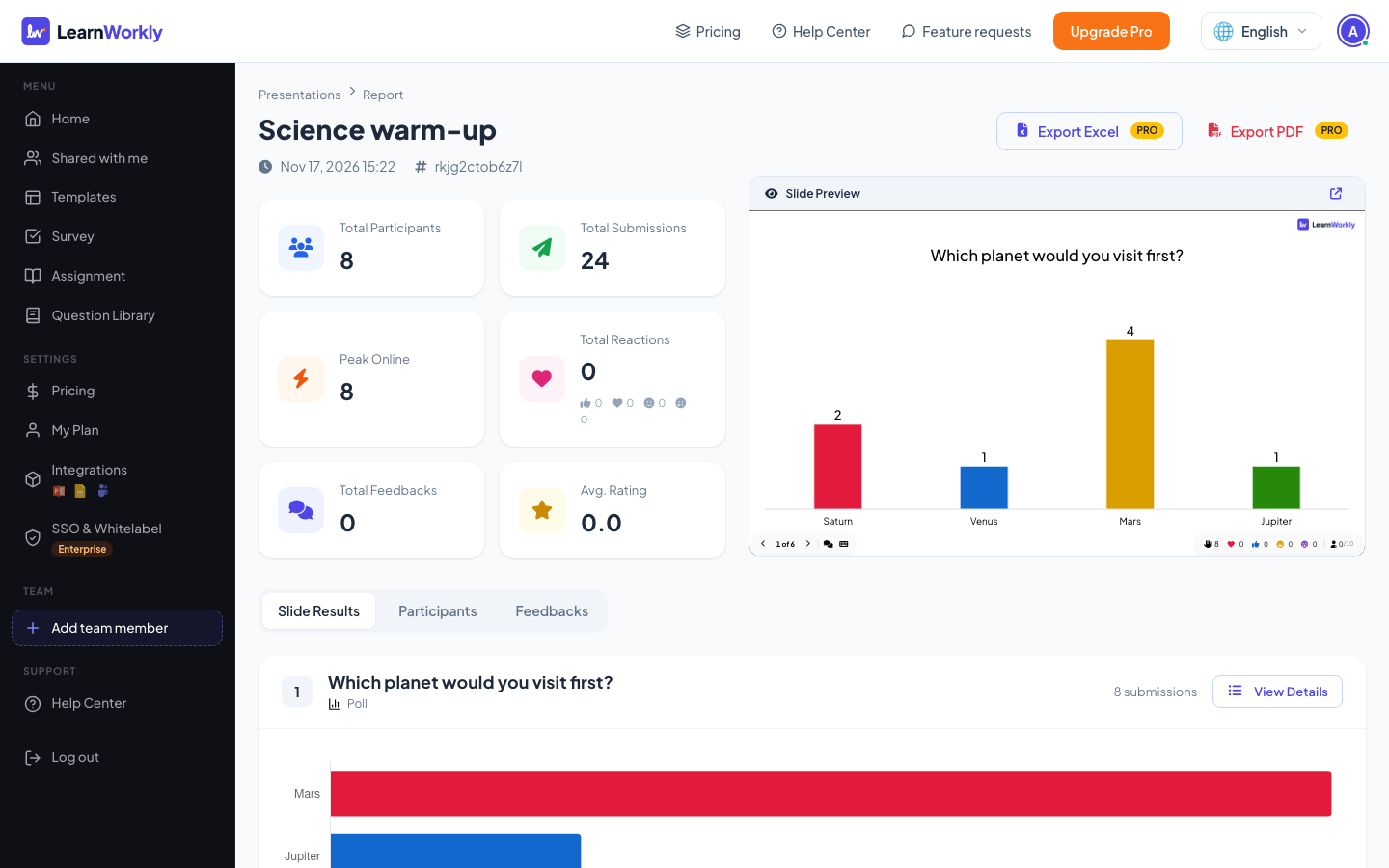
Frequently asked questions
Can I present my own slides with LearnWorkly?
Yes. Import PowerPoint with its animations or a PDF, or build slides in the browser, and put Q&A and polls between them.
Can a colleague moderate the Q&A?
Yes. Share the moderator link: they approve questions and mark them as answered while you present.
Other comparisons
Try it in your next session
Free for up to 10 live participants, with every slide type and game. Build your first deck in minutes.
Free for up to 10 participants · No credit card