Fill in the Blank shows a sentence with words missing. Participants complete it by typing the words or by tapping them in a word bank.
Set it up
- 1
Add the slide
In the editor, click + New Slide. In Choose Slide Type, open the Quizzes tab and click Fill in the Blank. A Leaderboard slide is added right after it, unless the next slide already is one.
- 2
Write the sentence
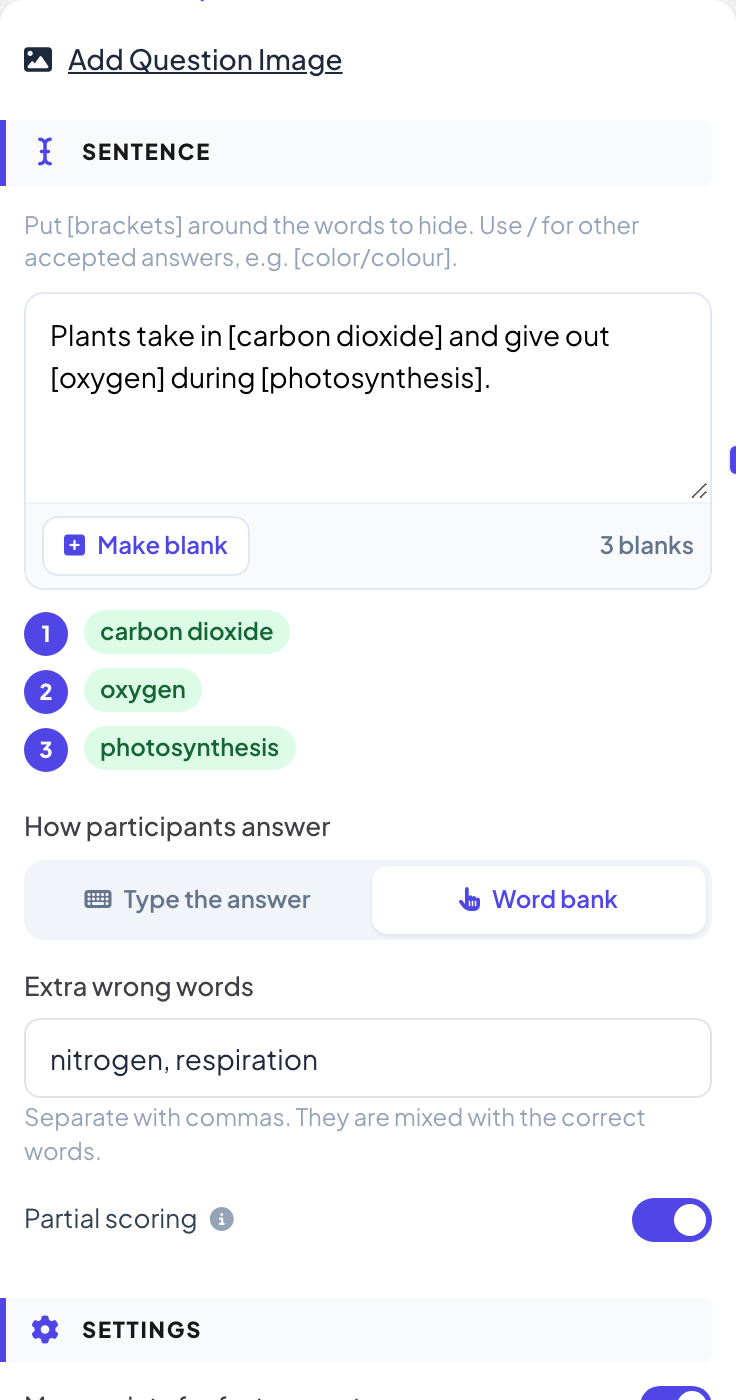
Under Sentence, put [brackets] around the words to hide, for example "Plants take in [carbon dioxide] and give out [oxygen]." Use / for other accepted answers, such as [color/colour]. You can also select a word and click Make blank. The blanks are listed under the box, up to 10.
- 3
Choose how participants answer
Under How participants answer, pick Type the answer or Word bank. With a word bank, add Extra wrong words, separated with commas, to mix in with the right words.
- 4
Choose the marking
With Type the answer, turn on Match upper/lower case if capitals matter and Ignore accents (é = e) if accents should not. With more than one blank, Partial scoring gives points for each right blank instead of all or nothing.
Play it live
- 1
Start the question
Click Present. When you reach the first quiz slide, the big screen shows the lobby with everyone who has joined. People who have not given a name yet type a Nickname on their phone first, so they appear on the leaderboard. Click Start Game when the room is ready. The game then keeps going: each later quiz slide you move forward to opens straight on its question, without the lobby. After you go back a slide, quiz slides show the lobby again until you click Start Game.
- 2
People fill the blanks
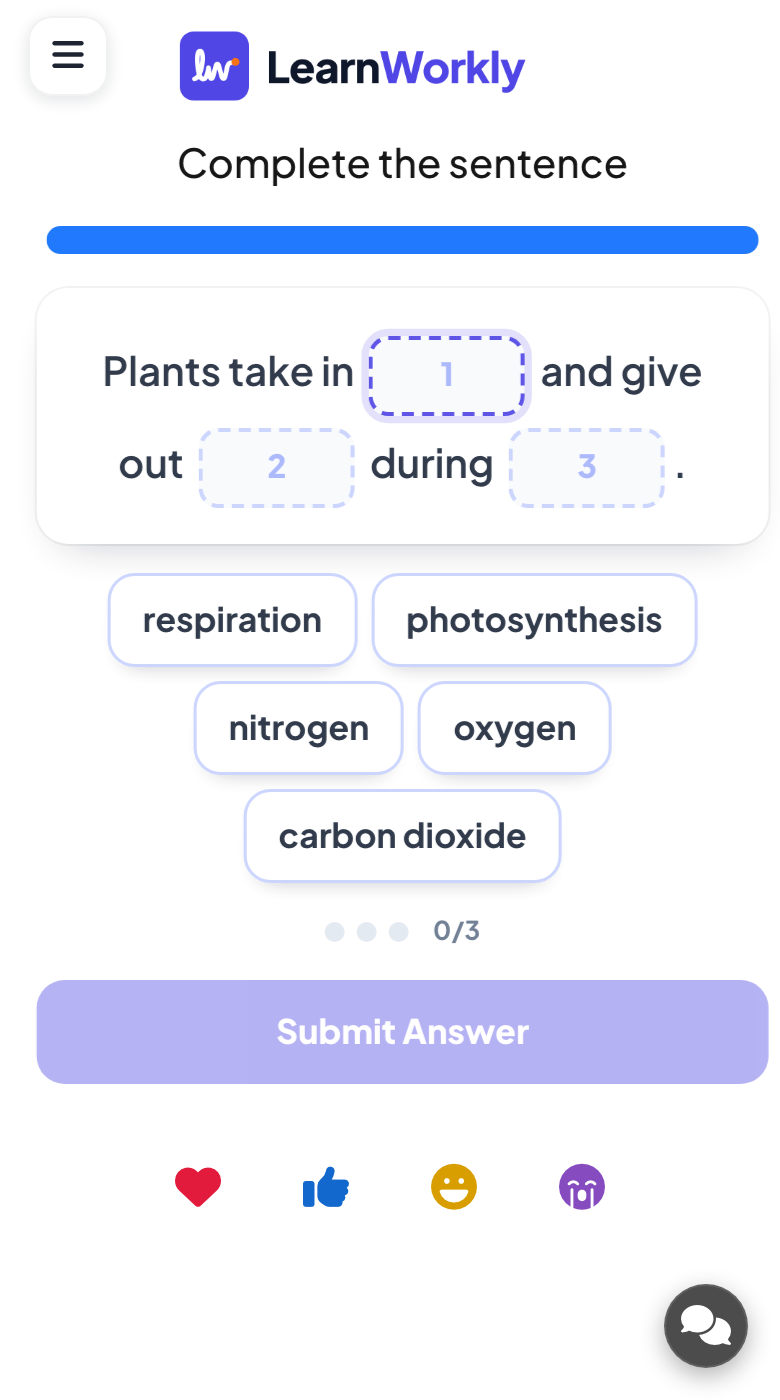
Each phone shows the sentence with a numbered box or slot for every blank. With a word bank, participants tap a word to drop it into the selected slot. Then they tap Submit Answer.
- 3
Reveal
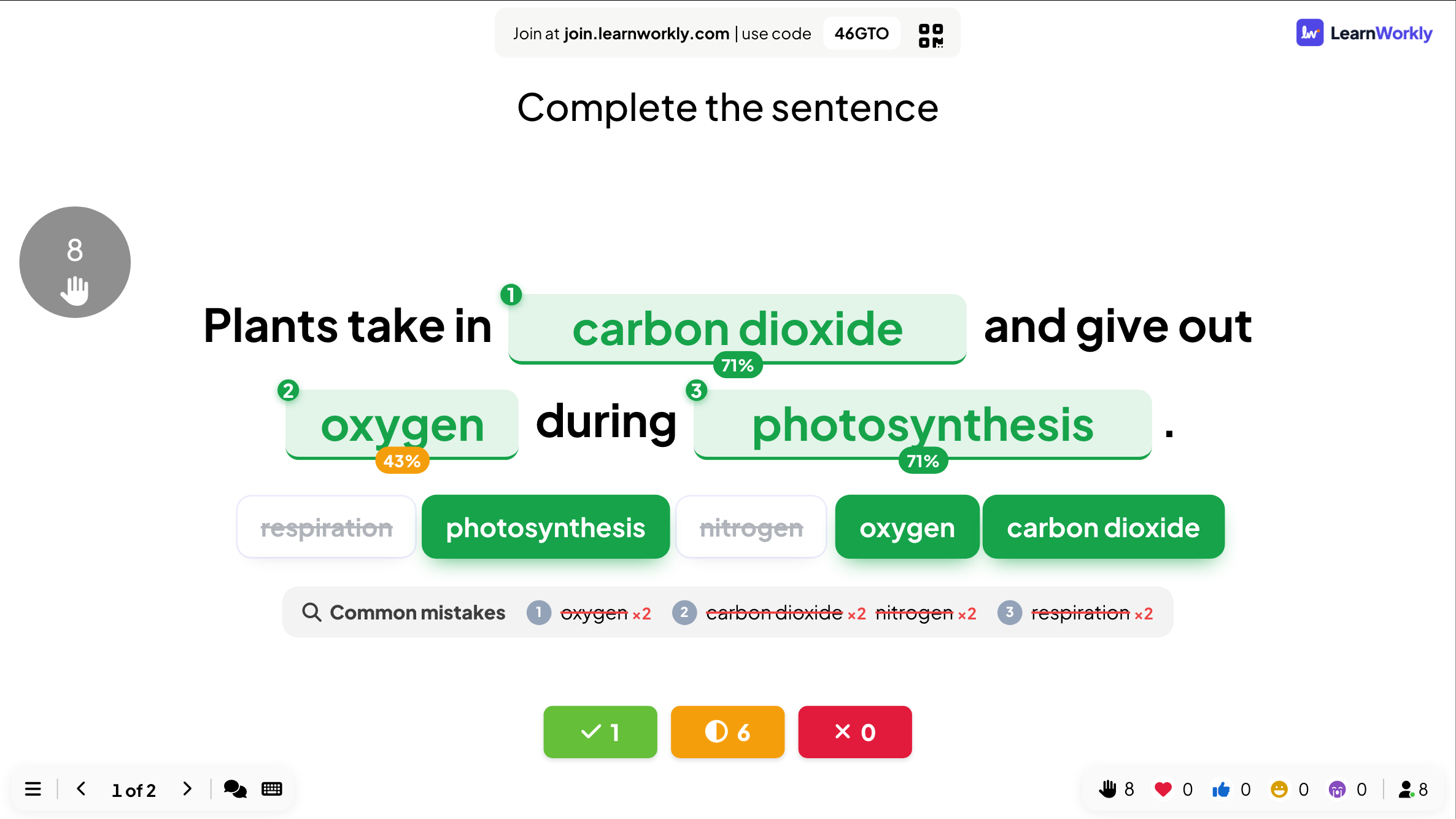
When time is up, the big screen shows the completed sentence with the share of the room that got each blank right, and the Common mistakes for each blank. The counts underneath show who got everything right, part of it right, or nothing.
Frequently asked questions
A participant added a full stop after the word.
Spaces and punctuation that people add out of habit at the start or end of a typed answer are ignored.
How do I accept two spellings?
Write both inside the brackets with a slash: [color/colour].
Why can I not see Match upper/lower case?
The case and accent options only apply when people type. With Word bank, they pick the exact word, so the options are hidden.
Someone joined while the question was running.
After they type a nickname, their phone shows the question and they can still answer until the countdown ends. Points from earlier questions are not added afterwards.
Last checked against the app on 17 November 2026.
Related articles
- Type Answer: short typed quiz answersParticipants type a short answer instead of picking one. Add every spelling you accept, and accept more answers from the results after the question.
- Select Answer: multiple-choice quiz questionsAsk a multiple-choice question with up to six options, mark the right answers, set the time and points, and play it live with a countdown and a reveal.
- Leaderboard: show the quiz scoresAdd a Leaderboard slide after your quiz questions to show every player’s rank and score, with team rankings in team mode and a winner at the end.