In Draw & Guess, players take turns drawing a secret word on their phone. The drawing appears live on the big screen and on every phone, and everyone else races to type the word. It works well for vocabulary practice in language lessons and as a party game.
Set it up
- 1
Add the slide
In the editor, click + New Slide. In Choose Slide Type, open the Games tab and click Draw & Guess. The game’s content and its Settings are in the Content tab of the column on the right.
- 2
Choose the words
Under Word source, keep Theme and pick a ready-made list, or choose My own words and type one word or phrase per line (at least 3). Your own words suit vocabulary from the lesson.
- 3
Set the rounds and time
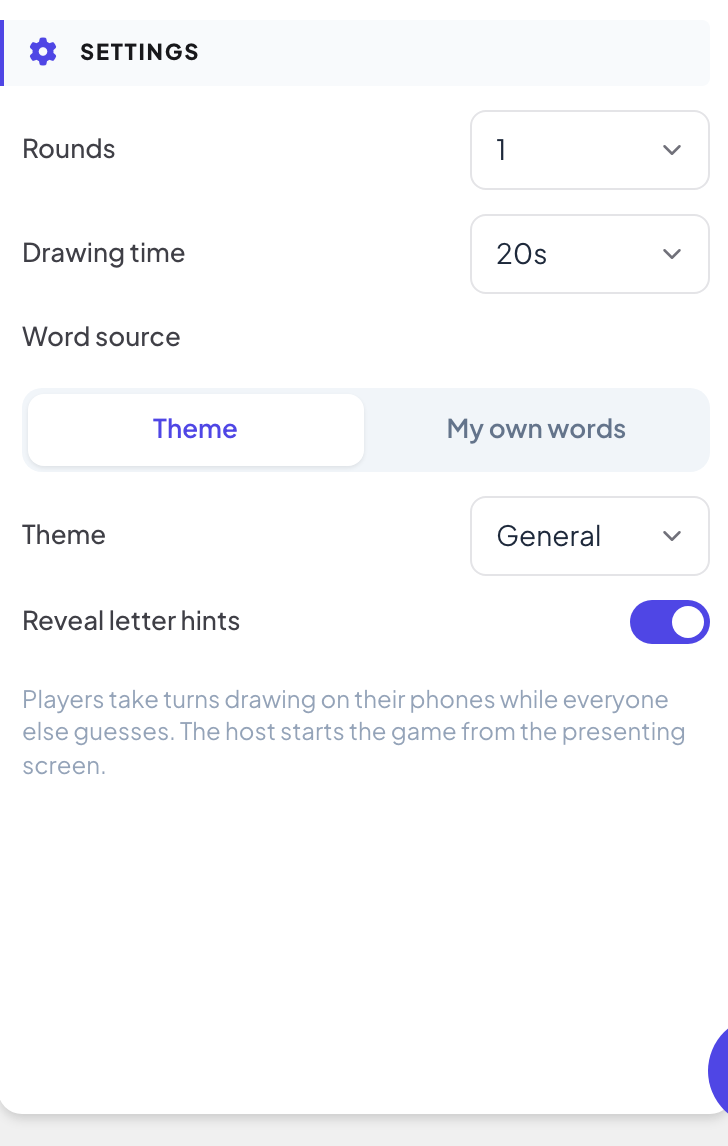
Choose the number of Rounds and the Drawing time (see the table).
Settings
| Setting | What it does | Default |
|---|---|---|
| Rounds | 1 to 5. In each round, every player draws once, in a random order. | 1 |
| Drawing time | How long each turn lasts: 20, 30, 40, 60, 80, 100 or 120 seconds. | 20 s |
| Word source | Theme: words from a ready-made list (General, Animals, Food & Drink, Everyday Objects, Nature, Sports & Hobbies, Places & Travel or Actions). My own words: type one word or phrase per line; you need at least 3. | Theme, General |
| Reveal letter hints | Letters of the word are revealed as time runs out, and players whose guess is nearly right are told they are close. | On |
Play it live
- 1
Open the lobby
Click Present. People type Your nickname on their phone and tap Join. The lobby lists them. Press Start game.
- 2
The drawer picks a word
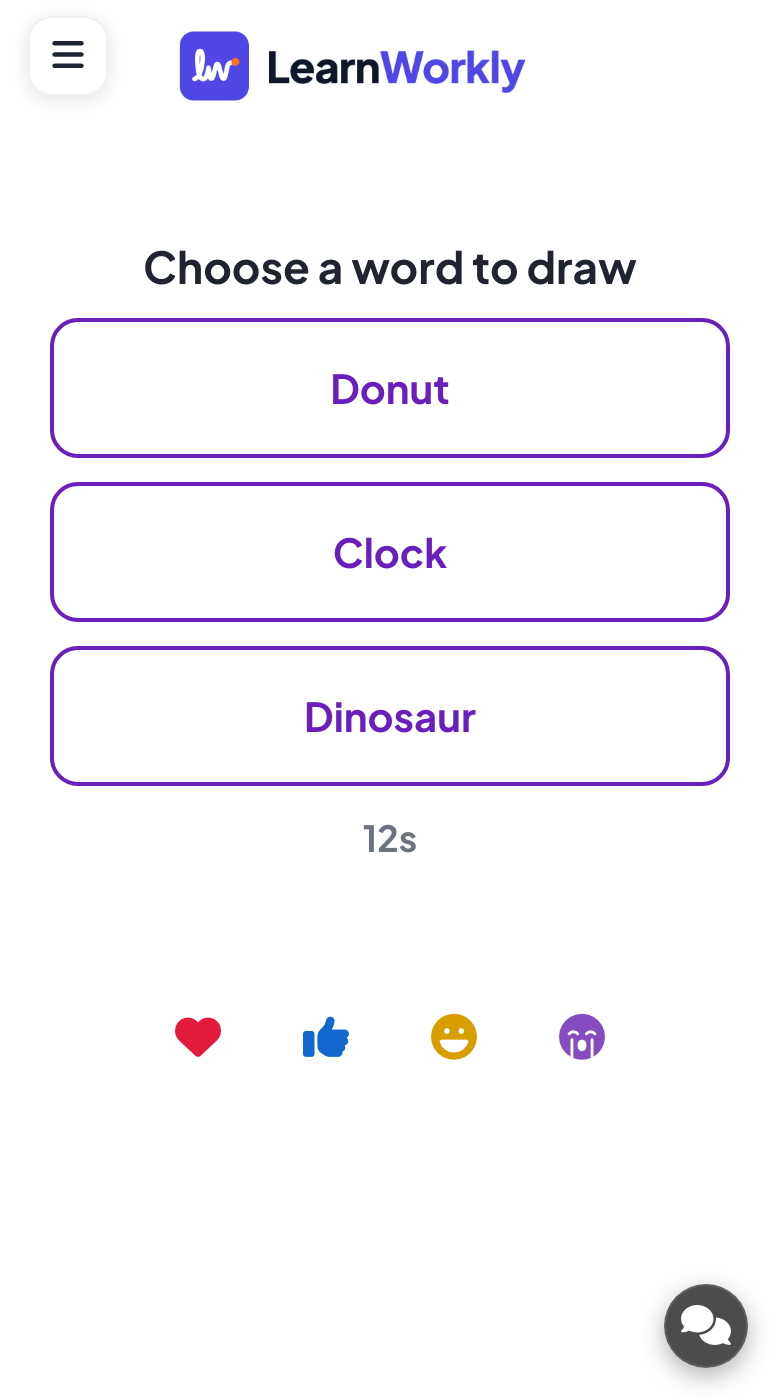
On each turn, the drawer sees Choose a word to draw with three words. If they do not choose in time, a word is picked for them.
- 3
Draw and guess
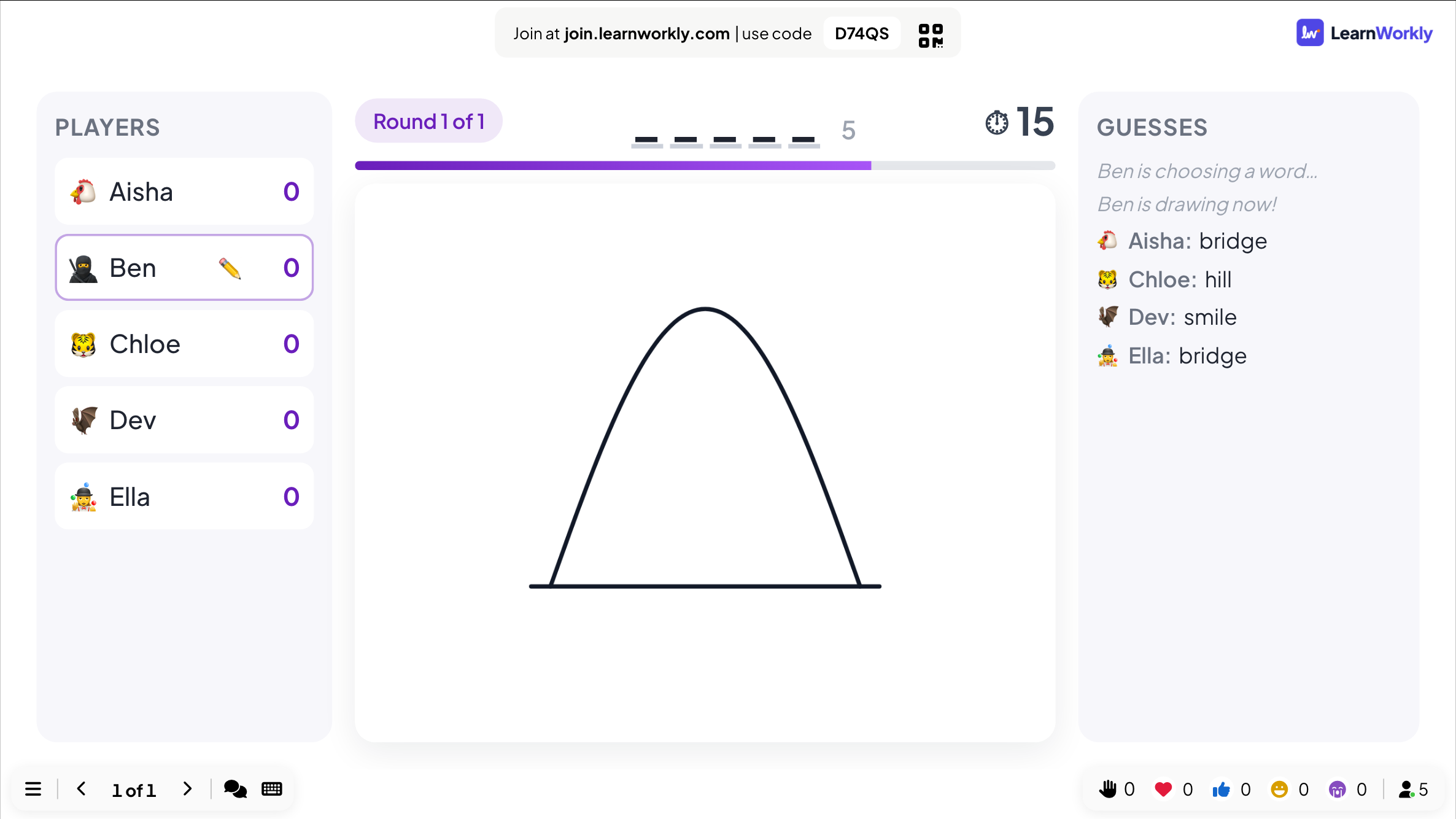
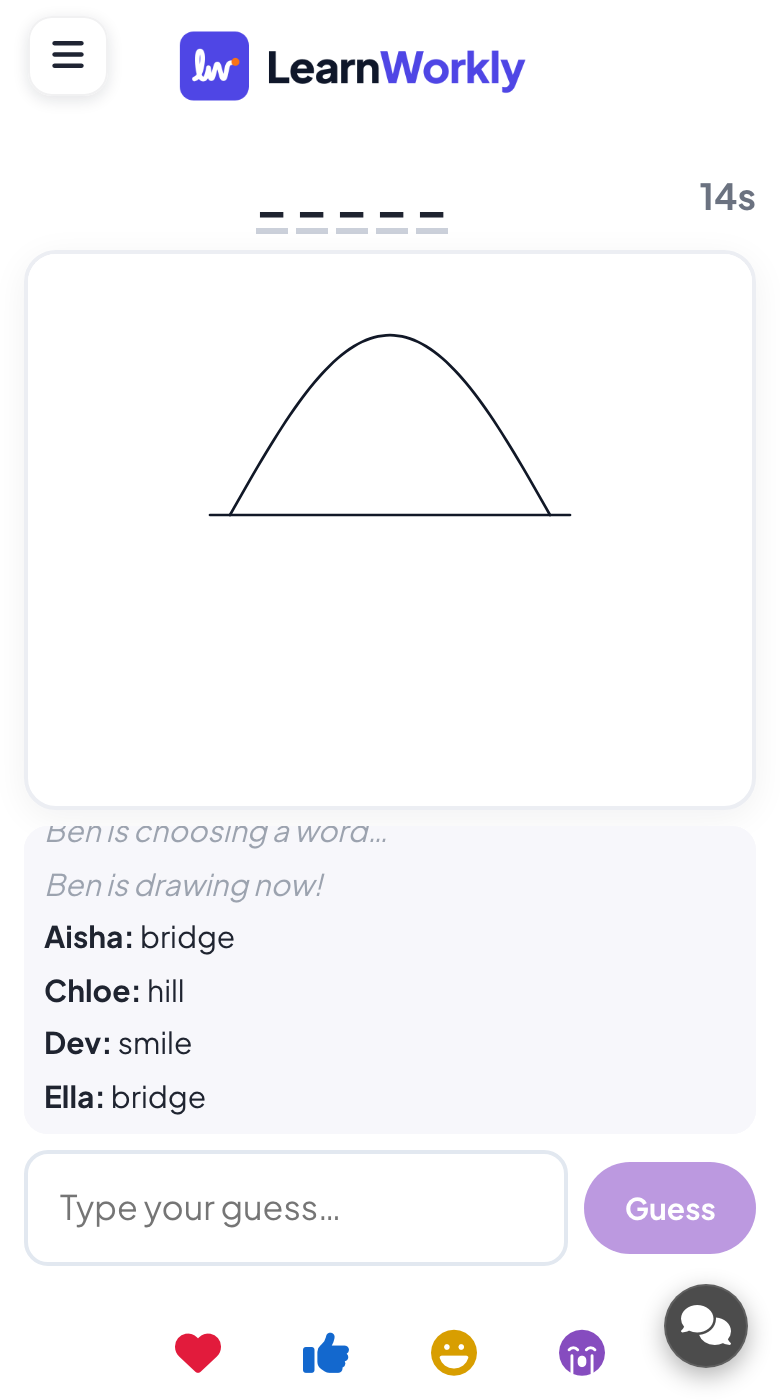
The drawer draws with a pen, an Eraser, Undo and Clear. Everyone else types in Type your guess… and taps Guess. Wrong guesses appear in the Guesses feed on the big screen; the right word never does.
- 4
Scores
A right guess scores more the faster it comes, and the drawer scores when more of the room guesses the word. The turn ends when everyone has guessed or the time runs out, and the word is shown. After the last round, the big screen shows Final Scores.
See the results later
Every finished game is saved with its results. Click Past games on the slide (or at the top of its Content tab) to see earlier plays, and find them in the report for the presentation.
Frequently asked questions
How many players can play?
Every player draws once per round, so the game gets long with a big group. With more than about ten people, use one round and a short drawing time, or play in small groups.
Someone joined after the game started.
They can guess straight away and are added to the end of the drawing order.
Can I stop a drawing that is not suitable?
Move to another slide to end the game at once. For younger groups, use My own words so you know what will be drawn.
How do I play again?
Press Play again on the final screen, or Restart while the game is running. The finished game stays in Past games.
Last checked against the app on 17 November 2026.
Related articles
- Draw: everyone draws, the screen shows a galleryEveryone draws on their phone and the drawings pop up in a live gallery. Choose paper, pen colours, drawings per person and when to reveal them.
- Whiteboard: draw together on one shared boardOne shared board for the whole room: you draw on the big screen, participants draw from their phones, and every stroke appears for everyone live.
- Present on the big screenStart presenting from the editor, move through slides with the keyboard, use the menu while you present and stop when you are done.
- How participants join your presentationPeople join at join.learnworkly.com with your code or by scanning the QR code, with no app and no account. See what they do and how to change the code.