The Miro slide embeds a Miro collaboration board directly into the slide, so you can walk through a board without switching windows.
- 1
Open your board
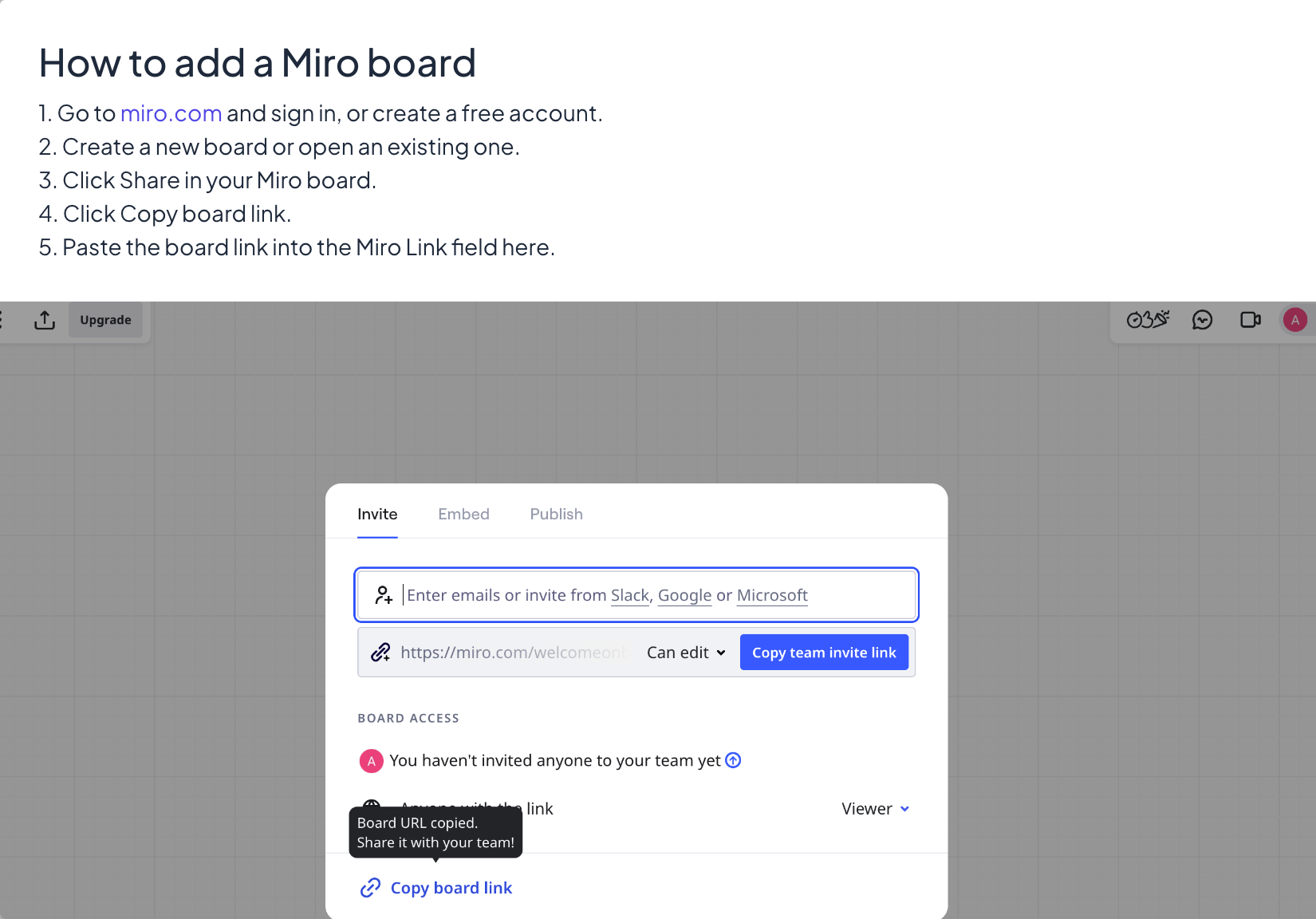
Go to miro.com and sign in, or create a free account. Create a new board or open an existing one.
- 2
Copy the link
Click Share in your Miro board, then Copy board link. Check the board’s sharing settings: people who are not on the board must be allowed to view it.
- 3
Add the slide
Back in LearnWorkly: In the editor, click + New Slide. In Choose Slide Type, open the Integrations tab and pick Miro.
- 4
Paste the link
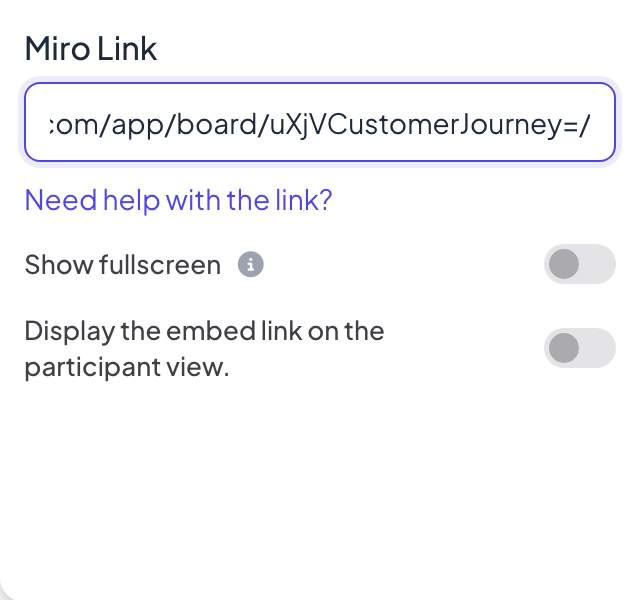
Paste the board link into the Miro Link field. Need help with the link? shows the same steps, with a picture of Miro’s share window.
Display settings
- Show fullscreen: the embedded content fills the whole slide, edge to edge, and the slide title is hidden. The top header and bottom control bar float on top, so you can still move between slides. Off by default.
- Display the embed link on the participant view: when this is on, participants can open and browse the same content on their own phones. When it is off (the default), their phones show View on presenter screen.
Present it
Click Present. The content loads live on the big screen and you can scroll or click inside it like in a browser tab. Use the arrows of the bottom control bar, or click outside the embedded content and use the arrow keys, to move to the next slide. Nothing is collected from participants on an embed slide, so nothing goes into the report.
Frequently asked questions
The board asks me to sign in.
The board is private. In Miro, open Share and allow anyone with the link to view, then copy the link again.
Can participants add sticky notes to the Miro board?
Only if your Miro sharing settings let anyone with the link edit, and the participant view setting is on. For notes collected inside LearnWorkly, use Remote Retro or the Whiteboard.
Do changes on the board show live?
Yes. The slide shows the live board, so changes made in Miro appear on the big screen.
Last checked against the app on 17 November 2026.
Related articles
- Embed slide: show a live web pageShow a live website inside your presentation with an Embed slide: paste a link, choose fullscreen, and decide whether participants can open it too.
- Whiteboard: draw together on one shared boardOne shared board for the whole room: you draw on the big screen, participants draw from their phones, and every stroke appears for everyone live.
- Remote Retro: run a retrospective with sticky notesRun a sprint retrospective step by step: ideas on sticky notes, grouping, voting and action items with owners, with participants on their phones.