A File upload question lets students hand in work as files. Use it for essays and plans written elsewhere, lab reports, projects, or photos of a poster or model.
Add a File upload question
- 1
Choose the type
In the editor, click Add a question or content and choose File upload.
- 2
Write the task
Type it in Type your question…, and say what you expect, for example "Upload your essay plan (a photo or a document)".
- 3
Choose the number of files
Under Files per student, pick 1, 2, 3 or 5. New questions allow 3.
- 4
Set the points
Type the points, or add a Rubric with up to 10 criteria.

What students see
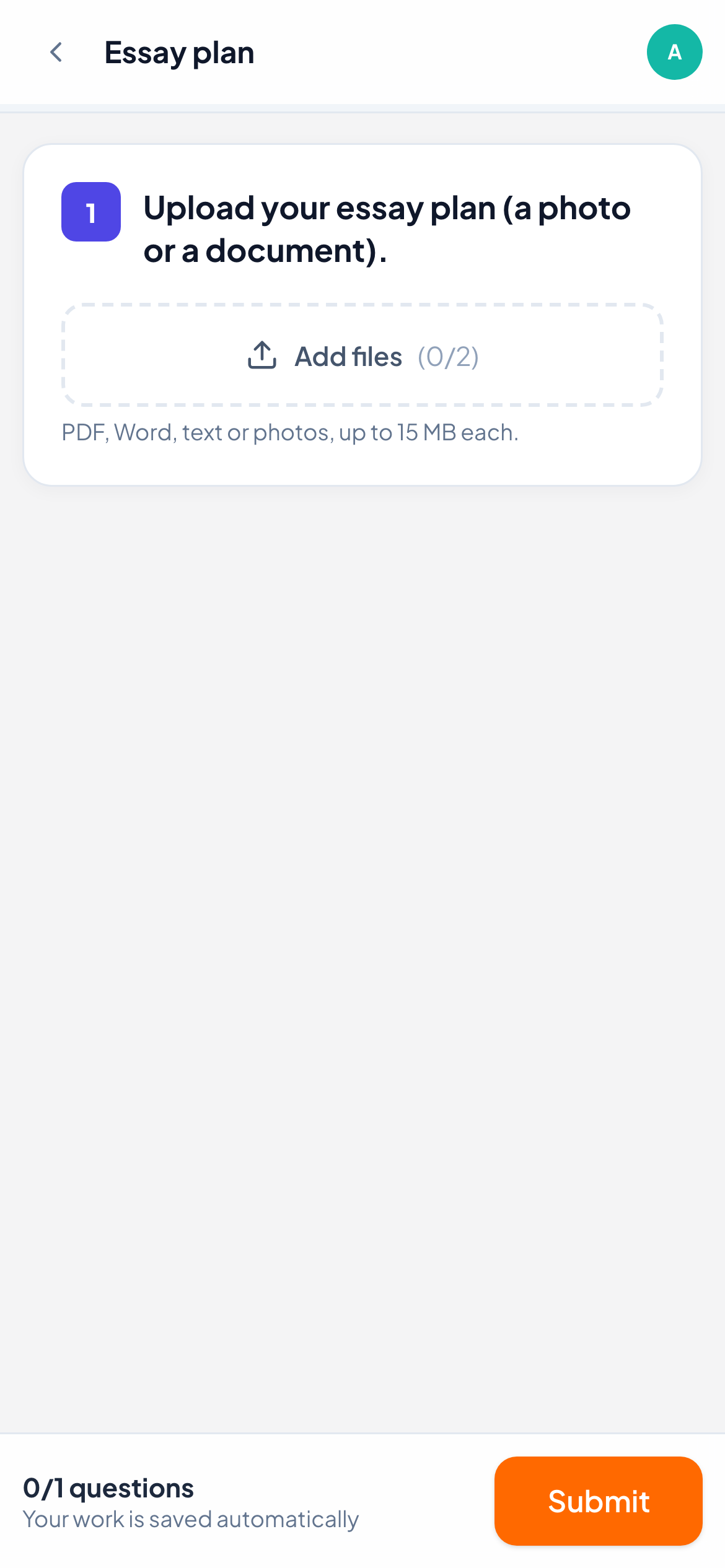
Students see an Add files area with a counter of files added out of the maximum. They can pick several files at once. Accepted files are PDF, Word (.docx), text and images, up to 15 MB each. Each file they add appears in a list, and they can remove one while the work is still open.
How it is marked
You mark files yourself. Open the answer in the live view: each file is listed with its name and size, and opens in a new tab when you click it. Type a Score and click Save, click Full marks, or score each rubric criterion. Add a comment or a voice note to explain the mark.
Frequently asked questions
Can students upload slides or spreadsheets?
No. Only PDF, Word (.docx), text files and images are accepted. Students can save other work as PDF first.
Is a photo of handwritten work better as File upload or Free response?
Either works. Free response and Drawing also take photos from a phone by QR code, while File upload accepts documents too.
Last checked against the app on 11 November 2026.
Related articles
- The 13 question typesWhat each of the 13 question types is for, which ones LearnWorkly marks automatically and which ones you mark yourself, with partial credit where it applies.
- Mark answers and give pointsWhich question types are marked automatically, how to score open answers, use a rubric and grade a whole class quickly with keyboard shortcuts.
- Free response questionsAsk for a written answer in the student’s own words, or a photo of handwritten work. You mark it yourself, with one score or a rubric.