Live view
See every answer the moment it is written
Ask a question and watch the whole group answer in real time: typed answers, multiple choice, drawings, recordings and photos of handwritten work. No more “Is everyone OK?” followed by silence.
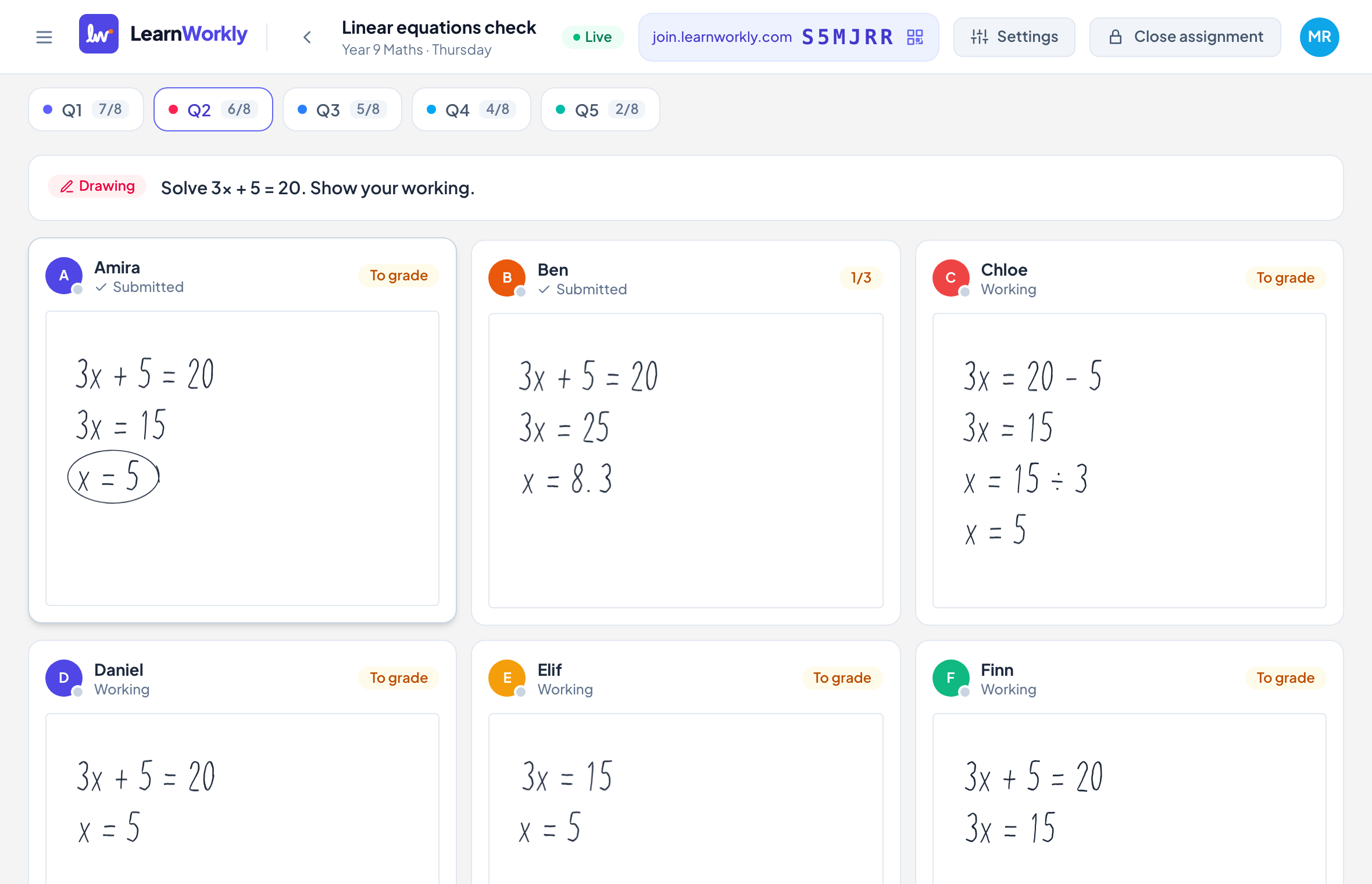
The whole group on one screen
A grid of students and questions fills in as they work. Colours show who is right, who is stuck and who has not started.
Working, not just answers
Drawings and handwritten steps update stroke by stroke, so you see where a method goes wrong, not only that it did.
You set the pace
Let students work at their own speed, or move the whole group from question to question together.
Results without marking
Questions with an answer key are marked instantly. You only grade open answers, drawings and recordings.
How it works
- 1
Create an activity or pick one you made before.
- 2
Share the class code or link. Students join from any device, no account needed.
- 3
Watch answers arrive live, then give feedback straight away.
Frequently asked questions
Do students need an account?
No. Students join with a class code or a personal link and type their name. You can add their names in advance if you prefer.
Does it work alongside my video lesson?
Yes. LearnWorkly runs in a browser tab next to whatever you use for the call. Students can also answer on a phone while the lesson stays on their computer.
How many students can I watch at once?
The live view is designed for 1-to-1 lessons and small groups, and works well up to around 30 students on one screen.
Related features
Try it in your next lesson
Free for up to 10 students, with every question type. Set up your first activity in five minutes.
Free for up to 10 students · No credit card