Parent reports
Show parents the progress, not just the hours
Parents pay for progress. LearnWorkly turns scores, skills and your notes into a short, friendly report you can review and email in a couple of minutes, for 1-to-1 students and small groups alike.
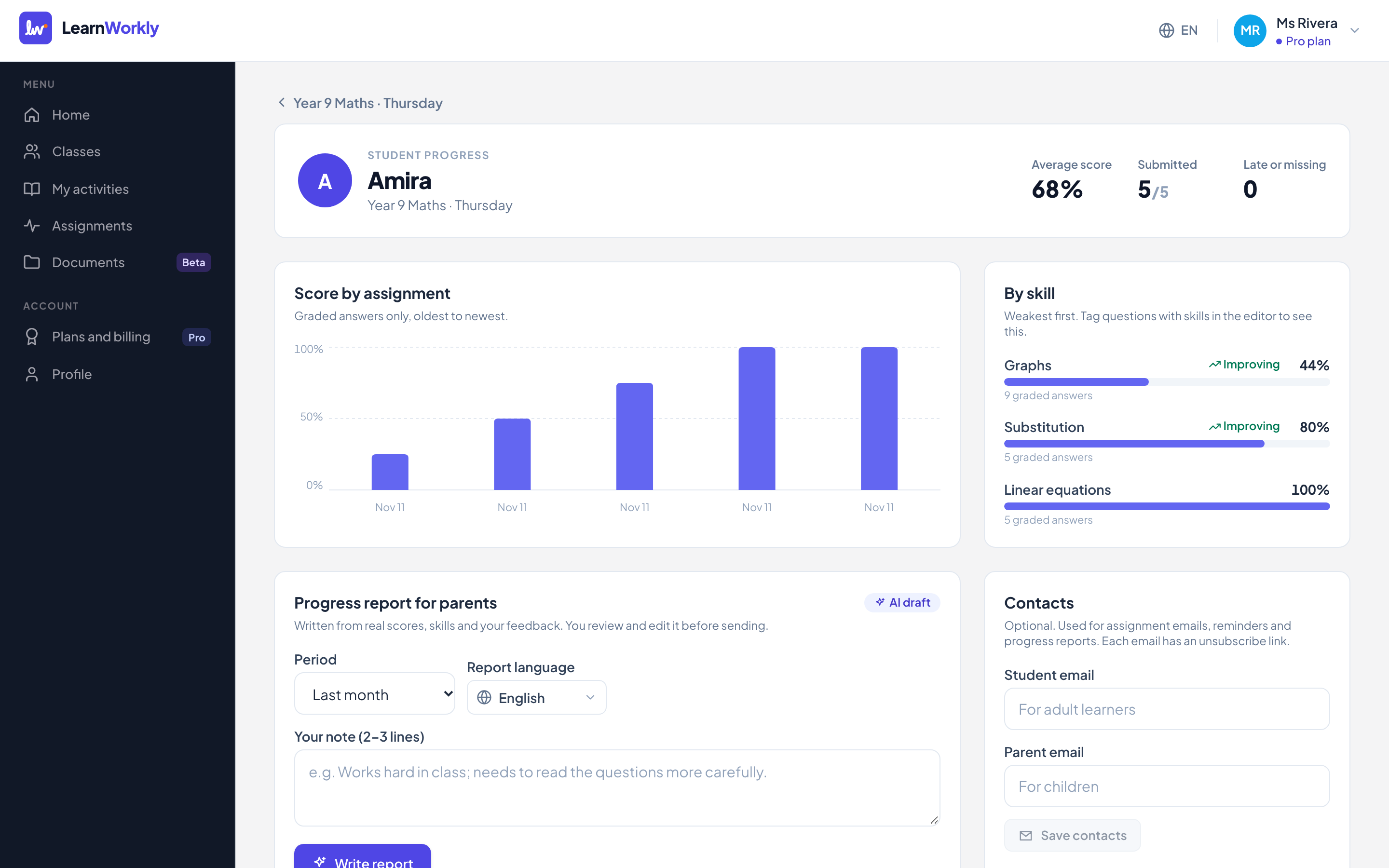
Built on real work
Scores by skill over time, from the activities the student actually did. No vague “doing well”.
Your words, faster
AI drafts the report from the data and your comments. You edit it before anything is sent.
Sent only with consent
Reports go to a parent email you add with their consent, with a one-click unsubscribe in every email.
How it works
- 1
Tag questions with skills as you build activities.
- 2
Open a student and choose “Report for parents”.
- 3
Review the draft, add your comments and send.
Frequently asked questions
Which plans include parent reports?
Solo, Pro and Academy. The Free plan includes everything else: all question types, live view and feedback.
Do parents get access to the student’s account?
No. Parents receive the report by email only. They never get the student’s login link.
Related features
Try it in your next lesson
Free for up to 10 students, with every question type. Set up your first activity in five minutes.
Free for up to 10 students · No credit card