Feedback
Feedback that lands while it still matters
The best moment to correct a misconception is right after it happens. Reply to any answer with text, a voice note or a drawing on top of the work, and students see it at once and can answer back.
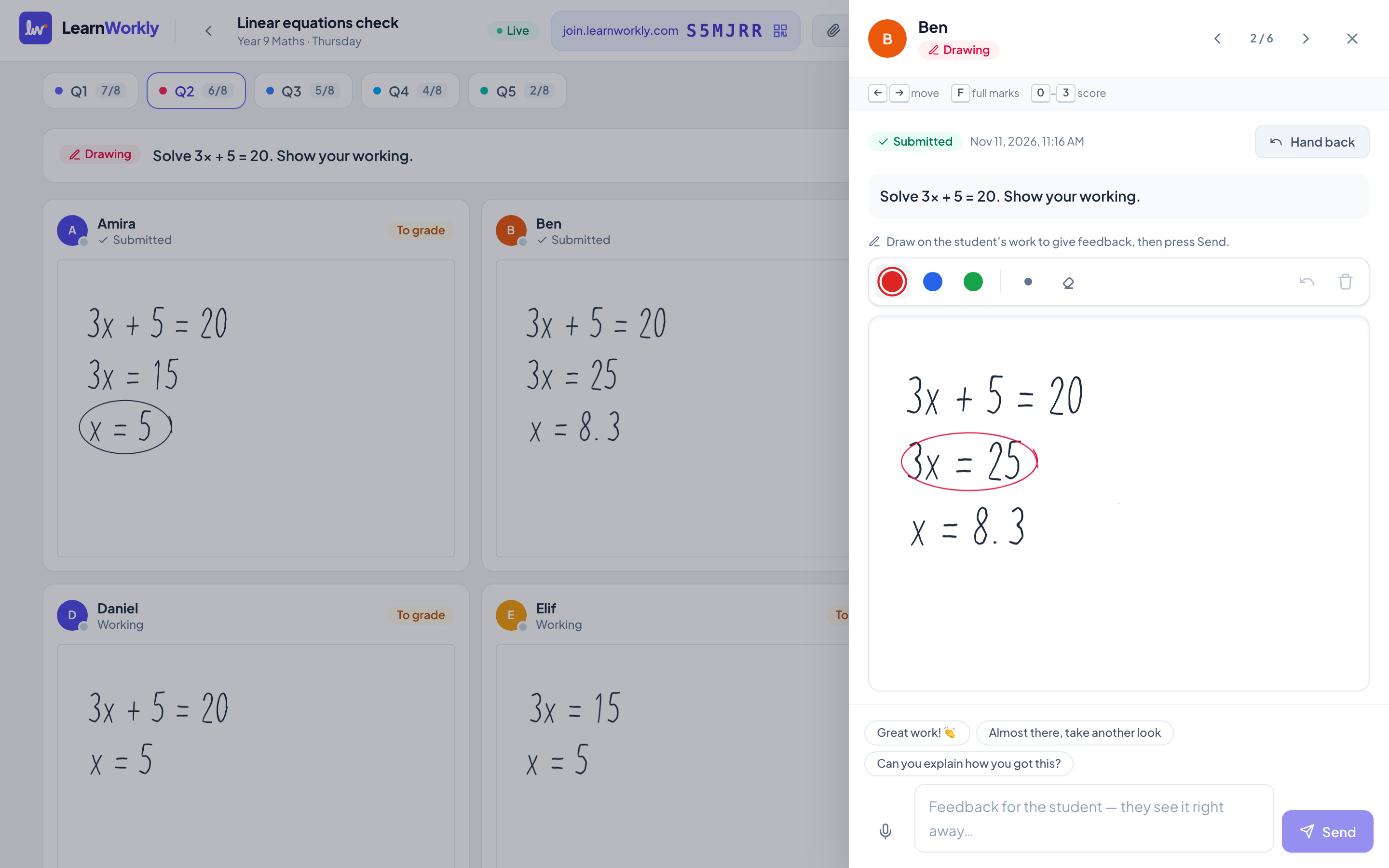
Draw on their work
Circle mistakes on students’ drawings with your own pen, in a different colour.
Voice notes
Sometimes it is faster to say it. Record a short explanation and attach it to the answer.
A real conversation
Students can reply, ask a question or try again, all on the same answer thread.
How it works
- 1
Open any answer from the live view or the gradebook.
- 2
Type, record or draw your feedback.
- 3
The student sees it instantly and can reply.
Frequently asked questions
Do students get notified?
Students see new feedback the next time they open the activity, and live if they have it open. If you added a contact email with consent, they can also get an email.
Can I grade with a rubric?
Yes. Open answers can have a rubric with points per criterion, and you can use speed grading to move through answers with the keyboard.
Related features
Try it in your next lesson
Free for up to 10 students, with every question type. Set up your first activity in five minutes.
Free for up to 10 students · No credit card