For small-group classes
Every student answers. Not just the confident one.
In a group lesson online, the quiet students hide behind the loud ones. When everyone answers on their own screen and you see it live, nobody hides and nobody is embarrassed.
Sound familiar?
What gets in the way today
One student answers for the group
Verbal questions show you what one person knows. You need everyone’s answer.
Hard to keep the pace right
Some finish in a minute, others are stuck. Without seeing it you teach to the middle.
Reports for each family take hours
With six students per group, individual reports quickly become a weekend job.
How LearnWorkly helps
Built for the way you teach
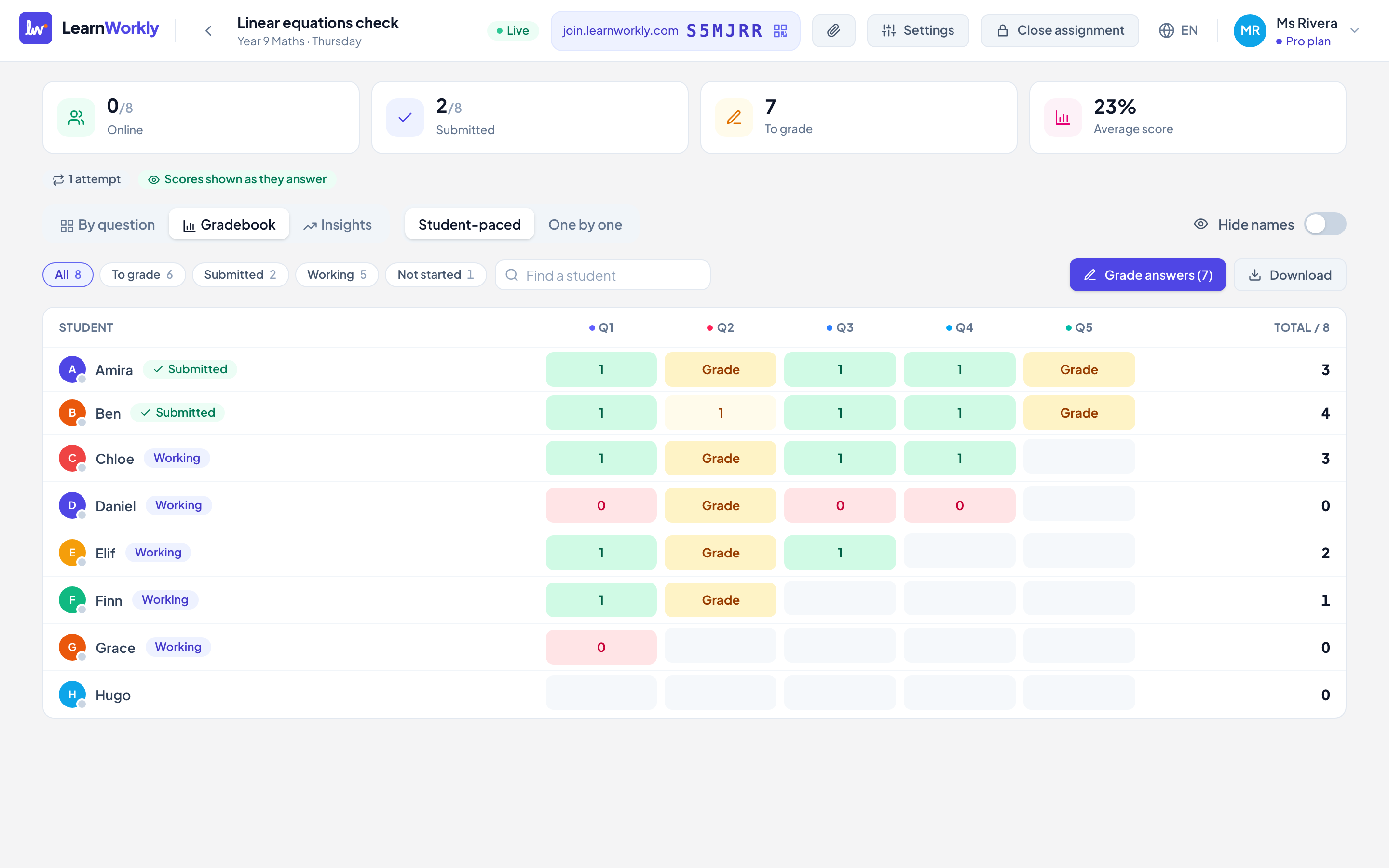
Live grid
Every student’s answer to every question, colour-coded as it arrives.
Hide names on screen share
Show the class’s answers without names to discuss mistakes safely.
Teacher-paced mode
Move the whole group through the questions together, one by one.
Gradebook and reports
Scores per student and per skill, and a progress report for each family in minutes.
Example
A group of six, twice a week
- 1
Start with one teacher-paced question and share the anonymous answers to discuss.
- 2
Split into self-paced work: early finishers get a stretch question, you help the ones who are stuck.
- 3
End-of-month: send each family a report built from the scores and your comments.
Features you will use most
Frequently asked questions
How many students per class?
As many as your plan allows in total (10 on Free, 50 on Solo, up to 1,000 on Pro). Classes are unlimited on every plan.
Can I assign different work to different students?
Yes. Assign to the whole class, a few students or one student.
Also made for
Try it in your next lesson
Free for up to 10 students. Set up your first activity in five minutes.
Free for up to 10 students · No credit card