A Put in order question gives students a list of items in a shuffled order and asks them to arrange it. Use it for the steps of a process, events in a story, stages of a cycle or the words of a sentence.
Add a Put in order question
- 1
Choose the type
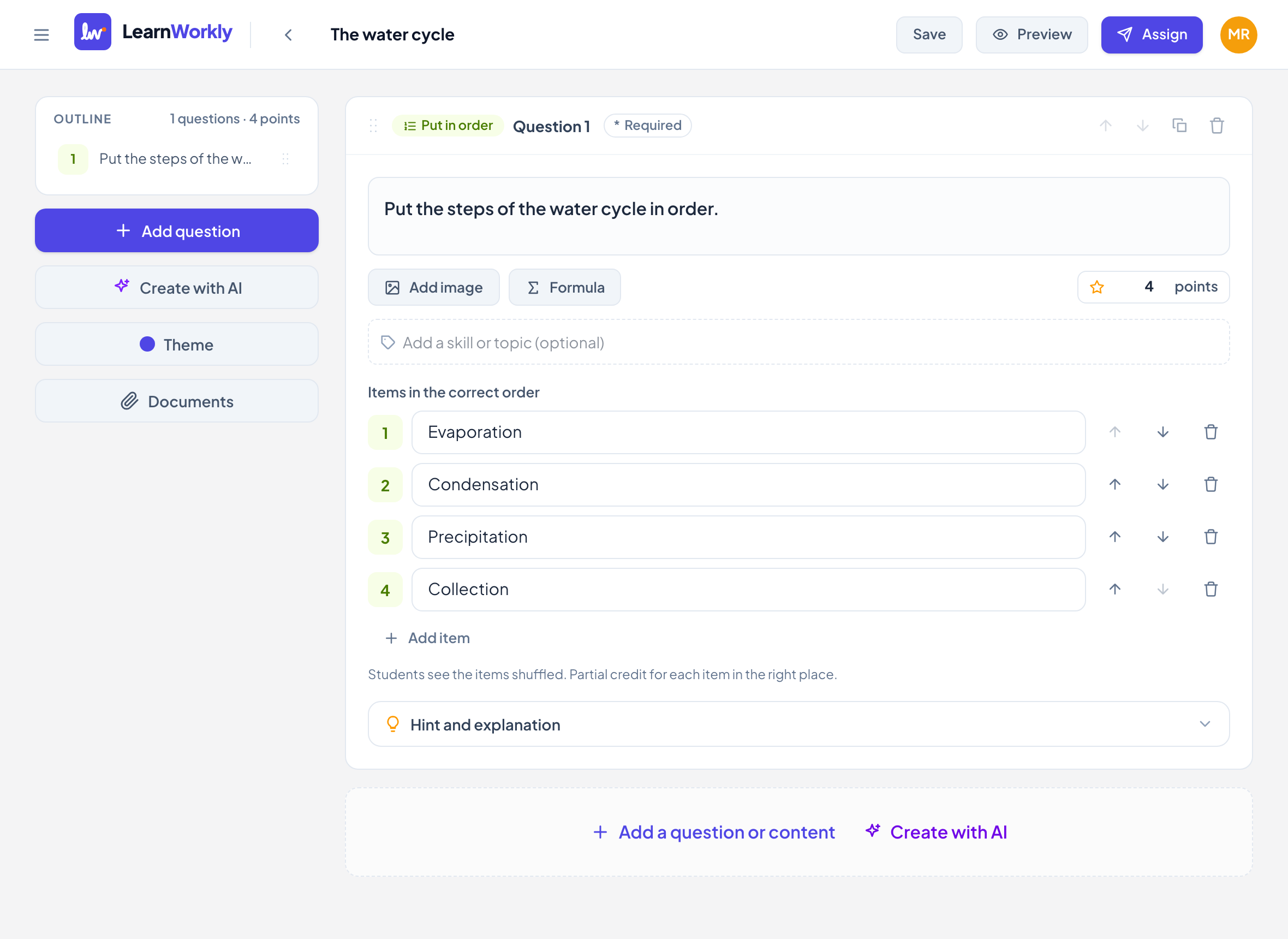
In the editor, click Add a question or content and choose Put in order.
- 2
Write the question
Type it in Type your question…, for example "Put the steps of the water cycle in order".
- 3
Add the items in the right order
Under Items in the correct order, type each item. Use Add item for more (2 to 10 items) and the arrows to move an item up or down.
- 4
Set the points
New questions are worth 2 points. Change it in the points box.
What students see
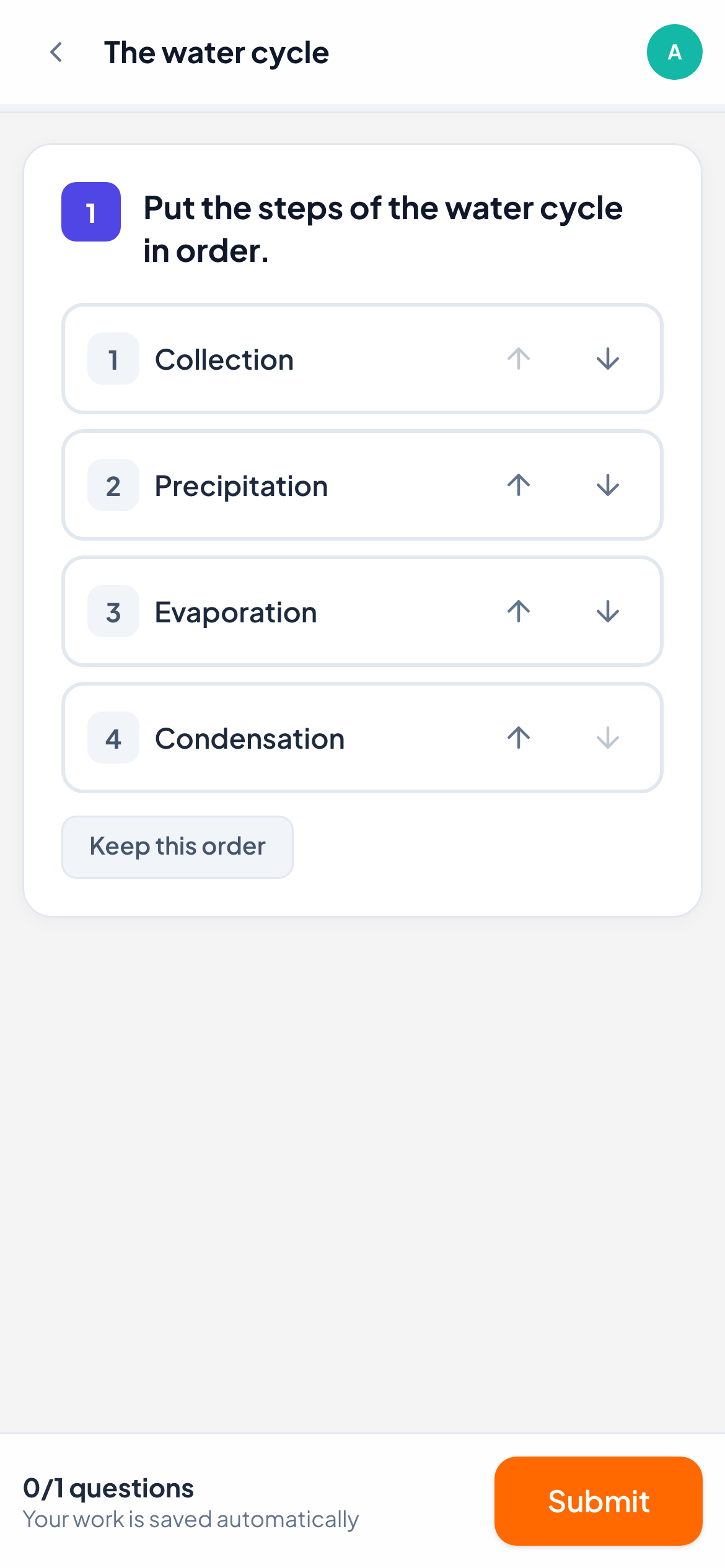
Students see the items shuffled, never in the right order. They drag an item to a new place, or use the up and down arrows next to it, which works well on phones and with a keyboard.
If the shuffled order already looks right to them, they click Keep this order to save it as their answer.
How it is marked
Put in order is marked automatically, with partial credit: each item in the right place earns its share of the points. For example, with 4 items worth 2 points, two items in the right place give 1 point.
In the live view you see the student’s order, with each position shown green when right and red when wrong. You can still change the score by hand.
Frequently asked questions
Is an item counted right if it is next to the right neighbour?
No. Each item counts only when it is in exactly its own position.
Can I accept more than one correct order?
No. There is one correct order: the one you type in the editor.
Last checked against the app on 11 November 2026.
Related articles
- The 13 question typesWhat each of the 13 question types is for, which ones LearnWorkly marks automatically and which ones you mark yourself, with partial credit where it applies.
- Categorize questionsStudents sort items into two to five groups you define, such as nouns and verbs. Marked automatically, with partial credit for each item sorted.
- Matching questionsWrite pairs such as words and definitions; students match each item to its partner, with partial credit for every correct pair.
- Mark answers and give pointsWhich question types are marked automatically, how to score open answers, use a rubric and grade a whole class quickly with keyboard shortcuts.