PowerPoint add-in
A matching game inside your PowerPoint
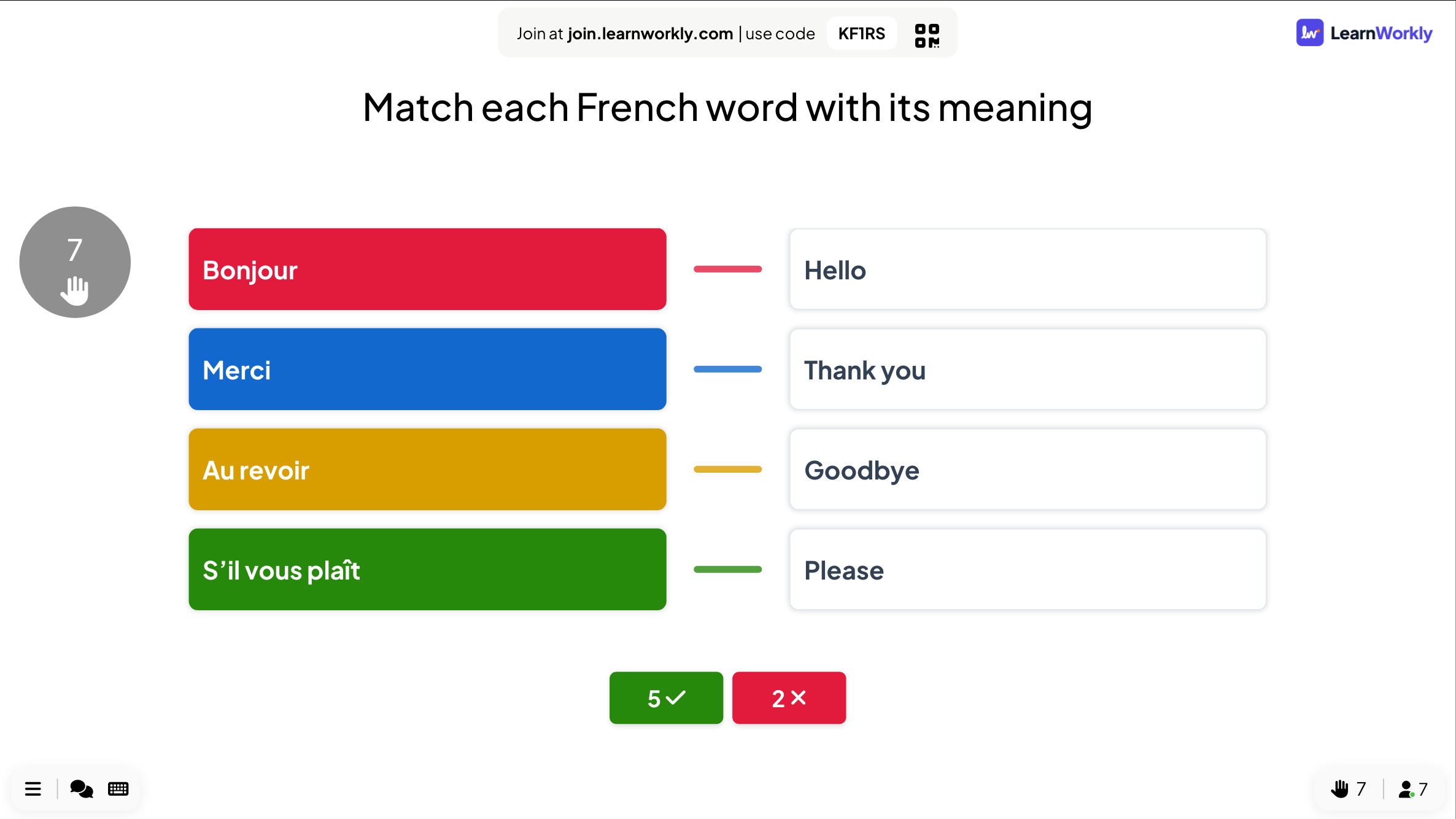
Matching game templates for PowerPoint rely on triggers, animations or macros, and only the person at the computer can play. With the free LearnWorkly add-in, a Match Pair slide sits in your deck: everyone matches the pairs on their own phone before the countdown ends, then the slide draws the right pairs and shows how many people got them all.
Free on every plan. How to install and use it
Step by step
Match Pair in PowerPoint, step by step
- 1
Add Match Pair to your deck
Select a slide, click LearnWorkly on the Home tab and search for match. A Match Pair slide is added after it.
LearnWorkly panel in PowerPoint 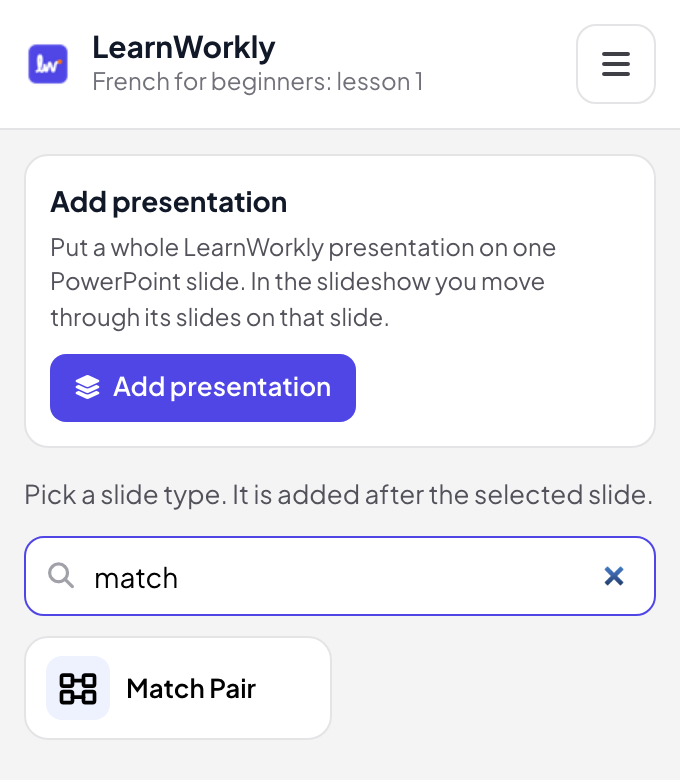
- 2
Write the pairs
In edit view, write the instruction, then up to 6 pairs: each item and its pair, with an optional picture on either side. Every phone gets the pairs shuffled.
Tip: Allow about 45 seconds for four pairs, and write pairs that cannot be confused: each pair is used once.
PowerPoint edit view 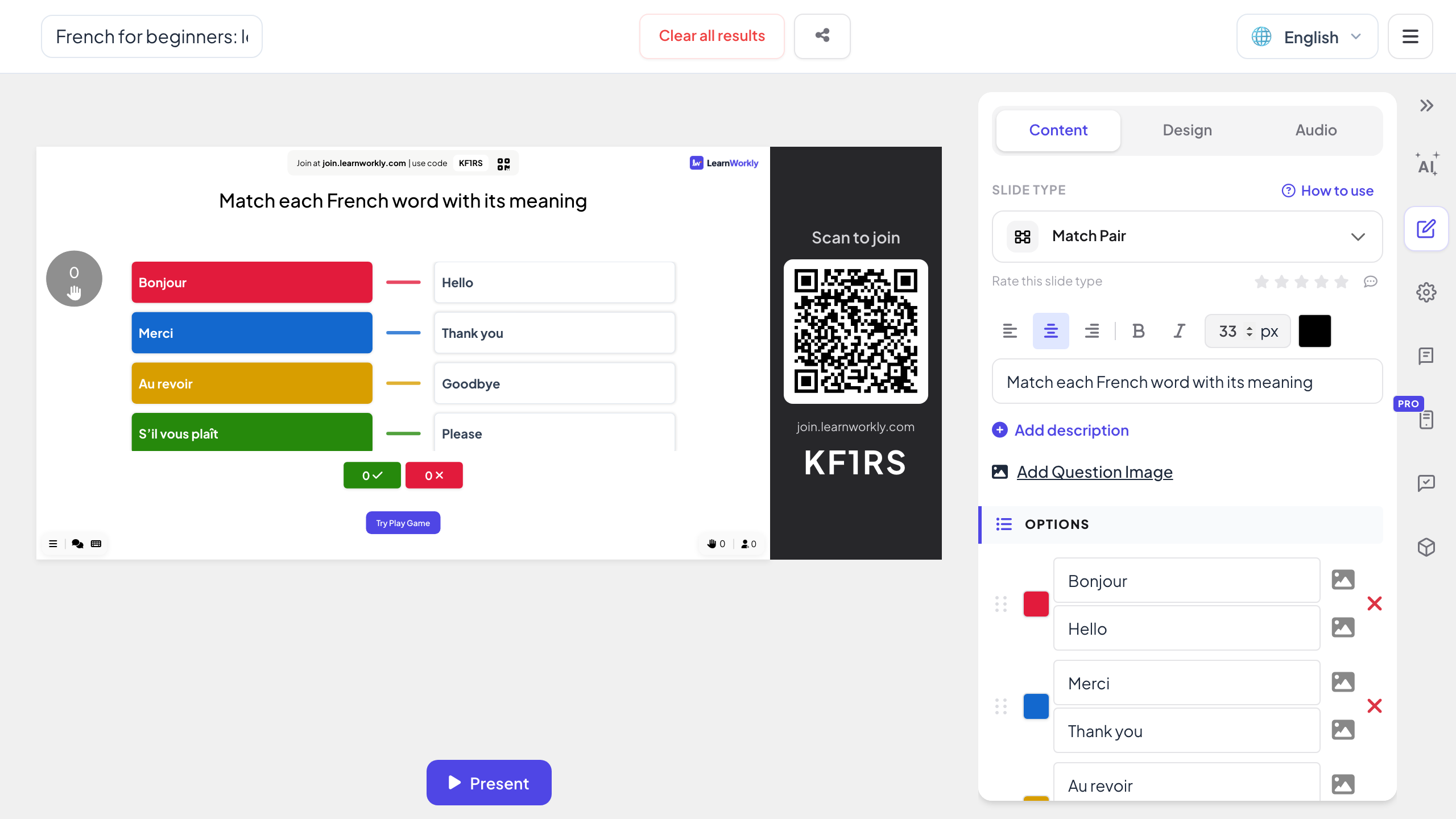
- 3
Reveal the right pairs
In the slideshow, click Start Game once the room has joined. When the countdown ends, the slide links every item to its pair and shows how many people matched them all.
PowerPoint slideshow - 4
Match on the phone
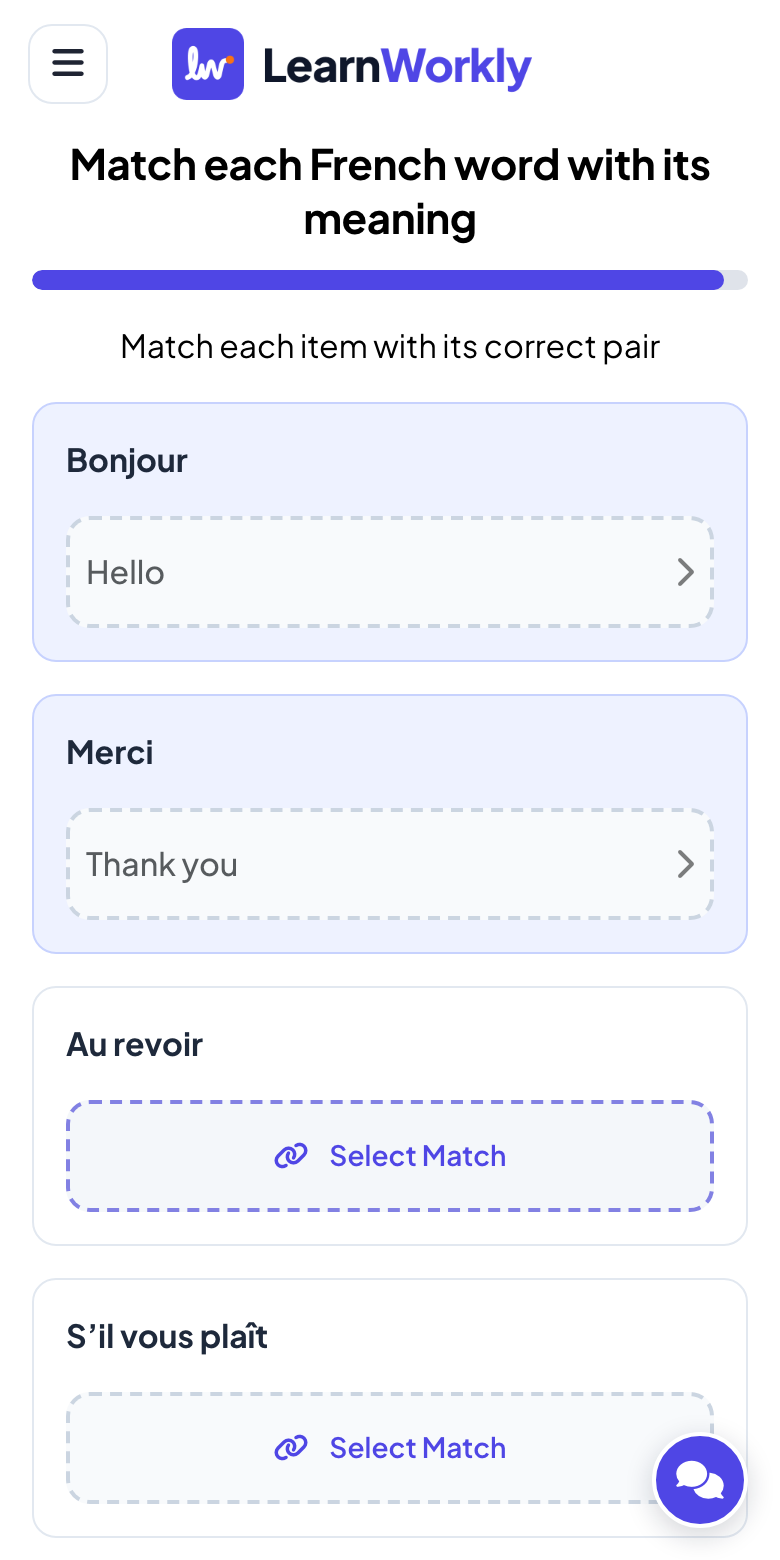
Each player taps Select Match under an item, picks its pair, does the same for every item and taps Submit Answer. A right answer scores points for the leaderboard.
A matching template or a live matching game?
Matching templates for PowerPoint use triggers, animations or macros so that a click reveals the right pair, and one person plays at the front. Here is what changes when everyone matches on their own phone.
| Feature | Template file | LearnWorkly add-in |
|---|---|---|
| Who plays | One person at the computer | Everyone at once, each on their phone |
| Building | Triggers and animations for every pair | Type each item and its pair, with optional pictures |
| Order | Fixed on the slide | Pairs shuffled on every phone |
| Checking | The room calls out the answers | Each answer checked; the slide shows how many got every pair |
| Points | None, or kept by hand | Points for the leaderboard, more for fast answers |
Matching games to build
Vocabulary
French words and their meanings, or English words and their opposites.
Science terms
Parts of a cell and what each one does, before a test.
Capitals
Countries and their capitals, with a flag as the picture.
History dates
Events and the year they happened.
Compliance training
Terms such as data breach and what they mean, as a knowledge check.
Product training
Products and the customer need each one answers.
Download the add-in
Close PowerPoint, run the installer, then click LearnWorkly on the Home tab.
Windows
Windows 10 or 11, PowerPoint from Microsoft 365 or Office 2016 and later
Version 1.0.1
Download for WindowsMac
macOS, PowerPoint from Microsoft 365 or Office 2019 and later
Version 1.0.2
Download for Mac
Frequently asked questions
Is there partial credit?
No. An answer is right when every item is matched with its pair.
How many pairs can I add?
Up to 6 pairs per slide. For a longer list, add a second Match Pair slide.
Can I use pictures?
Yes. Both sides of a pair can have an image, for example a flag on one side and the country on the other.
Is it a memory game with cards that flip?
No, Match Pair is a matching question. For cards with a front and a back, use the Flip Cards slide.
Does it work in PowerPoint for Mac?
Yes. The add-in installs on PowerPoint for Windows (Microsoft 365, or Office 2016 and later) and PowerPoint for Mac (Microsoft 365, or Office 2019 and later). PowerPoint on the web is not supported yet.
Learn more
More activities for PowerPoint
Try it in your next session
Free for up to 10 live participants, with every slide type and game. Build your first deck in minutes.
Free for up to 10 participants · No credit card