Games
Stop the Clock: stop the timer on the exact second
Stop a hidden clock as close to 10.00 seconds as you can.
Opens a demo in the app. No sign-up needed.
What is Stop the Clock?
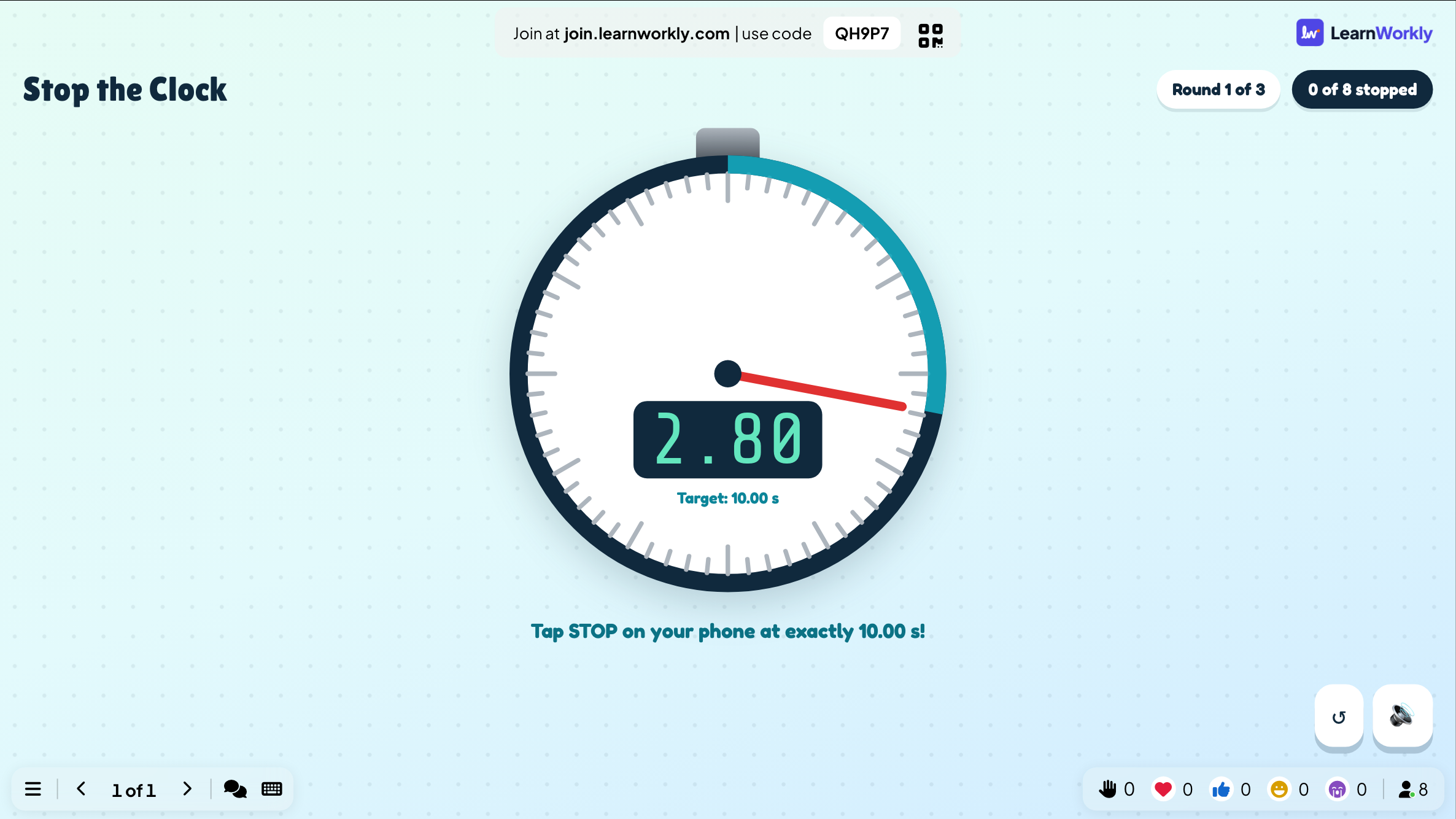
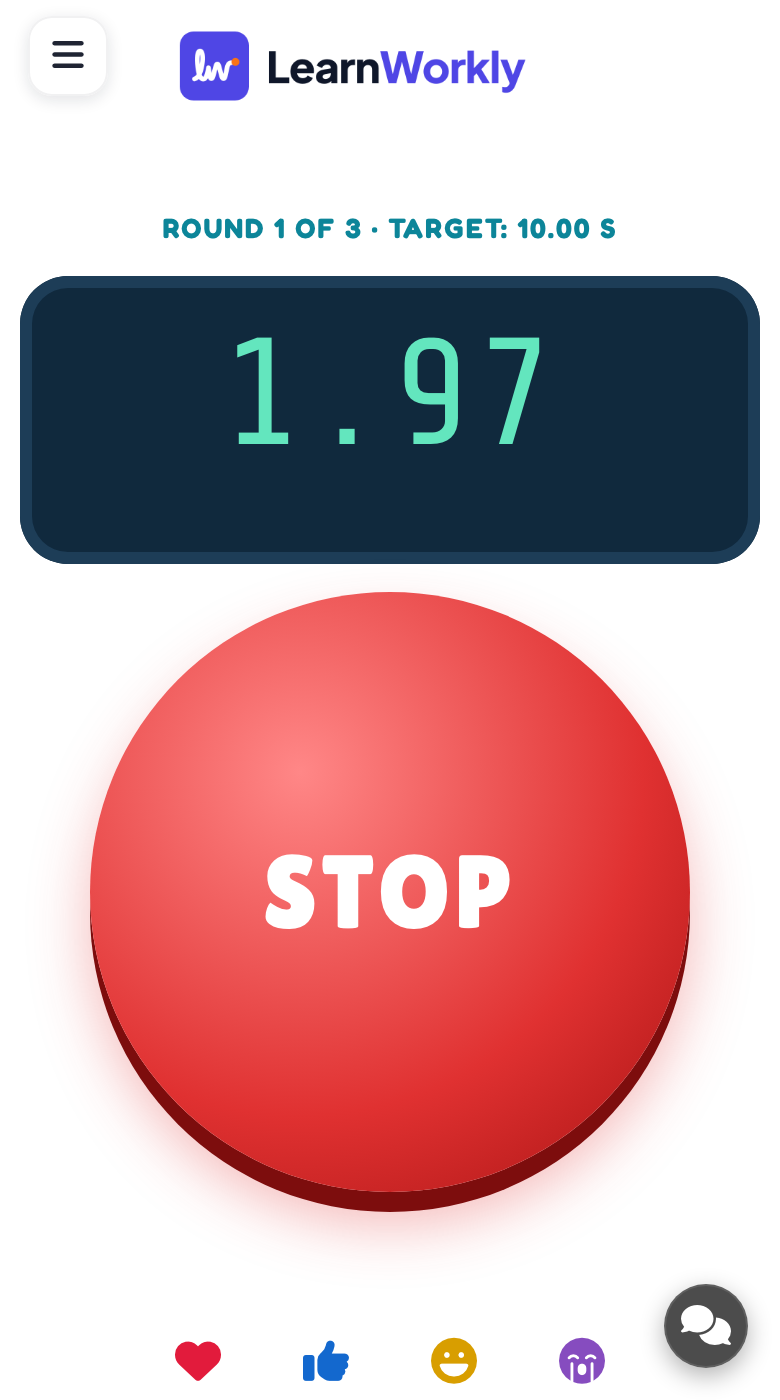
Stop the Clock tests your inner sense of time. A clock starts counting on every phone and on the big screen, then vanishes after a few seconds. Players have to keep counting in their heads and tap STOP when they believe the clock shows the target, which is 10.00 seconds unless you change it. Stopping within a hundredth of a second earns a PERFECT!. Over several rounds, the smallest average miss wins. It needs no content and makes a calm, focused warm-up.
Read the full guide to Stop the ClockOn the big screen
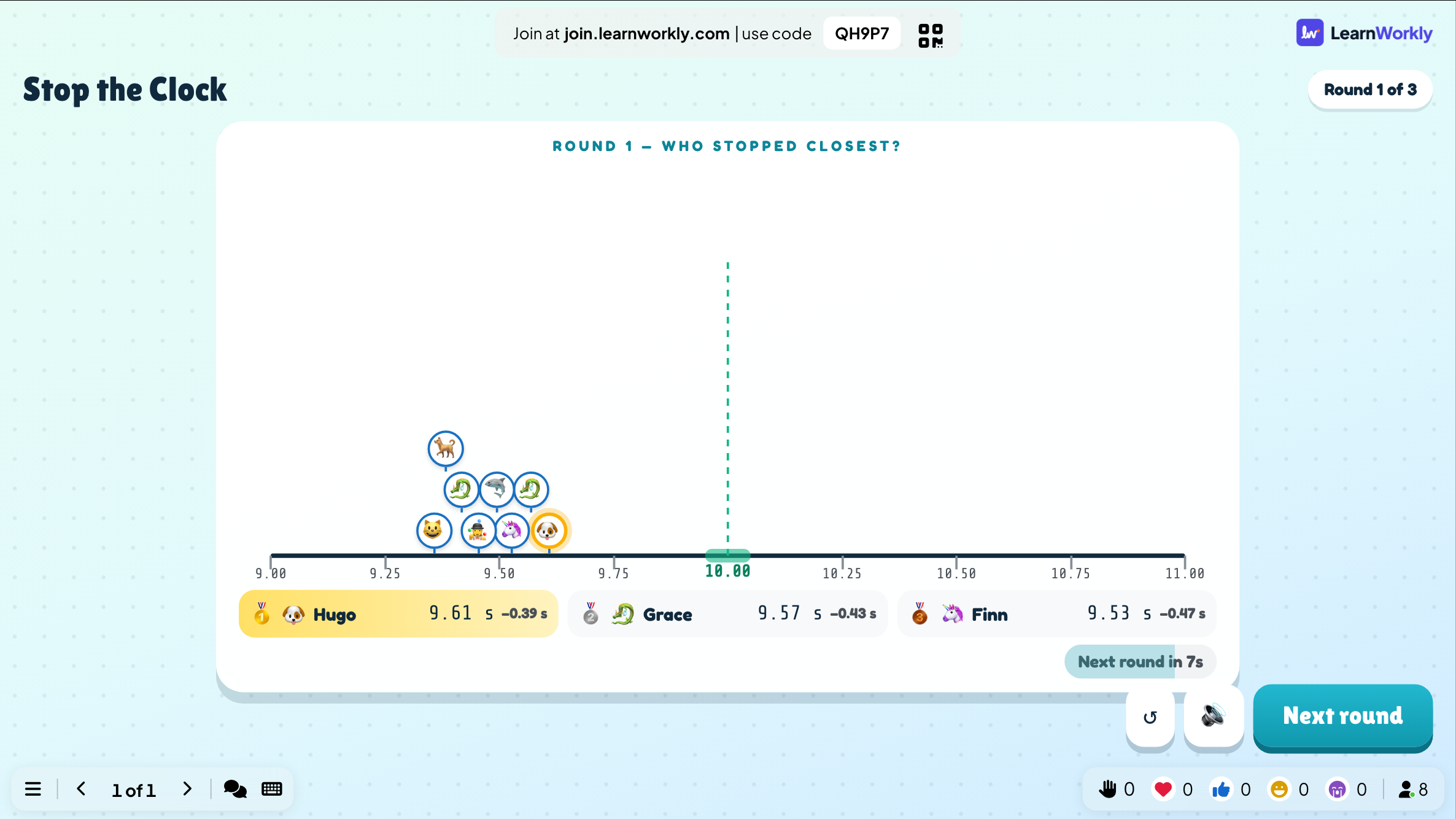
Each round begins with a 3-2-1 countdown. The big screen shows the target time and how many players have stopped, then a results view of who stopped closest. A final ranking follows the last round.
On phones
Phones show the target and a large STOP button. The clock is visible at first, then disappears. After tapping, each player sees the time they stopped at and how far it was from the target.
What you control
Choose the target time (5 to 20 seconds, 10 by default), the number of rounds (1, 3 or 5, default 3) and when the clock hides (after 2, 3 or 5 seconds, or never, default 3). Rounds then follow one another automatically.
Great for
Calm start to a lesson
Settle a class at the start of the day with a game that needs quiet concentration rather than speed.
School teachersFocus exercise in training
Use it before a demanding module to get a group concentrating together.
Trainers and L&D teamsTiebreaker at events
Settle a tied quiz or prize at a party by asking finalists to stop the clock closest to the target.
Events and team buildingOnline meeting icebreaker
Open a video call with a quick round that everyone can join from their phone.
Meetings and presentationsRounds to try
Copy one into a Stop the Clock slide, or use them as a starting point for your own.
Play it live- 1
Easy mode for young players: 5-second target, clock never hides
- 2
Classic: 10-second target, clock hides after 3 seconds, 3 rounds
- 3
Expert: 20-second target, clock hides after 2 seconds
- 4
Maths link: compare the results and talk about averages and estimation
- 5
One-round tiebreaker between two quiz finalists
Run it in three steps
- 1
In the editor, click + New Slide and pick Stop the Clock. Change the sample content to your own.
- 2
Click Present. People join on their phones with the code or QR code on the screen.
- 3
Start the game: it plays out on the big screen while everyone takes part on their phone.
See it in action
Stop the Clock: frequently asked questions
How does Stop the Clock pick a winner?
Each round measures how far a player's stop was from the target. After the final round, these misses are averaged and the player with the lowest average wins. Stopping within a hundredth of a second of the target is shown as PERFECT!.
Does network lag affect the result?
No. Every phone times itself from the moment its own clock started, so delays on the connection do not change any score. If a player does not stop within 5 seconds after the target, it counts as a 5-second miss.
How do I make it harder or easier?
Hiding the clock sooner makes it harder, so try 2 seconds, and a longer target time adds difficulty too. For younger players, set the clock to never hide so they can watch it run and focus on their timing.
Do I need to press anything between rounds?
No. Every round begins with a 3-2-1 countdown and the next round starts by itself, so the game runs on its own once you press START. You only need to step in at the end, to play again or move to your next slide.
More activities like this
All activities
See it in your next session
Free for up to 10 live participants. No credit card, nothing for your audience to install.
Free for up to 10 participants · No credit card