
Games
Sort It: sort items into the right groups, fast
Sort items into the right groups against the clock.
Opens a demo in the app. No sign-up needed.
What is Sort It?
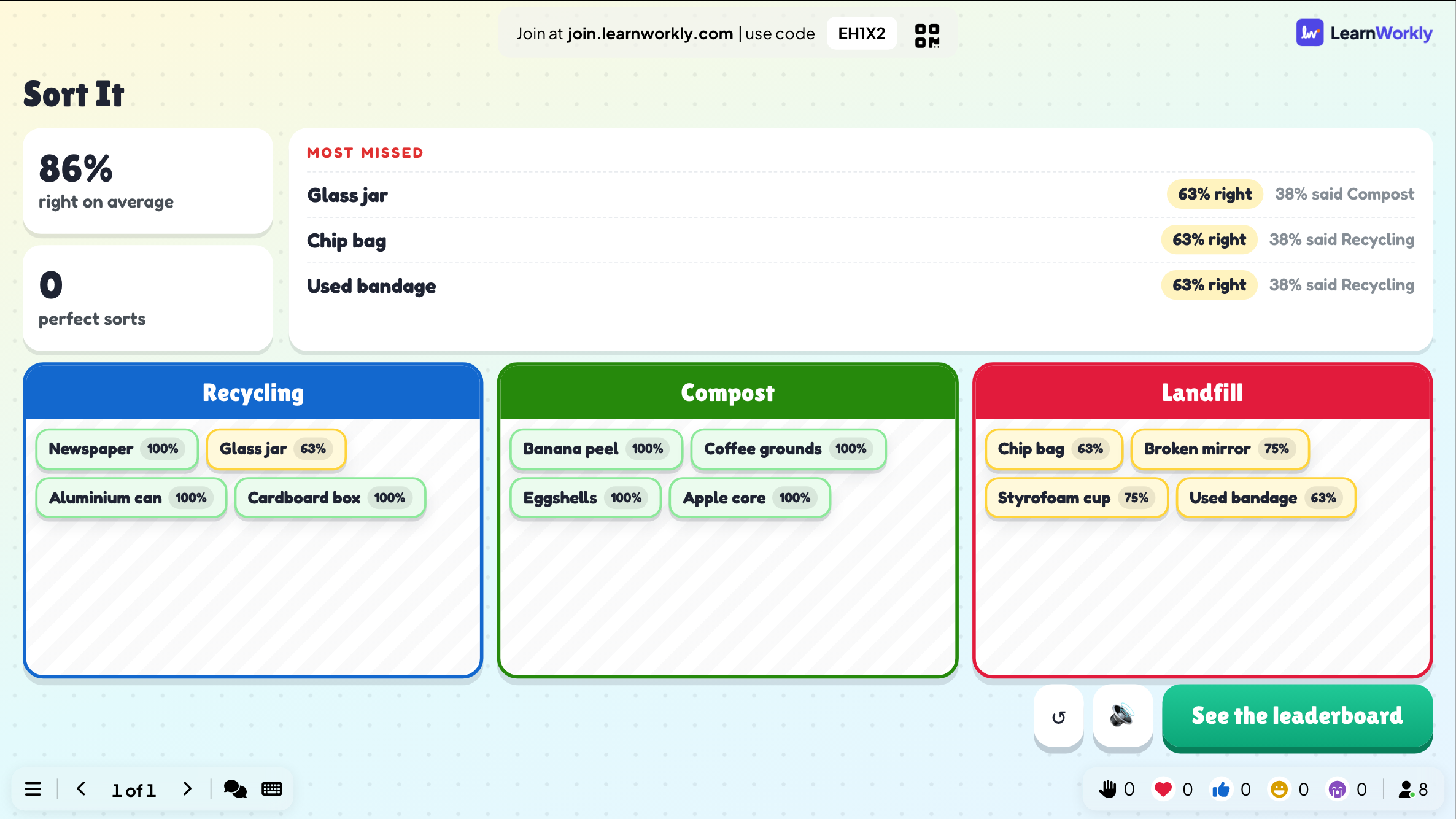
Sort It is a timed categorisation game. You set up two to four groups and a list of items, and every player sorts each item into a group on their phone before the clock runs out. When the round ends, the big screen reveals how the room did and highlights the items that were missed most, along with where people put them. That makes it a quick way to spot misconceptions in any subject, from recycling and animal classes to parts of speech or roles in a workplace process.
Read the full guide to Sort ItOn the big screen
During the round the big screen shows how many players have finished. The reveal shows the room's overall result and a Most missed list, with the share of players who put each item in each group, followed by the leaderboard.
On phones
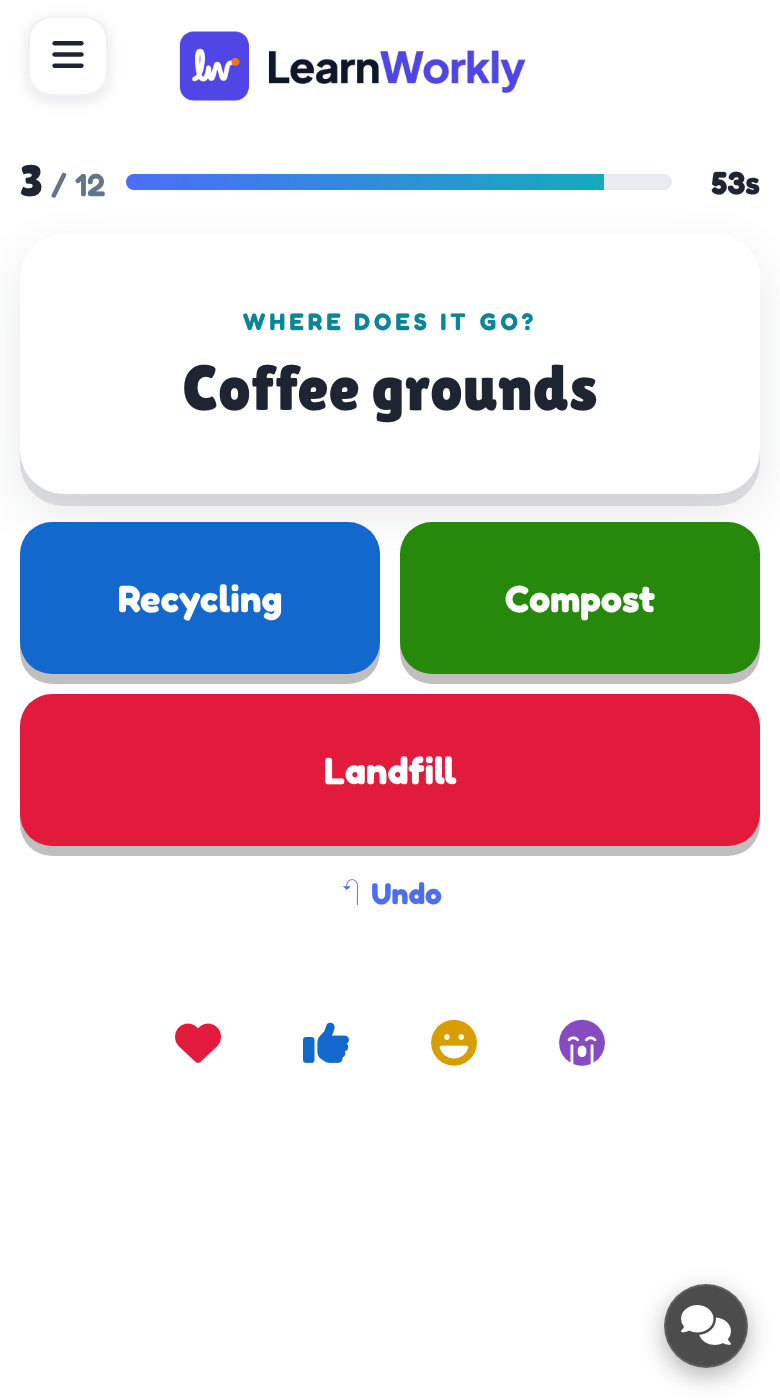
Phones show one item at a time with a button for each group. Once everything is sorted, players can tap any item to move it, then submit. With mistakes shown, each phone later lists the items placed wrongly and where they belong.
What you control
Name two to four groups with colours, then add up to 24 items, or paste them as Item | Group. The time limit is 60 seconds by default and closes early once everyone submits. Showing players their mistakes is on by default.
Great for
Science classification
Sort animals into mammals, birds, reptiles and fish, then discuss the ones the class misplaced.
School teachersProcess training
Check that new staff know which tasks belong to which role or stage of a workflow.
Trainers and L&D teamsGreen day challenge
At a sustainability day or fair, ask guests which bin each everyday item belongs in.
Events and team buildingOnline grammar sort
Learners in an online lesson sort words into nouns, verbs and adjectives, with mistakes listed on their phones.
ESL and language teachersRounds to try
Copy one into a Sort It slide, or use them as a starting point for your own.
Play it live- 1
Recycling, Compost, Landfill: banana peel, glass jar, crisp packet, newspaper, tea bag
- 2
Noun, Verb, Adjective: happy, jump, table, bright, write, river
- 3
Solid, Liquid, Gas: ice, steam, honey, oxygen, stone, milk
- 4
Need or Want: water, video game, shelter, new trainers, medicine
- 5
Scrum role, event or artefact: Product Owner, Sprint Review, Backlog, Daily Scrum
Run it in three steps
- 1
In the editor, click + New Slide and pick Sort It. Change the sample content to your own.
- 2
Click Present. People join on their phones with the code or QR code on the screen.
- 3
Start the game: it plays out on the big screen while everyone takes part on their phone.
Sort It: frequently asked questions
How is Sort It scored?
Each item placed in the correct group earns 100 points, and a quick submission adds up to 50 more per item. Points feed the leaderboard shown after the reveal, so accuracy matters most but speed separates close scores.
How many items and groups can I use?
You can have two to four groups and up to 24 items. Around 8 to 16 items makes a comfortable round. Items with the same name are only played once, so give each item its own distinct label.
Can an item belong to more than one group?
No, every item has exactly one correct group. If something genuinely fits two categories, reword it so the answer is clear or leave it out, otherwise players will be marked wrong for a reasonable choice.
Can players fix a mistake before submitting?
Yes. After every item has been sorted, players can tap any item to move it to a different group, or use undo, before they press Submit. Anyone who joins late can still sort the items while the round is open.
More activities like this
All activities
See it in your next session
Free for up to 10 live participants. No credit card, nothing for your audience to install.
Free for up to 10 participants · No credit card