Games
Scenario: a branching story your room decides together
A branching story: the room votes on what to do, and every choice changes what happens next.
Opens a demo in the app. No sign-up needed.
What is Scenario?
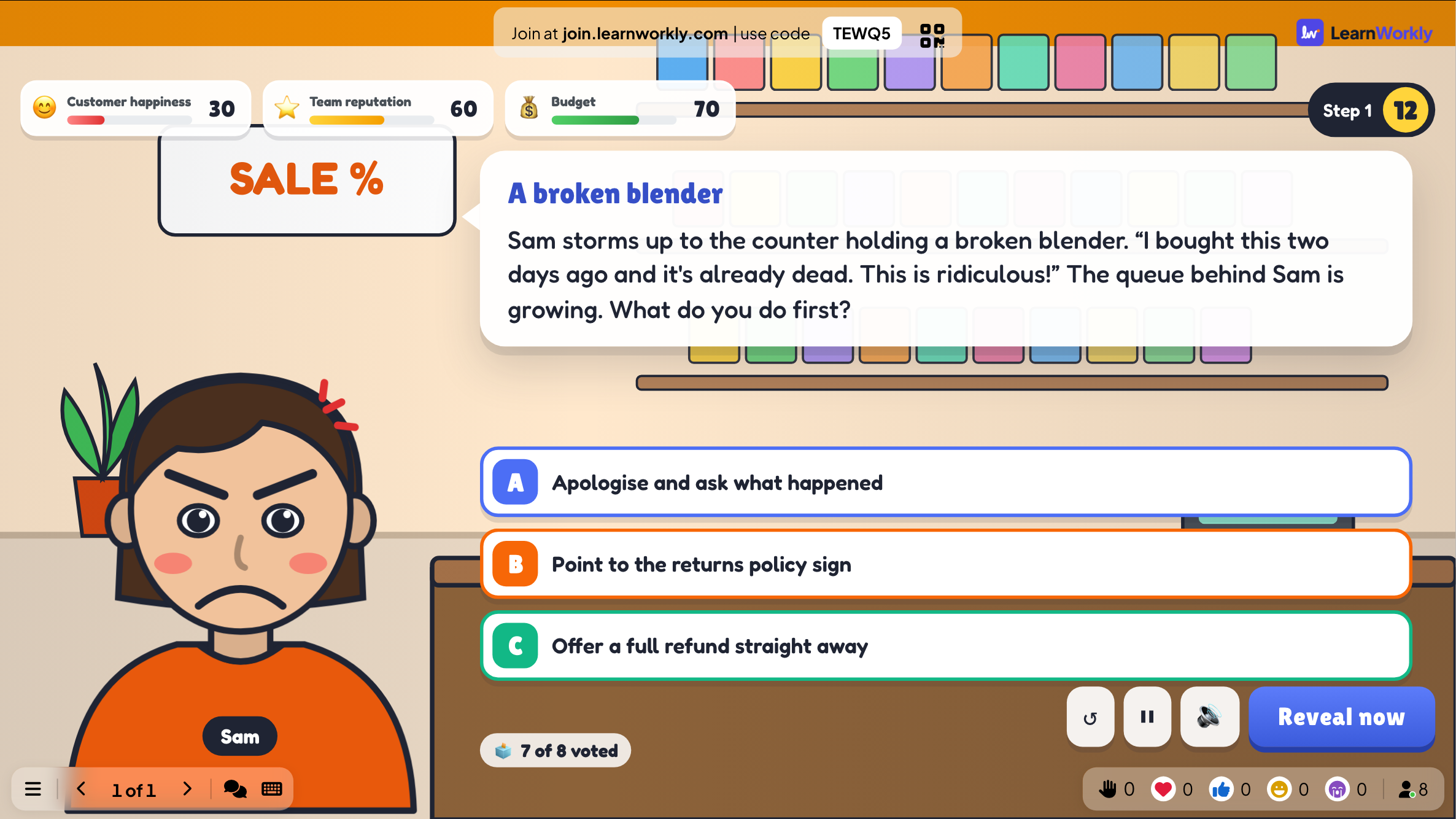
Scenario is a choose-your-path story played by the whole room. Each step describes a situation, perhaps an upset customer or a suspicious email, and offers two to four options. Participants vote on their phones, the winning option moves meters such as budget or customer happiness, and the story branches to the next step until it reaches a good, okay or bad ending. Nobody scores points: the group shares the outcome, which makes it ideal for talking through decisions in training. It is currently marked Beta.
Read the full guide to ScenarioOn the big screen
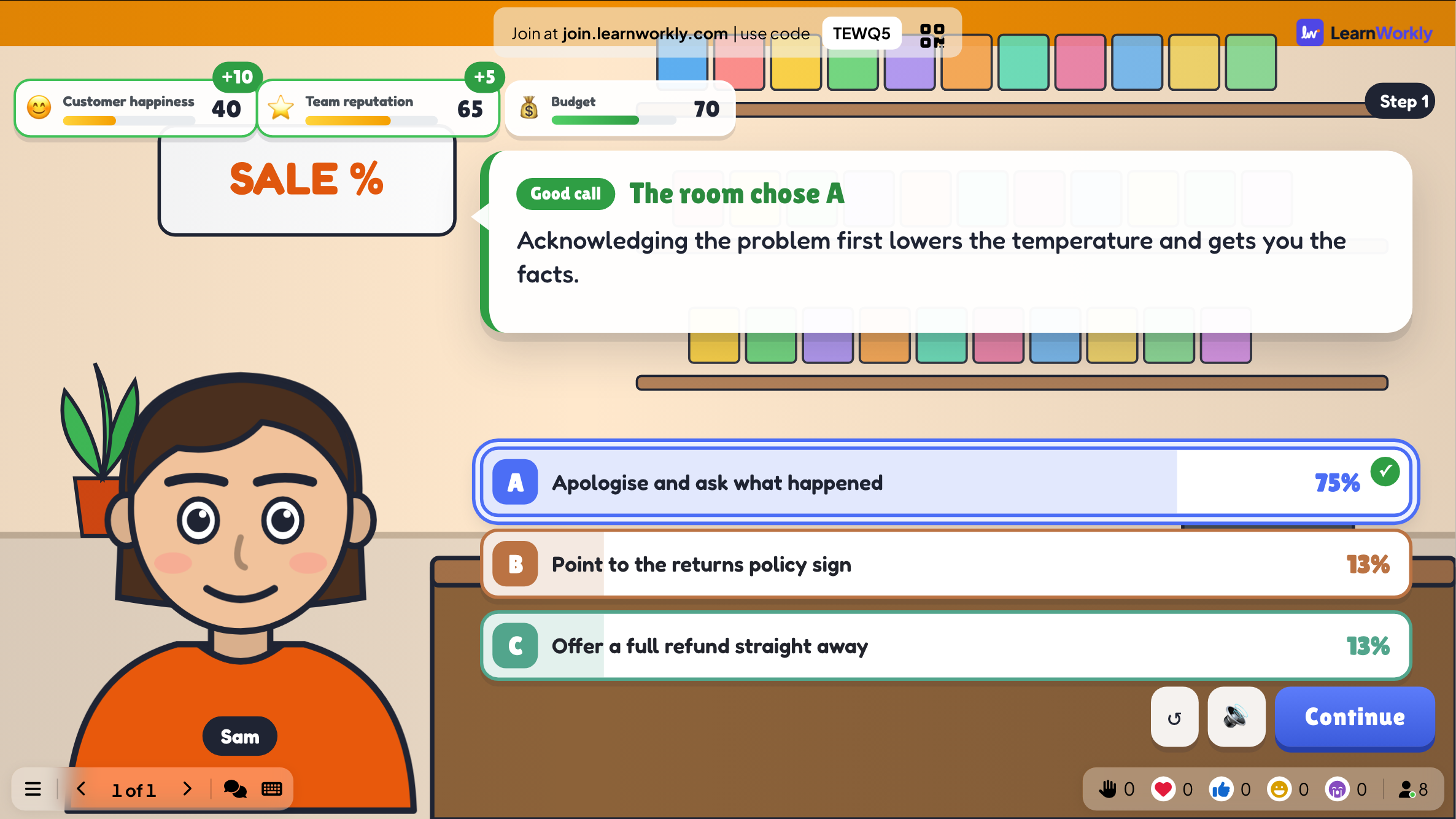
Each step shows the scene, the character speaking, the choices, the meters and how many have voted. After the vote, the screen shows the chosen option, the share of votes for each choice, how each meter moved and the feedback you wrote.
On phones
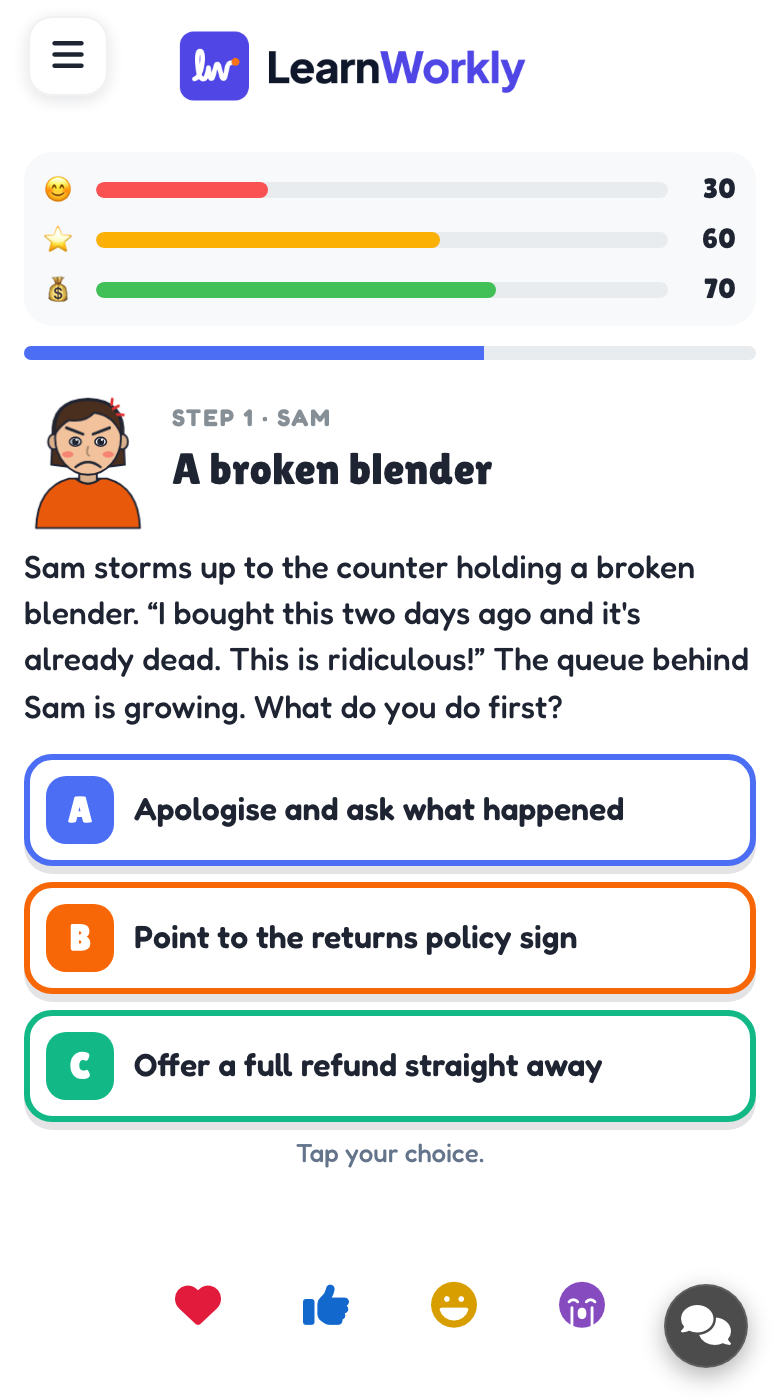
Phones show the meters, the situation and the choices. Participants tap the option they would pick and can change their mind until voting closes. Then they follow the result and the discussion on the big screen.
What you control
You write the story, meters, characters, steps and endings, or start from one of three templates. Voting lasts 20 seconds by default, vote counts stay hidden until the reveal and ties are broken at random. Press Reveal now to close a vote and Continue to move on.
Great for
Customer service training
Walk a team through handling an angry customer and let them see how each reply changes satisfaction.
Trainers and L&D teamsEthics seminar dilemma
Students vote on a dilemma, then discuss why the group's path led to the ending it reached.
University lecturersTeam away day
Tables debate each choice in a story about your own organisation before the whole room votes.
Events and team buildingSecurity awareness briefing
Show a suspicious email in a staff meeting and let people vote on what to do before revealing the result.
Meetings and presentationsStory premises to write
Copy one into a Scenario slide, or use them as a starting point for your own.
Play it live- 1
A new starter has written a password on a sticky note. What do you do?
- 2
A shopper slips on a wet floor in aisle three.
- 3
A project is two weeks late and the client calls, angry.
- 4
Someone posts an embarrassing photo of a classmate online.
- 5
A lab experiment starts smoking during a practical lesson.
Run it in three steps
- 1
In the editor, click + New Slide and pick Scenario. Change the sample content to your own.
- 2
Click Present. People join on their phones with the code or QR code on the screen.
- 3
Start the game: it plays out on the big screen while everyone takes part on their phone.
See it in action
Scenario: frequently asked questions
Do participants score points in Scenario?
No. The room plays as one group and the votes steer the story. Success shows in the meters and the ending you reach. At the end, you can compare the path the room took with the best path you marked.
Can I build a scenario about my own workplace?
Yes. Start from a blank story, or open a template such as The Angry Customer, Suspicious Email or Spill on the Floor and change the steps, characters, meters and endings to fit your own policies and situations.
What happens when the vote is tied?
You decide in the settings. By default a tie is broken at random. You can switch to preferring the choice you ticked as the best one, which keeps the story on the ideal path when the room is split.
Will the story move on before we have discussed it?
No. After each vote the result stays on screen until you press Continue, so you can pause on the feedback and the meter changes for as long as the discussion needs.
More activities like this
All activities
See it in your next session
Free for up to 10 live participants. No credit card, nothing for your audience to install.
Free for up to 10 participants · No credit card