Quiz
Estimate: a closest-guess quiz where everyone has a chance
Drag a slider to guess a number. The closer the guess, the more points.
Opens a demo in the app. No sign-up needed.
What is Estimate?
Estimate is a quiz question where the answer is a number. Players drag a slider, or type the number, to guess things like the height of a tower or the population of a city. Instead of right or wrong, points depend on how close the guess is: a guess on the answer earns full points, falling to zero at the edge of the margin you choose. Speed does not count by default, because accuracy is the point. It gives everyone a fair shot, including people who do not know the answer.
Read the full guide to EstimateOn the big screen
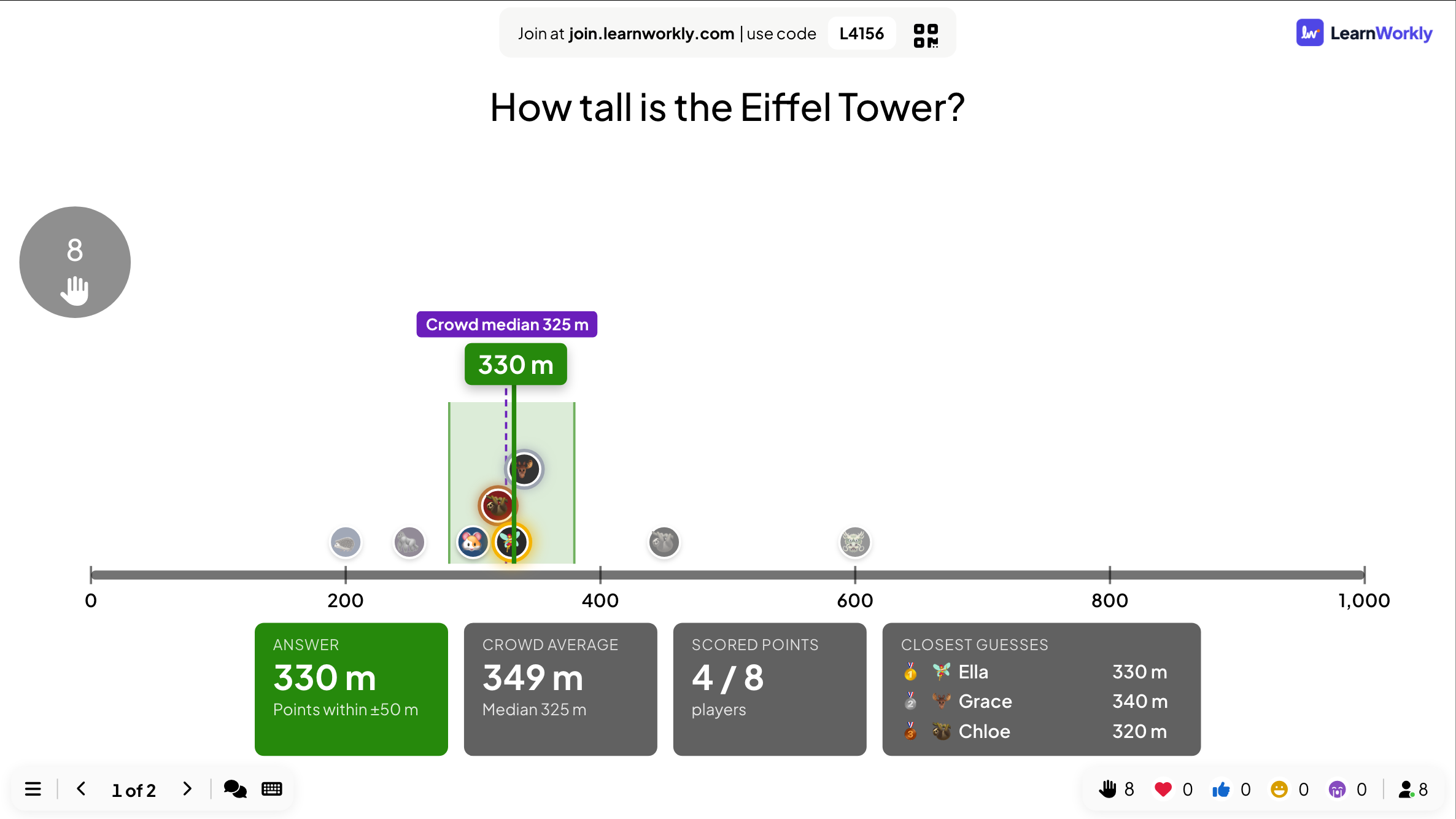
At the reveal the big screen places every guess on a number line beside the answer and its scoring margin. It shows the crowd average and median, how many players scored and the three closest guesses. A video can play while people guess.
On phones
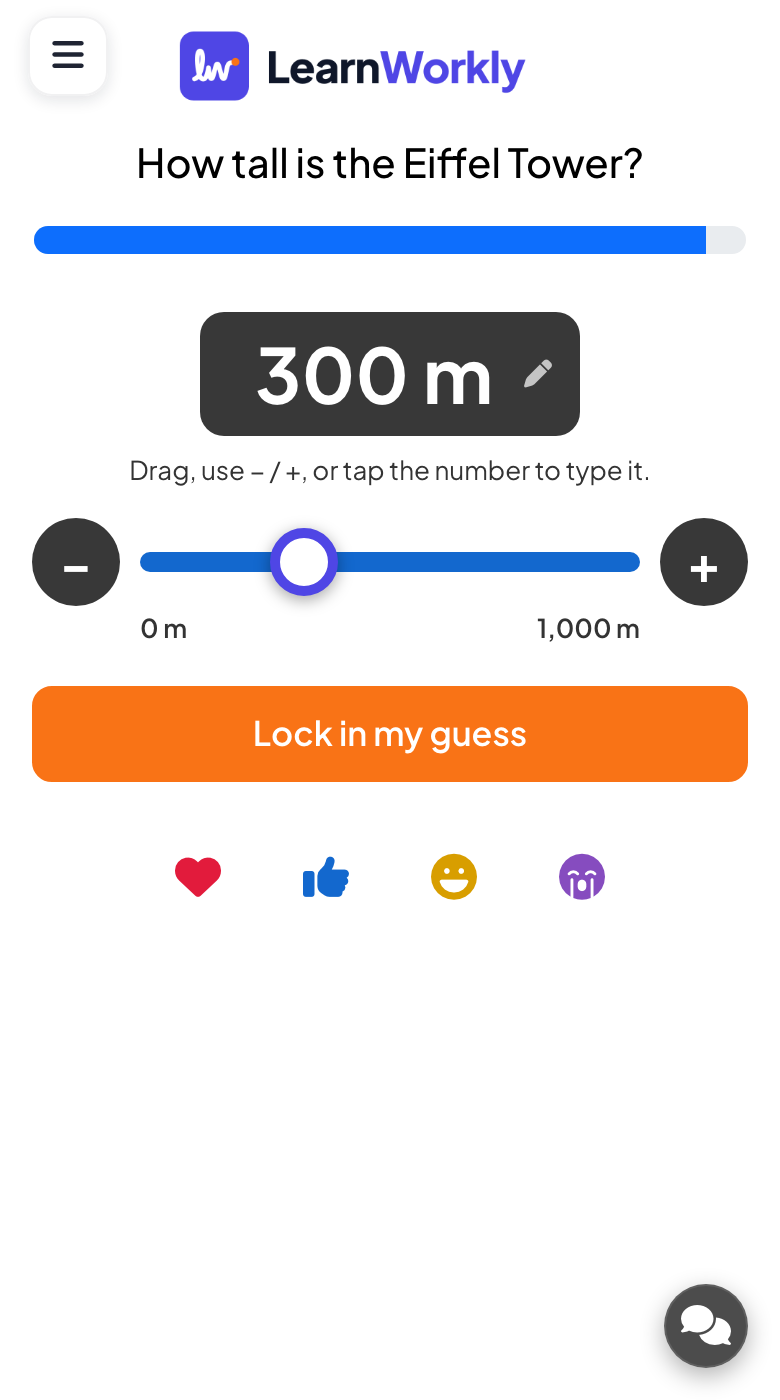
Phones show a slider with no starting value, so nobody is nudged towards a number. Players drag it, use the minus and plus buttons or type the number, then tap Lock in my guess. They later see how far off they were and their rank.
What you control
You set the answer, an optional unit, and the slider minimum, maximum and step, linear or logarithmic. Who scores can be Exact, ±2%, ±5%, ±10% of the range, or Everyone. Speed points are off by default.
Great for
Number sense in maths
Ask students to estimate lengths, distances or quantities and discuss the spread of guesses.
School teachersData and market facts
Ask trainees to guess a key figure from their sector before you show the real number.
Trainers and L&D teamsGuess the number rounds
Give an event crowd a fun closest-guess question where nobody is knocked out early.
Events and team buildingMeeting openers
Start a presentation by asking the audience to guess the headline number you are about to share.
Meetings and presentationsNumbers to guess
Copy one into a Estimate slide, or use them as a starting point for your own.
Play it live- 1
How tall is the Eiffel Tower, in metres? (330)
- 2
In which year did the Berlin Wall fall? (1989)
- 3
How many keys does a standard piano have? (88)
- 4
How many minutes are there in one week? (10,080)
- 5
What is the boiling point of water in Fahrenheit at sea level? (212)
Run it in three steps
- 1
In the editor, click + New Slide and pick Estimate. Change the sample content to your own.
- 2
Click Present. People join on their phones with the code or QR code on the screen.
- 3
Fast, correct answers score points, and the leaderboard shows the top players after each question.
Estimate: frequently asked questions
How does scoring work in an estimation quiz?
A guess exactly on the answer gets full points. Points then fall in a straight line to zero at the edge of the margin you chose, which is a share of the slider range. With Everyone, every guess scores something.
Why did nobody score any points?
The margin was probably too tight. With Exact, only the precise answer scores. Widen it to ±5% or ±10% of the range, or choose Everyone so the closest guesses still earn points.
How do I handle very large numbers?
Switch the slider to logarithmic, so small and large numbers get similar room, for ranges like 1 to 1,000,000. Players can also tap the number and type their guess directly.
Does answering fast earn more points?
Not by default: a new Estimate slide has speed points switched off, so only accuracy counts. You can turn it on if you want quick guesses to be rewarded too.
More activities like this
All activities
See it in your next session
Free for up to 10 live participants. No credit card, nothing for your audience to install.
Free for up to 10 participants · No credit card