Quiz
Puzzle: an ordering quiz played on every phone
Put the choices in the correct order to score points.
Opens a demo in the app. No sign-up needed.
What is Puzzle?
Puzzle is a quiz question where the answer is a sequence rather than a single choice. You list up to six items in the correct order, and each phone receives them shuffled. Players drag the items into place and submit before time runs out. It suits anything with a natural order: dates on a timeline, the steps of a method or process, sizes from smallest to largest, or the words of a sentence. Because the whole order has to be right, it rewards real understanding over lucky guessing.
Read the full guide to PuzzleOn the big screen
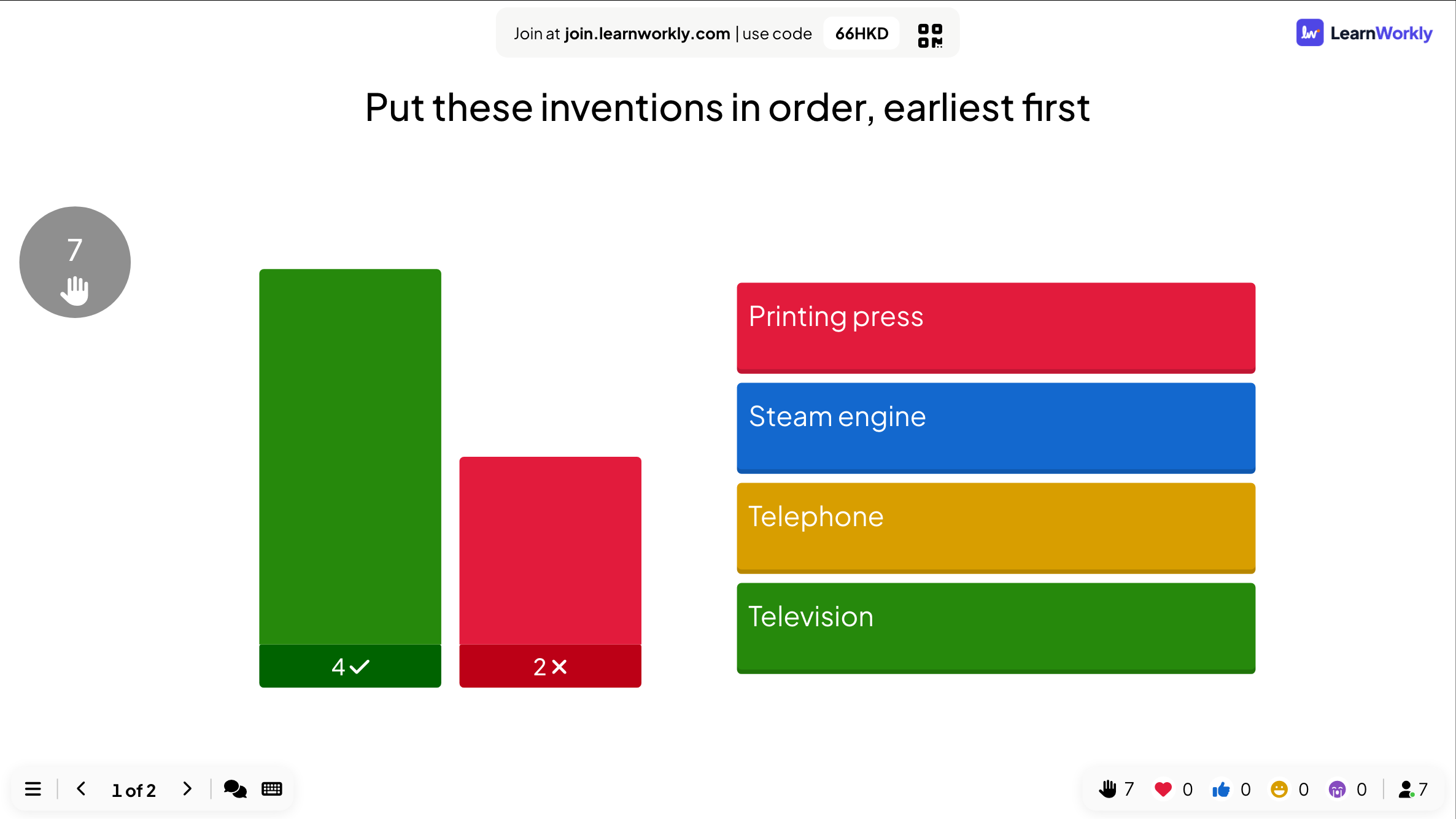
During the question the big screen shows the task and the timer. At the reveal it displays the correct order of the items next to the number of players who got the whole sequence right and the number who did not.
On phones
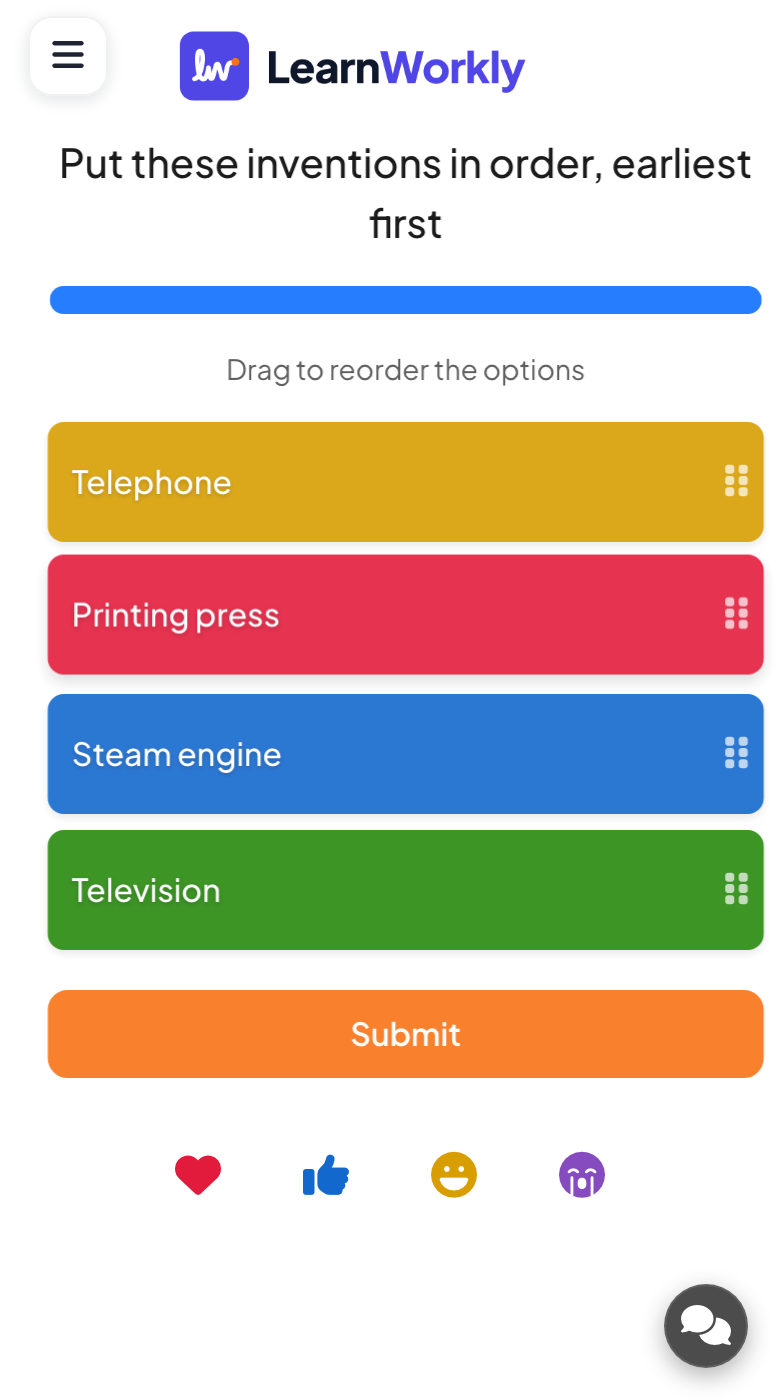
Each phone shows the items in a shuffled order with a prompt to drag them. Players move each item up or down until the order looks right, then tap Submit. Only a submitted order counts, so they need to finish before the timer ends.
What you control
You type up to six items in the right order, each with an optional colour and picture, and set the time and points. Dragging takes longer than tapping, so allow around 30 to 45 seconds for four items.
Great for
History timelines
Ask the class to order events or inventions and talk about the ones most people placed wrongly.
School teachersProcess steps
Check that staff know the order of a procedure, from onboarding tasks to an incident response.
Trainers and L&D teamsSentence order for learners
Give language learners the words of a sentence to arrange in the correct order.
ESL and language teachersQuiz night ranking rounds
Ask teams to rank countries, films or animals by size or age for a tougher round.
Events and team buildingOrders to try
Copy one into a Puzzle slide, or use them as a starting point for your own.
Play it live- 1
Put these inventions in order, earliest first: printing press, steam engine, telephone, television
- 2
Order the planets from the Sun outwards: Earth, Mercury, Mars, Venus (Mercury, Venus, Earth, Mars)
- 3
Put the stages of mitosis in order: prophase, metaphase, anaphase, telophase
- 4
Arrange the words into a sentence: she, has, never, been, abroad
- 5
Order the steps of handling a complaint: listen, apologise, agree a solution, follow up
Run it in three steps
- 1
In the editor, click + New Slide and pick Puzzle. Change the sample content to your own.
- 2
Click Present. People join on their phones with the code or QR code on the screen.
- 3
Fast, correct answers score points, and the leaderboard shows the top players after each question.
Puzzle: frequently asked questions
Do players get points for a nearly right order?
No. An answer counts as right only when every item sits in its correct place. If you want partial credit, split the topic into shorter questions or use Fill in the Blank with partial scoring.
How many items can a Puzzle have?
Up to six. Fewer items make a quicker round. Each item can also carry a picture and a colour, which helps when the items are images such as flags, animals or objects.
What happens if someone is still dragging when time runs out?
Only an order that has been submitted is marked. If people often run out of time, give more seconds to answer or use fewer items on the slide.
How is Puzzle different from a Ranking slide?
Puzzle has one correct order that you set, and it scores points for the leaderboard. A Ranking slide collects opinions on what matters most and has no right answer or points.
More activities like this
All activities
See it in your next session
Free for up to 10 live participants. No credit card, nothing for your audience to install.
Free for up to 10 participants · No credit card