Games
Bingo: a different card on every phone
Everyone gets a card on their phone and races to complete a line.
Opens a demo in the app. No sign-up needed.
What is Bingo?
Bingo deals a unique card to every phone that joins. You draw the calls on the big screen, players daub matching cells, and whoever completes the pattern first presses BINGO. Cards can hold classic numbers, words, or words paired with clues, where the screen shows the clue and players must find the matching word. That flexibility lets the same game serve as number bingo at a party, buzzword bingo in a meeting or vocabulary review in a lesson. Every claim is checked automatically against the calls.
Read the full guide to BingoOn the big screen
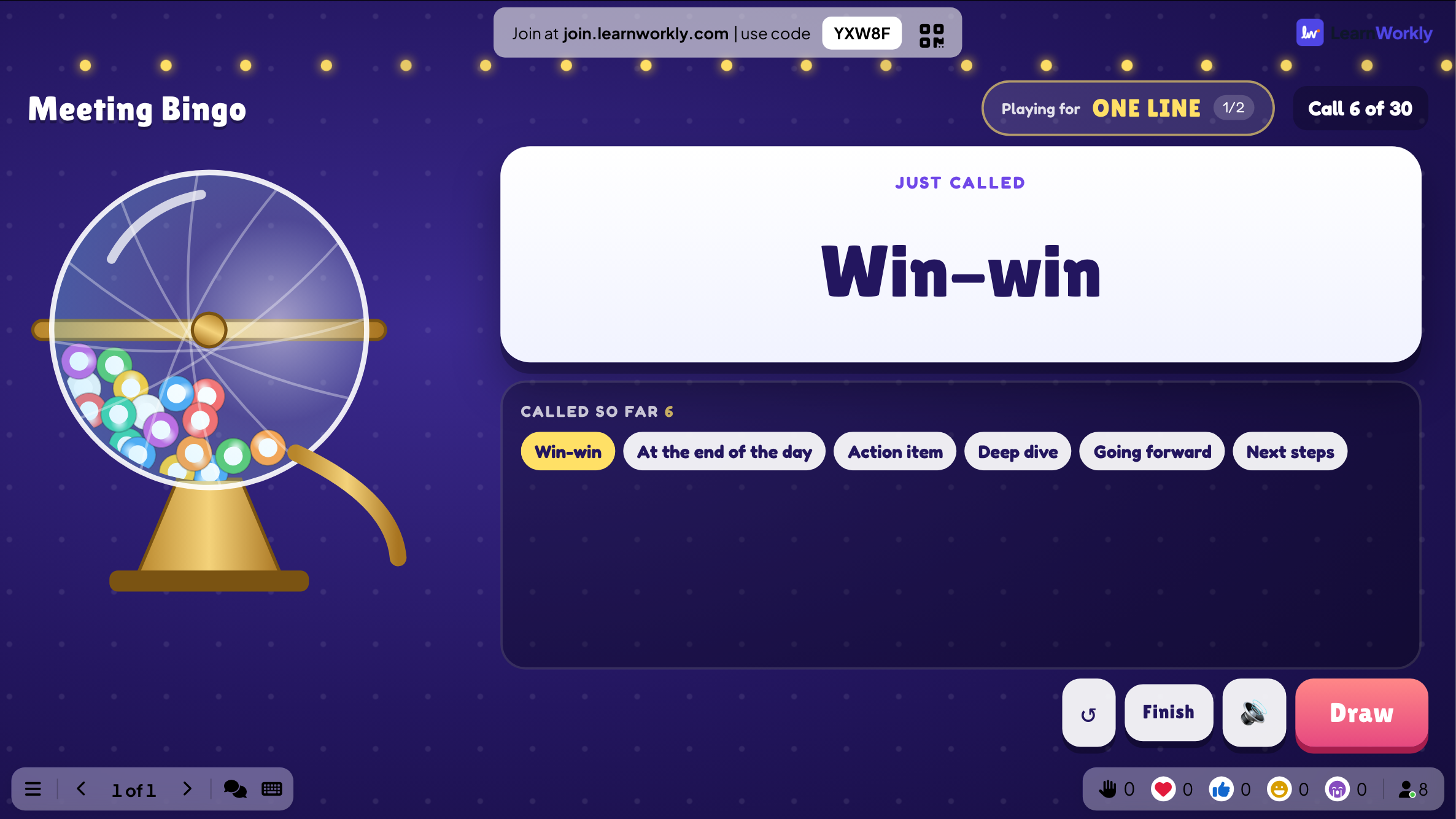
The big screen shows the latest call, the calls so far, which prize the room is playing for and who needs just one more cell. Buttons let you draw the next call, continue to the next prize or finish the game.
On phones
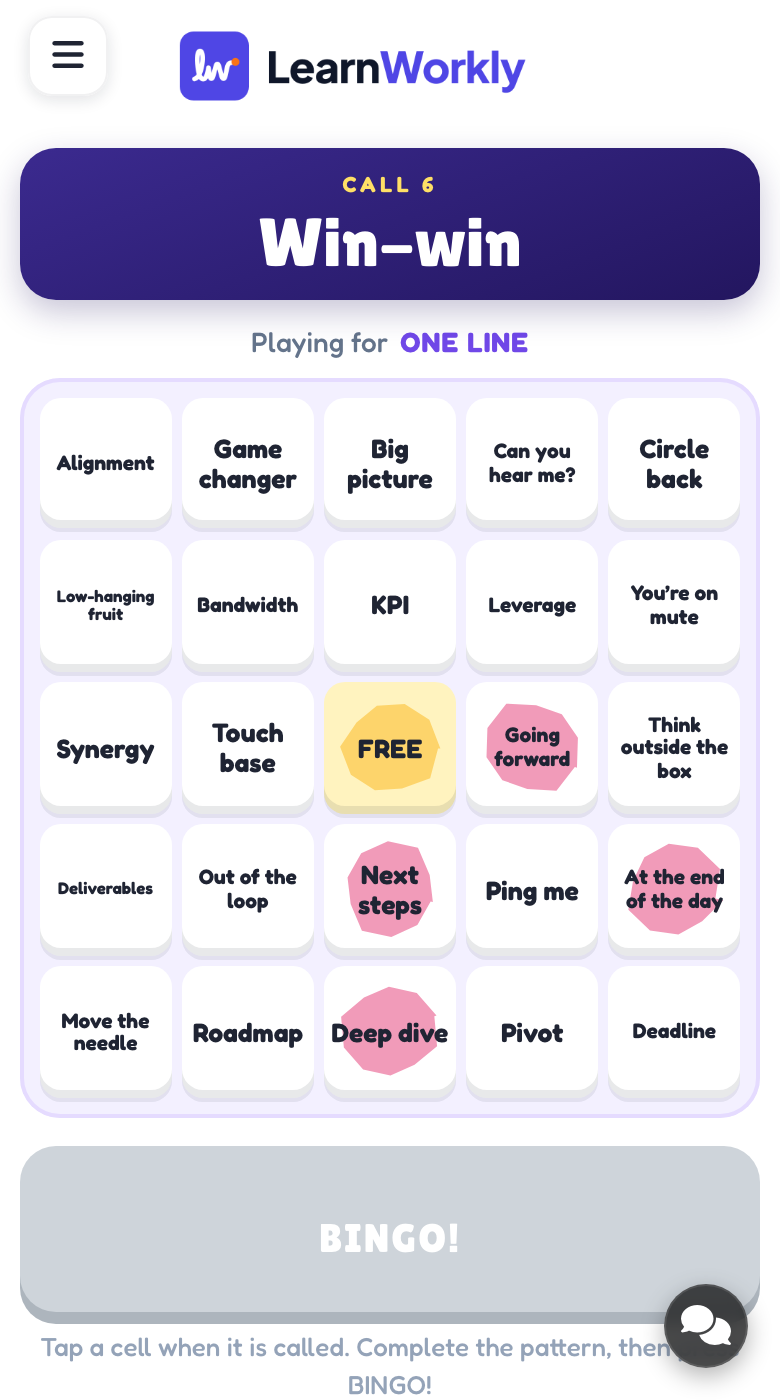
Each player gets their own card, sized 3 × 3, 4 × 4 or 5 × 5, with the last call at the top. They tap cells to daub them and press BINGO when the pattern is complete. A false claim is rejected with a prompt to check the card.
What you control
Choose words or numbers, the card size and an optional FREE middle space. By default you press Draw next for each call, or calls can come automatically. The default prizes are one line, then full house. Highlighting called cells is off by default.
Great for
Science or history review
Fill cards with key terms and call their definitions to review a topic before an assessment.
School teachersVocabulary bingo
Pair each word with a definition as its clue, so learners must recognise the word from its meaning.
ESL and language teachersParty number bingo
Run classic number bingo at a social or fun day, with several prizes played one after another.
Events and team buildingMeeting bingo
Lighten a long all-hands with a card of common meeting phrases that colleagues daub as they hear them.
Meetings and presentationsCards to build
Copy one into a Bingo slide, or use them as a starting point for your own.
Play it live- 1
Spanish food: manzana | apple, pan | bread, queso | cheese, leche | milk
- 2
Biology: nucleus | the cell's control centre, enzyme | a biological catalyst
- 3
Conference buzzwords: synergy, roadmap, circle back, deep dive, quick win
- 4
Times tables: write 42 | 6 × 7 so players hunt for the answer
- 5
Classic 5 × 5 number bingo: one line, two lines, then full house
Run it in three steps
- 1
In the editor, click + New Slide and pick Bingo. Change the sample content to your own.
- 2
Click Present. People join on their phones with the code or QR code on the screen.
- 3
Start the game: it plays out on the big screen while everyone takes part on their phone.
Bingo: frequently asked questions
How does Bingo check a winning card?
When a player presses BINGO, their card is compared with the calls made so far. Cells daubed without being called do not count. If the pattern is incomplete, the player is asked to check their card and the game simply carries on.
How many words do I need for word bingo?
At least as many as one card holds: 9, 16 or 25 cells, minus the FREE space if you keep it. Adding extra words makes the cards differ more from player to player, so fewer people finish at the same moment.
Can several people win the same prize?
Yes. If more than one player calls BINGO on the same call, they share that prize. Then you press Continue to play for the next prize in the sequence, or Finish to end the game.
Can the calls be drawn automatically?
Yes. Switch the drawing mode to Automatic and a new call appears every 5, 8, 10, 15 or 20 seconds, with 8 as the default. You can pause whenever you need. The default mode leaves you to press Draw next for each call.
More activities like this
All activities
See it in your next session
Free for up to 10 live participants. No credit card, nothing for your audience to install.
Free for up to 10 participants · No credit card