The Enterprise plan is for organisations that need more than the Pro plan: flexible participant limits, single sign-on (SSO), a white-label version, company-wide branding, custom slide types built on request and a dedicated account manager. These are set up together with you, not switched on in the app.
How to get started
- 1
Open the Enterprise page
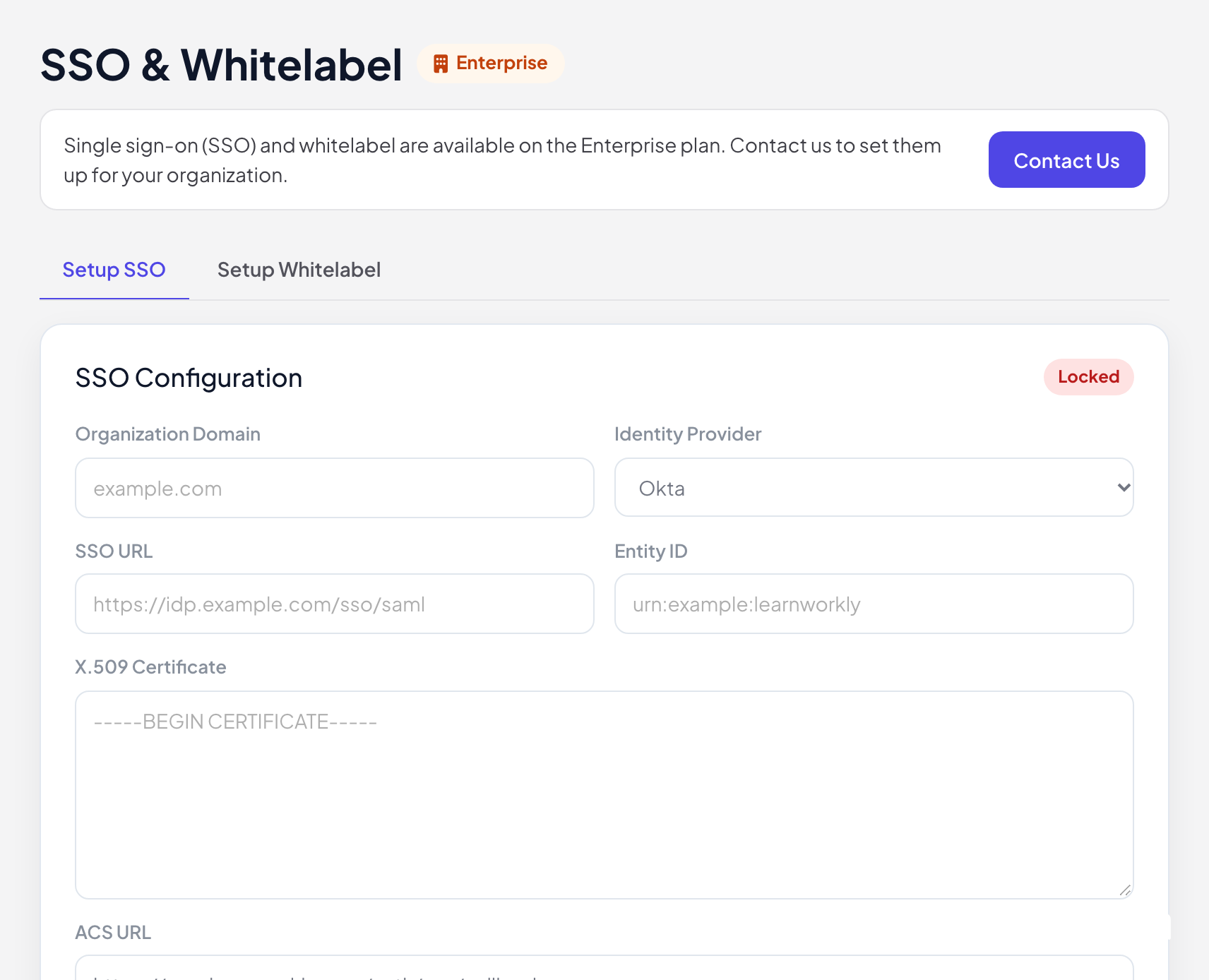
Click SSO & Whitelabel in the menu on the left. It has two tabs, Setup SSO and Setup Whitelabel, that list what we need from you. The forms stay Locked until your Enterprise plan is active.
- 2
Contact us
Click Contact Us, or write to hi@learnworkly.com, and tell us what your organisation needs. On Pricing, the Enterprise plan has a Contact Sales button.
- 3
We set it up with you
We agree the plan and price with you and configure SSO, the white-label domains and your branding.
Single sign-on (SSO)
SSO uses SAML 2.0, with identity providers such as Okta, Azure AD, Google Workspace, OneLogin or a custom SAML provider. The setup lists what is exchanged: your Organization Domain, the SSO URL, Entity ID and X.509 Certificate from your identity provider, and the ACS URL of LearnWorkly that you enter in your identity provider. Once it is live, your people log in with Continue with SSO on the Log in page.
White label
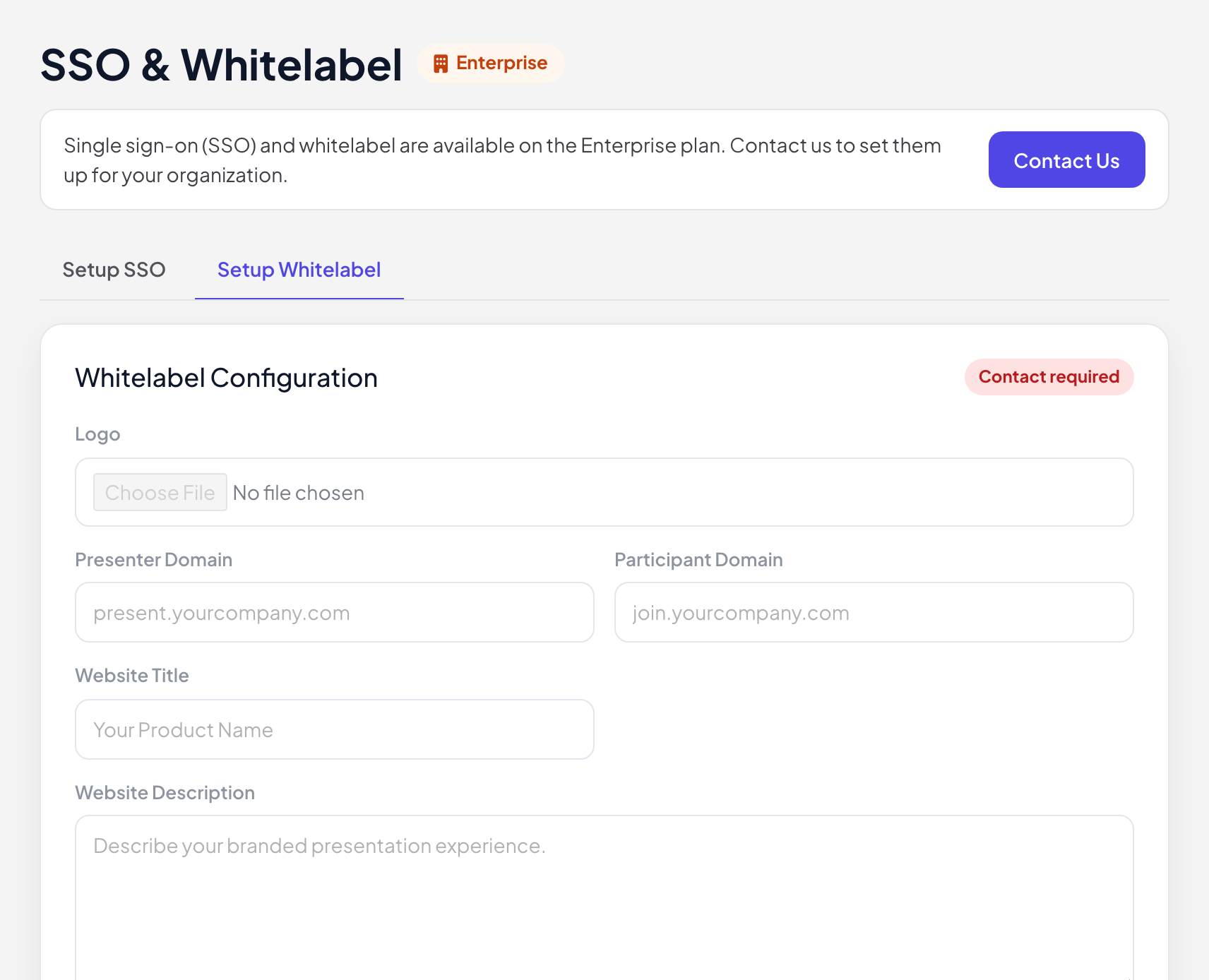
A white-label version runs LearnWorkly under your own brand and domains: a Presenter Domain (for example present.yourcompany.com), a Participant Domain (for example join.yourcompany.com), your Logo, Website Title and Website Description.
Frequently asked questions
Can I try SSO on the Pro plan?
No. SSO and white label are only part of Enterprise and are set up on request.
Which identity providers work?
Any provider that supports SAML 2.0. Tell us which one you use when you contact us.
Do participants need SSO too?
No. SSO is for presenters logging in to the app. Participants still join with a code, unless you also turn on Require Participant Login.
Last checked against the app on 17 November 2026.
Related articles
- Plans and billingCompare the Free, Basic, Pro and Enterprise plans, pay monthly or yearly in US dollars, stop the renewal, see your invoices and ask for a refund.
- Add your logo, fonts and coloursBrand your presentation with your logo on the Pro and Enterprise plans, and choose fonts, text and background colours and images on every plan.
- Share presentations and work as a teamInvite colleagues to edit a presentation, create a team, share a view-only link to all slides and find presentations that were shared with you.