How to run a prize draw at an event, without paper tickets
How to run a prize draw at a conference, school fair or team day: free entry, entries on phones, fair draws on the big screen and a clean record of winners.
LearnWorkly team6 min read
The short answer to how to run a prize draw at an event: make it free to enter, decide the rules before anyone joins, let people enter on their phones, draw the winners in front of the room and write down who collected what. The rest is detail, and the detail is where draws go wrong. A winner who left an hour ago, a prize nobody can find, two people called Sarah. This checklist covers a conference closing draw, a school fair raffle or a team day giveaway, with the settings that handle each problem.
Check the draw is free to enter
The safe pattern for most events is simple: anyone at the event can enter, nobody pays, and buying something at your stand does not buy extra chances. The government’s voluntary code of good practice for prize draw operators targets commercial operators, but its basics also suit a small event: clear terms, a fair draw, and prizes that actually reach the winners.
Before the event
Most of the work happens a week before. Decide the rules while nobody is waiting for them.
Set up the draw on your event deck
In LearnWorkly, add a Lucky Draw slide to your event deck, type the prizes and their quantities, and set the rules you wrote down: Prizes per person for the one-prize rule, People marked absent can still win for the absent-winner rule, and Message for winners for where to collect. The Lucky Draw help page lists every setting.
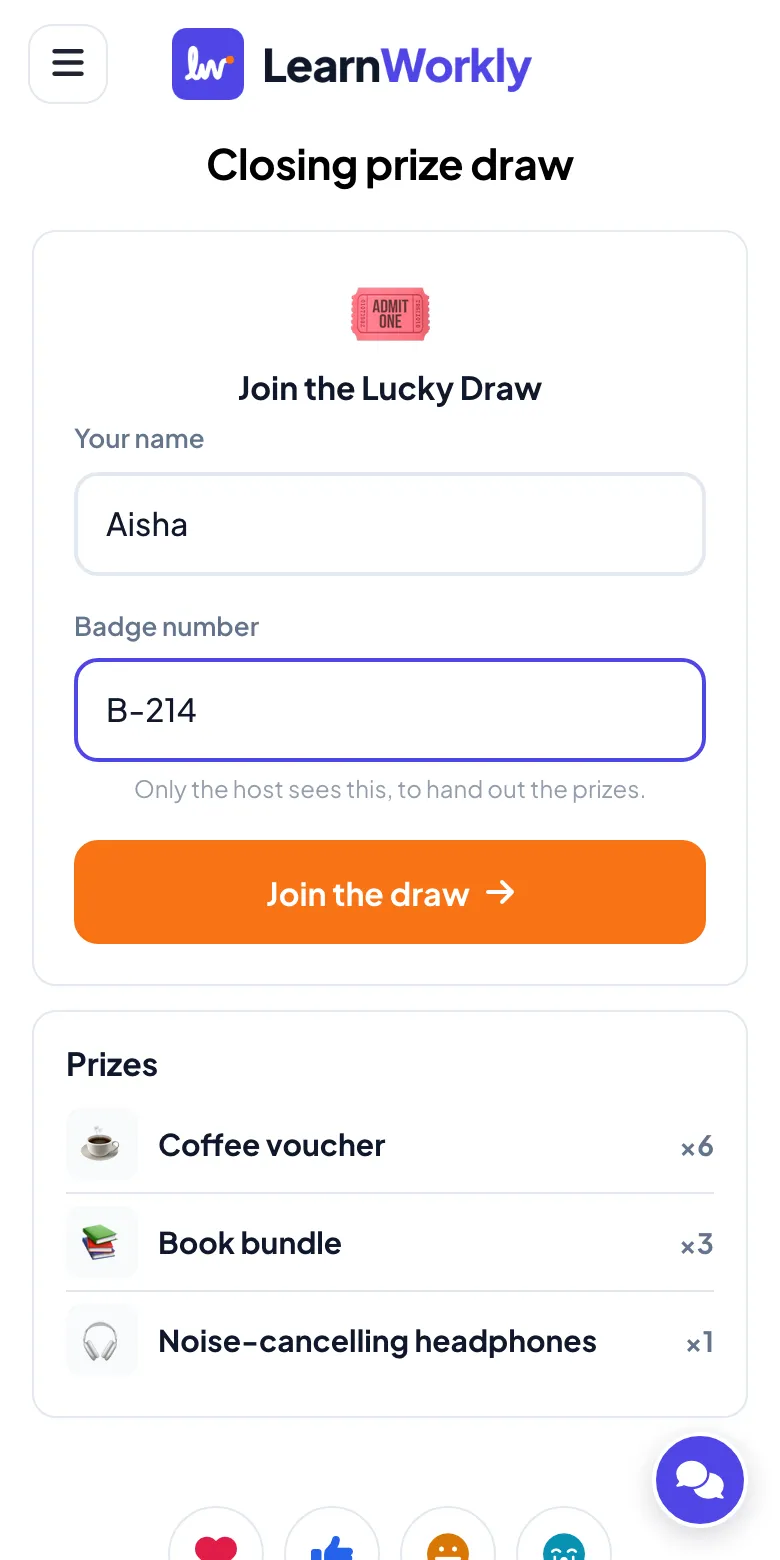
If you need to match winners to a list of attendees, turn on Ask for one more detail and name the field, such as “Badge number” or “Ticket number”. It appears on the phone under the name. Only you see it, in the editor and in the Excel file. The big screen never shows it, so nobody’s badge number ends up on a projector.
How to run a prize draw on the day
Put the draw slide on screen during breaks so people join while they queue for coffee. They scan the QR code, type their name and get a ticket with a short code. Nobody needs an app or an account, and you print nothing. People without a phone can give their name to someone at the desk, who adds it in People on the slide.
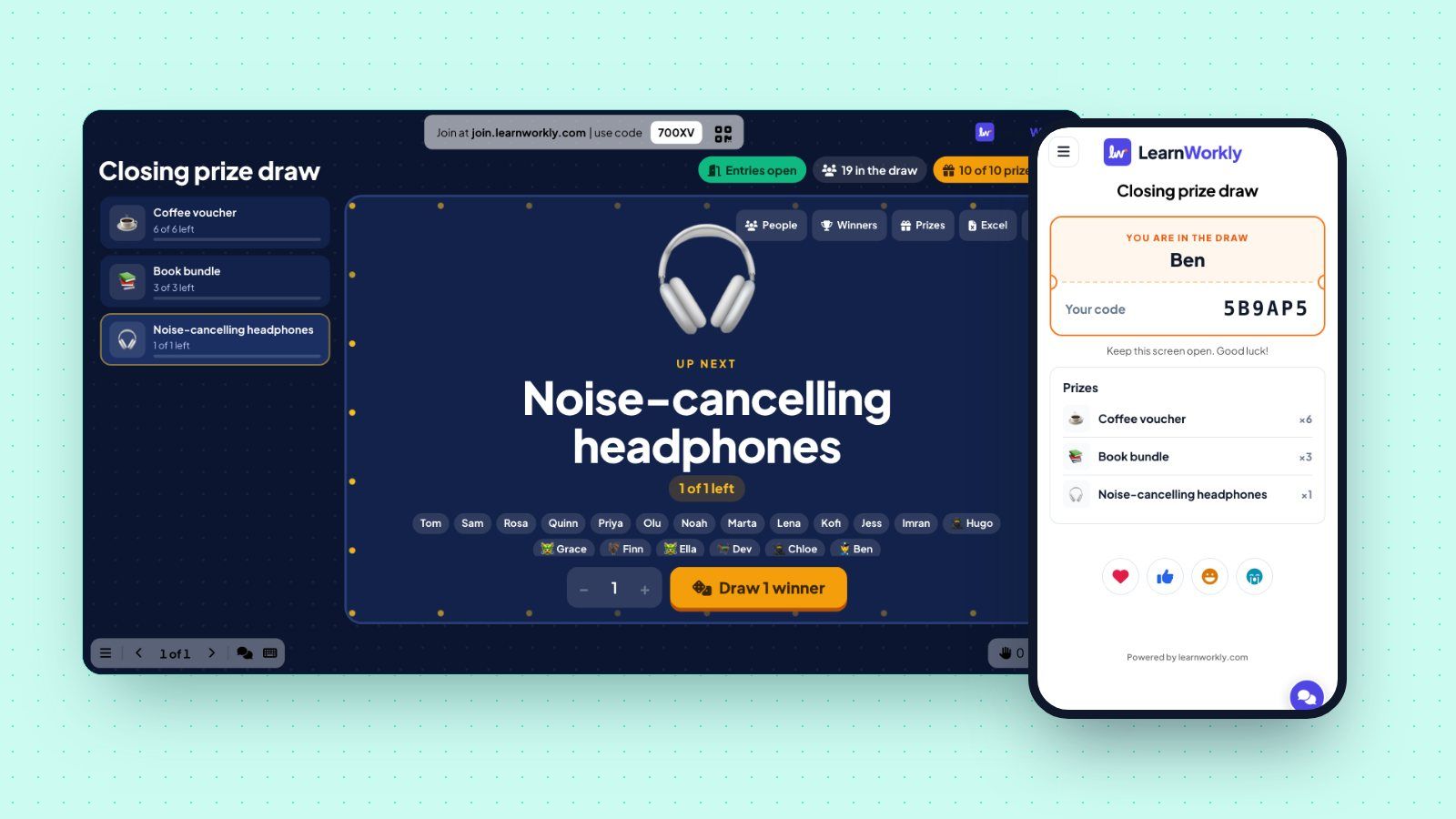
The draw itself happens on the big screen. Pick a prize and click the draw button: one reel per winner spins and stops on a name. The server picks the winners at random, so the person at the laptop has no way to steer the result, which is worth saying out loud at a staff event.
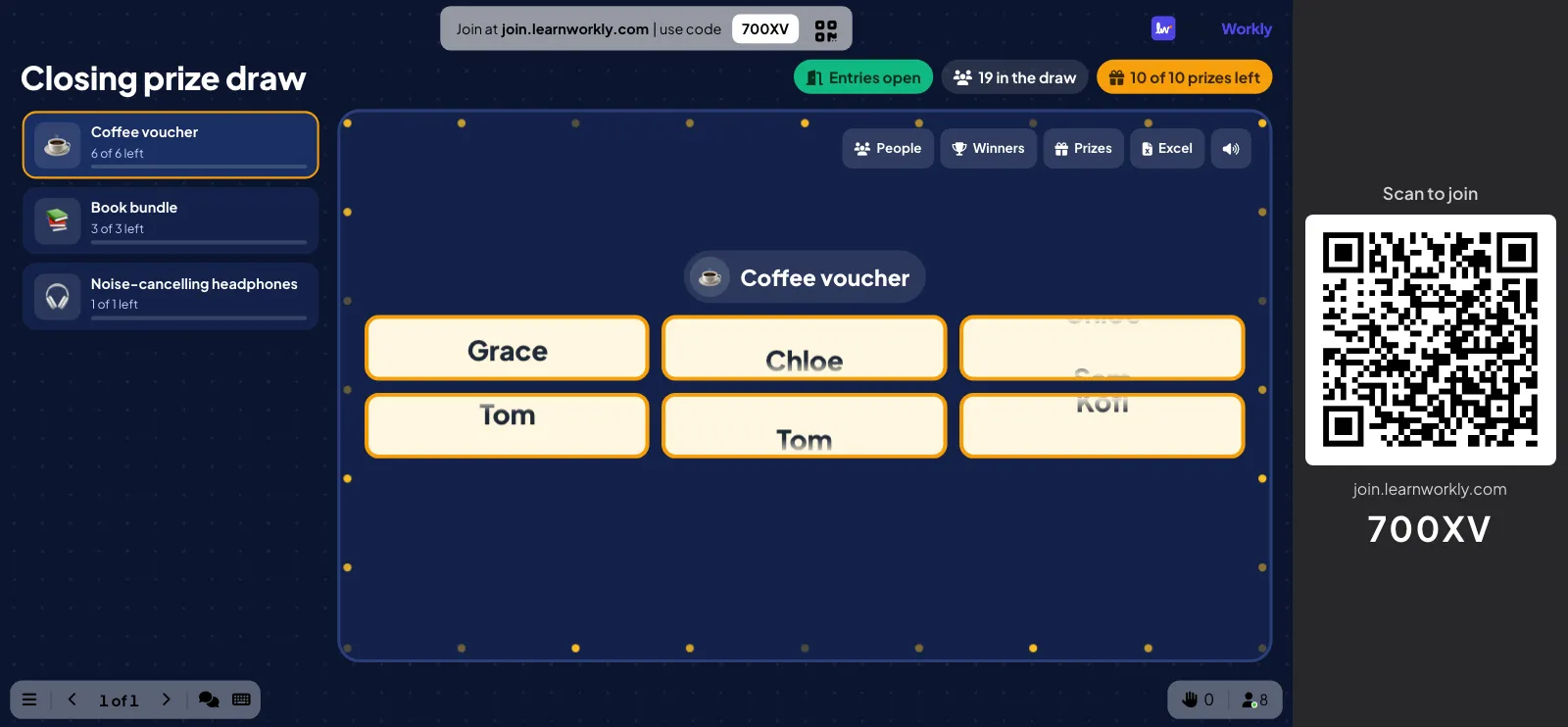
When the reels stop, each winner’s phone shows the prize, their code and your message. Everyone else sees “No prize this time” and stays in for the next prize. If you turned on Show the winners under each prize, every phone also lists the names under each prize, which saves a lot of “who won the books?” at the desk.
When a winner is not there
This is the moment most paper raffles get stuck: someone reads a ticket number out three times, nobody answers, and the host improvises. Decide in advance and the screen does the rest. Click Not here under the name. The prize goes back to the pool and Draw 1 more draws a replacement among the people who can still win. With the default settings, the later draws skip people marked not here too.
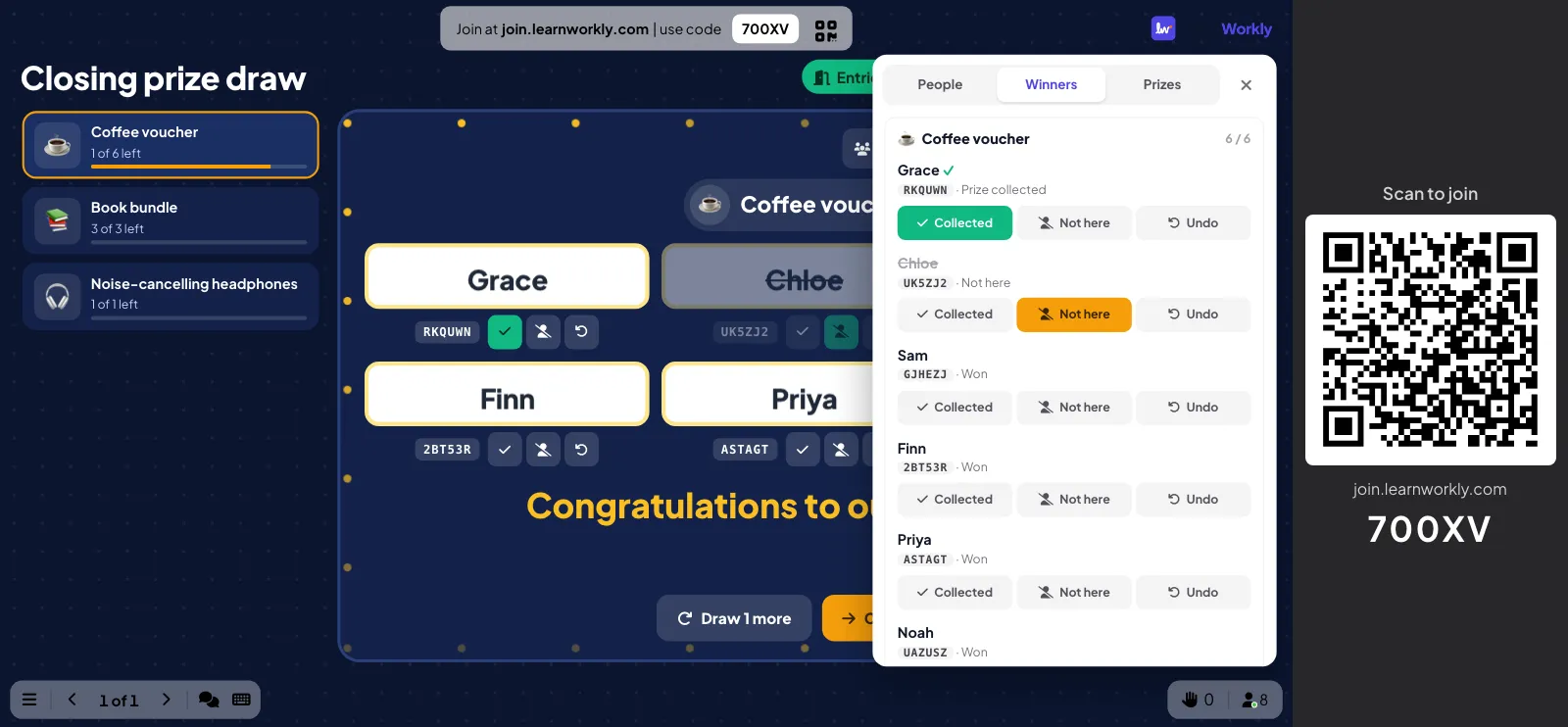
Marked the wrong Sarah? Undo puts the prize back in the pool. Every change still appears in the activity log of the export, so the record stays honest.
After the event
The record matters more than it seems on the day. A week later someone always asks whether the headphones were collected, and the answer is in one file instead of in three people’s memories.
Three ways to run a prize draw
The same checklist covers very different rooms. A few starting points:
Conference closing draw. Two hundred people, three prizes from sponsors. Show the draw slide in every break, ask for a badge number, draw at the end of the last session before people leave for their trains. Name each sponsor in the prize note.
School fair or summer fete. Families wander in and out all afternoon. Keep entries open until the last hour, ask only for a first name, and leave Show the winners under each prize off so every phone does not list children’s names. Use People for grandparents who prefer to give their name at the desk.
Team day or office party. Everyone knows each other, so one prize per person matters more than codes. Our office Christmas raffle has a full running order for a party night. If you want the room to play for the prize instead of drawing it, Heads or Tails turns a giveaway into a game.
For more ideas for gatherings like these, see our page on team building and events.