Games
Escape Room: crack every lock and get your team out
Teams crack a chain of locks. First team out wins.
Opens a demo in the app. No sign-up needed.
What is Escape Room?
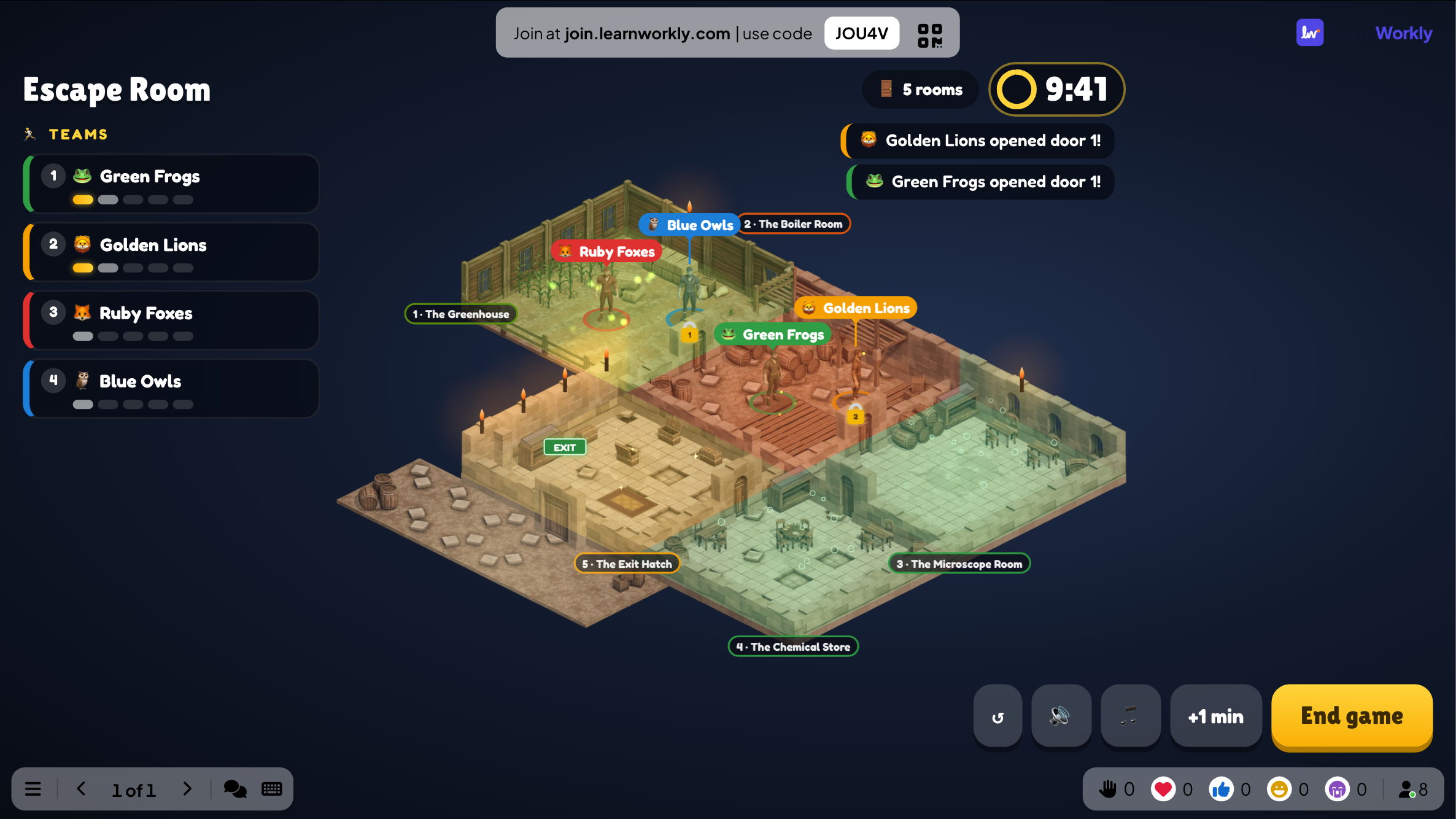
Escape Room locks teams, or solo players, inside a chain of 2 to 8 rooms. Each room has one lock, and the code is the answer to a question: a multiple choice, a number padlock or a word. Everyone in a team sees the same lock on their phone and anyone can try a code, so the team has to talk. A wrong code can jam the lock for a few seconds, which discourages guessing. The first team to open the final lock escapes; if time runs out, the team that got furthest wins.
Read the full guide to Escape RoomOn the big screen
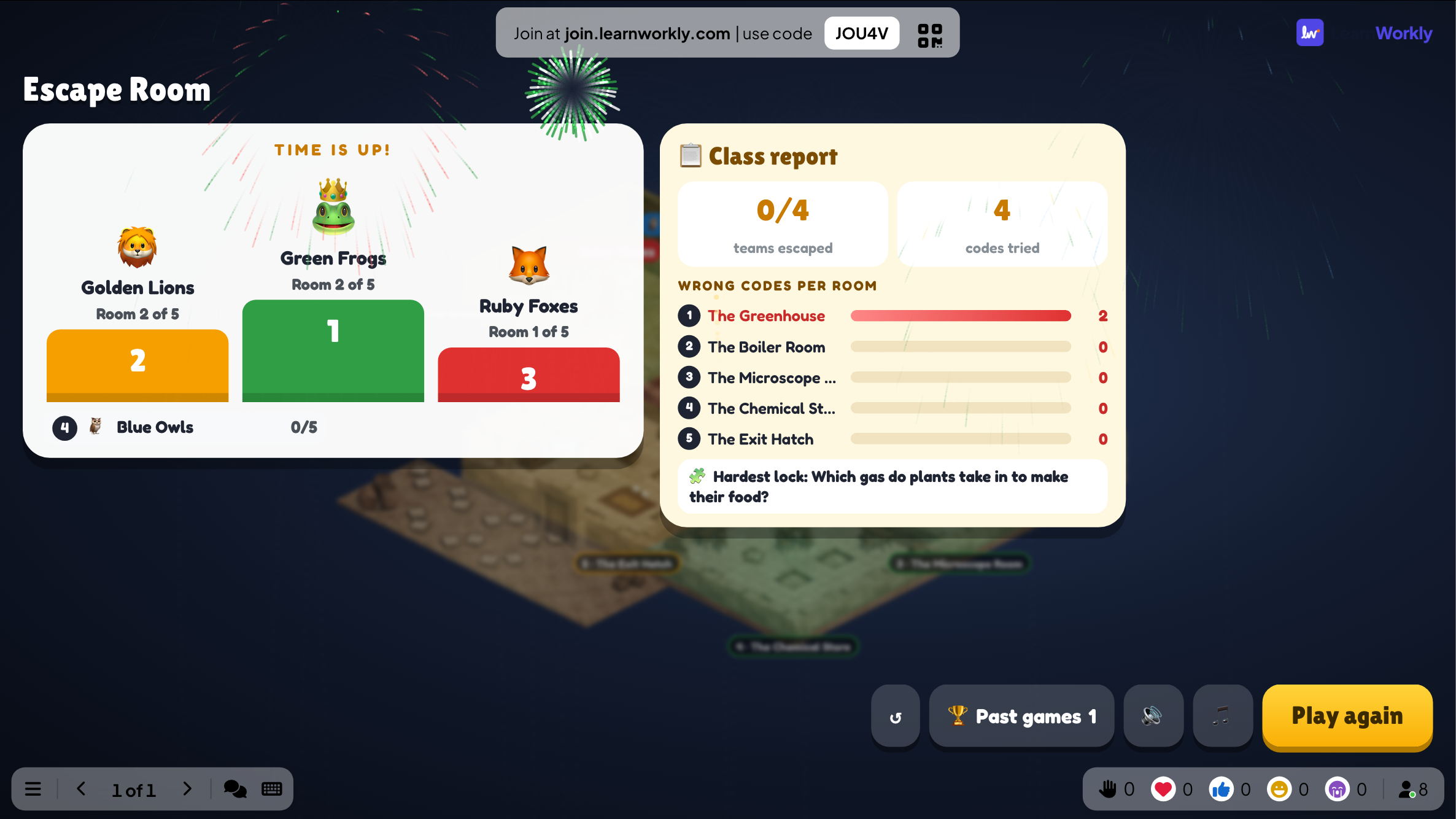
The big screen tracks how far each team has got through the rooms, the time left and news when a team opens a door or takes a hint. Background music loops and speeds up in the final 30 seconds. The end shows a podium and class report.
On phones
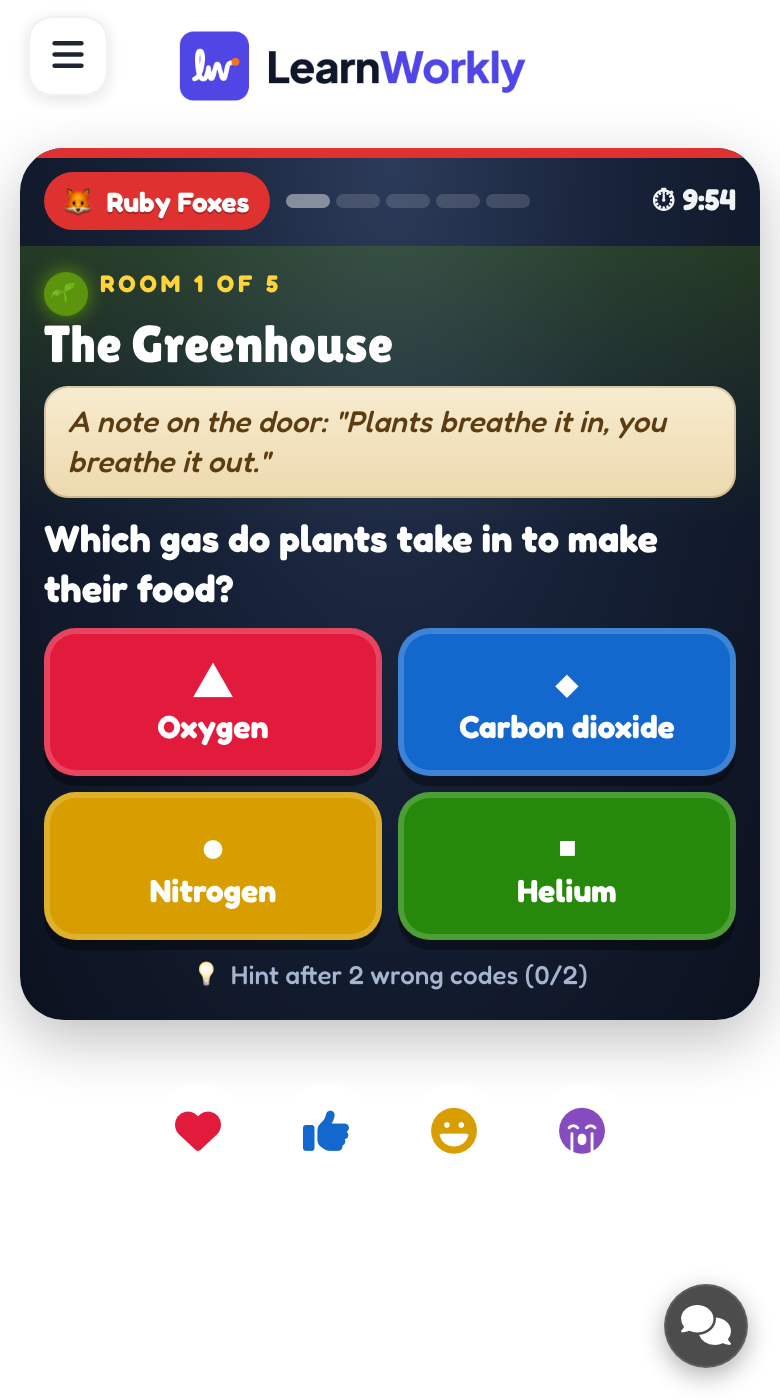
Each phone shows the team's current room, its clue, question and lock. Players enter a choice, a number code or a word. A correct code opens the next room for the whole team; a wrong one jams the lock for everyone for a moment.
What you control
Build rooms with AI, a template or by hand. Defaults: 10 minutes of game time, 4 teams (2 to 6, or solo), a 10-second jam after a wrong code, and background music on. Shuffle teams in the lobby, add a minute or end early.
Great for
Topic revision for groups
Turn end-of-topic questions into a team challenge where pupils must agree on each code.
School teachersTraining assessment
Check a group after a course, with the report showing which rooms caused the most wrong codes.
Trainers and L&D teamsTeam building challenge
Departments race to escape a themed story, practising communication under a little time pressure.
Events and team buildingOnline team session
Teams on a video call work through the same locks on their phones and talk through each code.
Meetings and presentationsEscape rooms to build
Copy one into a Escape Room slide, or use them as a starting point for your own.
Play it live- 1
Science lab: one room each for elements, cells, forces and energy
- 2
Maths vault: a number padlock whose code is 12 × 12, so 144
- 3
Library mystery: authors and book titles as word locks
- 4
Onboarding escape: company values, key contacts and tools in five rooms
- 5
Holiday party: festive riddles with word answers and a hint in every room
Run it in three steps
- 1
In the editor, click + New Slide and pick Escape Room. Change the sample content to your own.
- 2
Click Present. People join on their phones with the code or QR code on the screen.
- 3
Start the game: it plays out on the big screen while everyone takes part on their phone.
See it in action
Escape Room: frequently asked questions
How many teams can play Escape Room?
You can split players into 2 to 6 teams, with 4 as the default, or let everyone play solo. Players are placed in teams as they join, and you can shuffle the teams in the lobby before pressing START.
What happens when a team enters a wrong code?
By default the lock jams for the whole team for 10 seconds; you can choose 20 or 30 seconds or turn it off. After two wrong codes in a room, the team can take the room's hint, which adds 30 seconds to its time.
Can AI create the escape room for me?
Yes. Give a topic, a level and between 3 and 8 rooms, and AI writes a story with one lock per room. Templates are also available. Both replace the current rooms, so check every question and accepted answer before playing.
How are word answers checked?
For word locks you list the accepted answers, separated by commas. Capital letters, accents and punctuation are ignored when a team types its code, so small differences in how an answer is written do not lock players out unfairly.
More activities like this
All activities
See it in your next session
Free for up to 10 live participants. No credit card, nothing for your audience to install.
Free for up to 10 participants · No credit card