Export the report of a presentation when you want to keep the results, share them with colleagues or work with them in a spreadsheet. Presentation exports are part of the Basic, Pro and Enterprise plans. On the Free plan the buttons carry a BASIC badge and take you to the pricing page.
Export a presentation report
- 1
Open the report
Click Report under the presentation on Home, or the chart icon in the editor’s top bar.
- 2
Export to Excel
Click Export Excel. The file downloads when it is ready.

- 3
Export to PDF
Click Export PDF. A PDF takes longer to prepare: we email the download link to the address of your account, and it also downloads in the page if you keep the report open.
Survey and assignment results
- 1
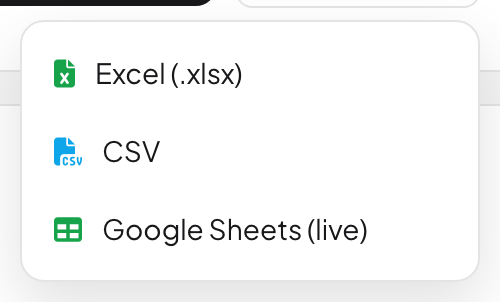
Open Export
On a survey’s Responses tab or an assignment’s Results tab, click Export and choose Excel (.xlsx) or CSV. Surveys also offer Google Sheets (live), a sheet that refreshes by itself.
- 2
Export a filtered set
If you have filtered the responses, only the filtered ones are exported. The menu says how many.
Frequently asked questions
I clicked Export PDF but nothing downloaded.
Check your inbox: the PDF link is sent to the email address of your account. If it does not arrive, check your spam folder or write to hi@learnworkly.com.
Which plan do I need?
Basic, Pro or Enterprise for presentation reports. Survey and assignment exports work on every plan. See Plans and billing.
What is in the Excel file?
One sheet each for Overview, Slides, Audiences (participants) and Responses, plus sheets such as Q&A, Open-Ended & Word Cloud, Scale Responses, Pins and Feedbacks when the presentation has them.
Last checked against the app on 17 November 2026.
Related articles
- Read the report of a presentationEvery presentation has a report: participants, submissions, reactions and ratings, the results of each slide, who answered what and audience feedback.
- Set a self-paced assignmentCreate a homework-style assignment with auto-marked questions, a due date, attempts and a time limit, share it with a link and review the scores.
- Plans and billingCompare the Free, Basic, Pro and Enterprise plans, pay monthly or yearly in US dollars, stop the renewal, see your invoices and ask for a refund.