Best online whiteboard for tutoring: 7 options compared
The best online whiteboard for tutoring depends on one question: one shared board, or a board for every student? Seven options, prices checked November 2026.
LearnWorkly team5 min read
Search for the best online whiteboard for tutoring and you will find long lists that treat every whiteboard as the same thing. They are not. Some give you and your student one shared page to write on together. Others give every student their own board and let you watch them all at once. Choosing the wrong kind is the most common reason a whiteboard gets abandoned after a few lessons.
This comparison starts with that decision, then looks at seven options tutors actually use. Prices and plan details come from each vendor’s own website and were checked on 13 November 2026. Prices change, so check the vendor’s page before you buy.
First decide: one shared board, or one board per student?
A shared board is a digital version of sitting next to a student with a sheet of paper. You both write on the same page, you can see each other’s pen in real time, and you can upload a worksheet to annotate together. It is ideal for 1-to-1 explanation, especially in maths and science.
A board per student is a digital version of mini whiteboards in a classroom. Each student works on their own, and you see everyone’s work side by side. It is better for checking understanding in small groups, because nobody copies the first answer that appears.
Many tutors need both: a shared space for teaching, and individual work for checking. Keep that in mind as you read the options.
The options at a glance
| Tool | Type | Free option | Cheapest paid plan (as listed) |
|---|---|---|---|
| Bitpaper | Shared board for tutoring | Join papers others share; cannot create | Individual, $15 a month |
| Lessonspace | Shared virtual classroom | 14-day trial | Basic, $9 a month (includes 10 hours) |
| Whiteboard.fi | A board per student | Up to 10 students without an account, 20 with a free account | Lite plan; price not shown on its public pages |
| Miro | General collaborative canvas | 3 editable boards; free Educator plan | Starter, $8 per member a month, billed yearly |
| Excalidraw | Simple sketching canvas | excalidraw.com is free, no account | Excalidraw+ Plus, $6 per user a month |
| Ziteboard | Lightweight shared board | 3 boards, first page of PDFs only | Monthly Pro, $9 a month |
| Limnu | Shared board with video | 14-day trial, then a limited free plan | Pro, $5 a month or $50 a year |
Shared boards for 1-to-1 teaching
Bitpaper
Bitpaper is built for tutoring: one shared “paper” with many pages, opened by a link, with audio, video, chat and screen sharing included. You can drop PDFs and images onto pages, insert equations, use lined and grid backgrounds, and export the paper as a PDF afterwards. Free users can join papers that someone else shares but cannot create their own, so the tutor needs the paid Individual plan.
Lessonspace
Lessonspace is a virtual classroom for tutoring rather than just a whiteboard: video in the browser, a shared board, an equation and graph editor with LaTeX, PDF and document upload, and recording of the board, the video or both. The pricing page lists the Basic plan with 10 hours a month included and extra hours charged per hour. There is a trial but no free plan.
Ziteboard
Ziteboard is a lighter shared board with good maths tools for its price: a formula editor, a graph plotter and a compass for geometry. The free Starter plan is limited (three boards, only the first page of a PDF, no audio or video), while Pro adds full PDF import and calls. Letting students join without registering is a paid add-on.
Limnu
Limnu offers a shared board with video calls and says you can start drawing with no sign-up. Pro is inexpensive, but the public pages say little about maths tools or uploads, so try it with a real lesson before committing.
General canvases that also work for teaching
Miro
Miro is a general collaboration canvas used by teams and, increasingly, teachers. The Educator plan is free, and students can be invited to boards, including without registration in larger sessions. It is excellent for planning, mind maps and group activities, but it has no specific maths tools and is not designed around checking each student’s work.
Excalidraw
Excalidraw is a free, open-source sketching tool in the browser: no account needed, real-time collaboration by link, and exports to PNG and SVG. It is quick and pleasant for diagrams and rough working. The paid Excalidraw+ adds unlimited saved scenes, presentations and voice. Like Miro, it has no maths tools such as equation editors.
A board for every student
Whiteboard.fi
Whiteboard.fi does what classroom mini whiteboards do: every student gets their own board, and the teacher sees all of them at once. Students join by link or QR code without an account, and maths tools include equations, a graphing calculator, a ruler and a protractor. The free plan covers small groups; paid plans raise the number of students per session. The vendor’s public pages list the plans but not their prices, so you will need to sign up for a trial to see them.
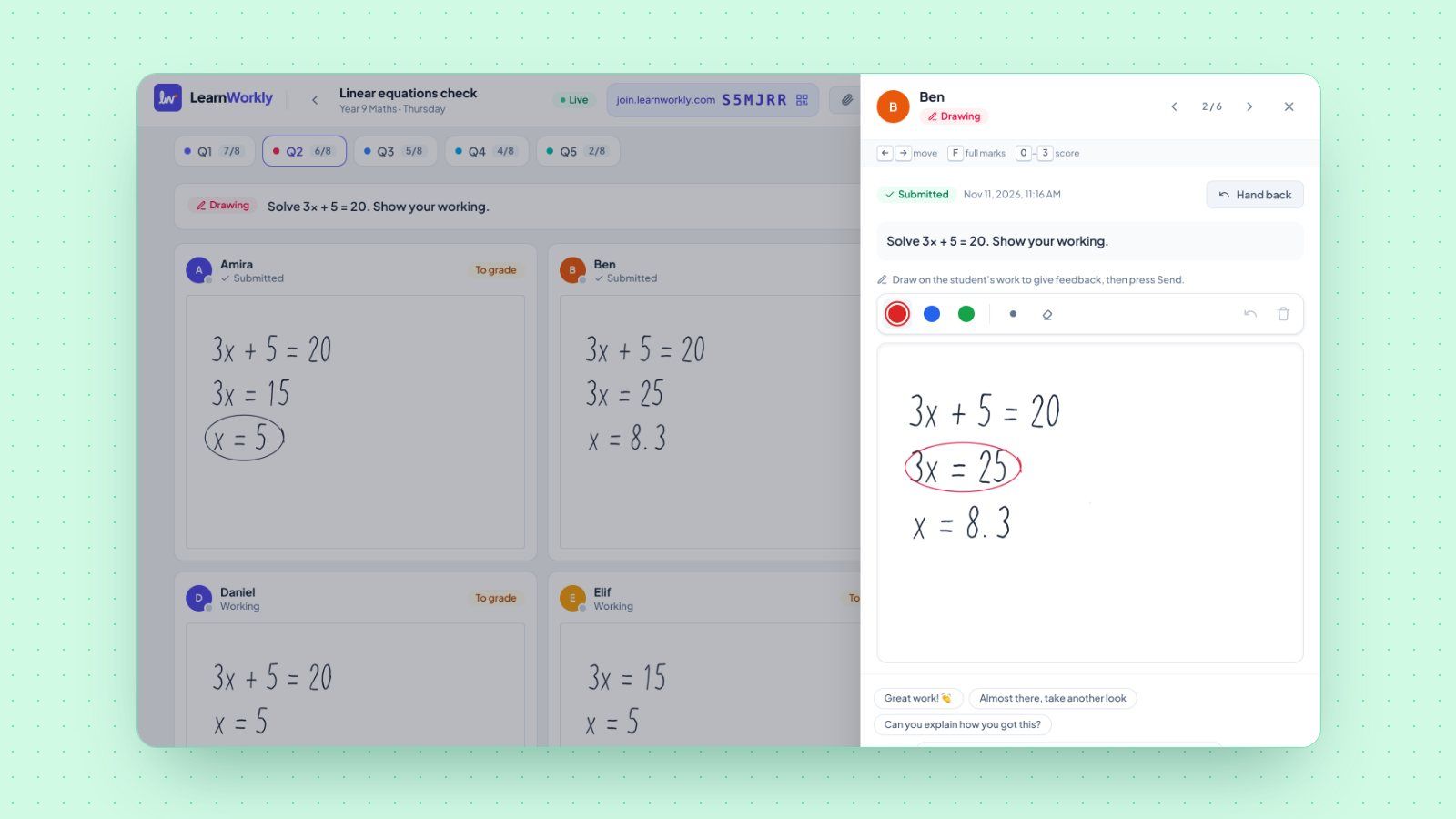
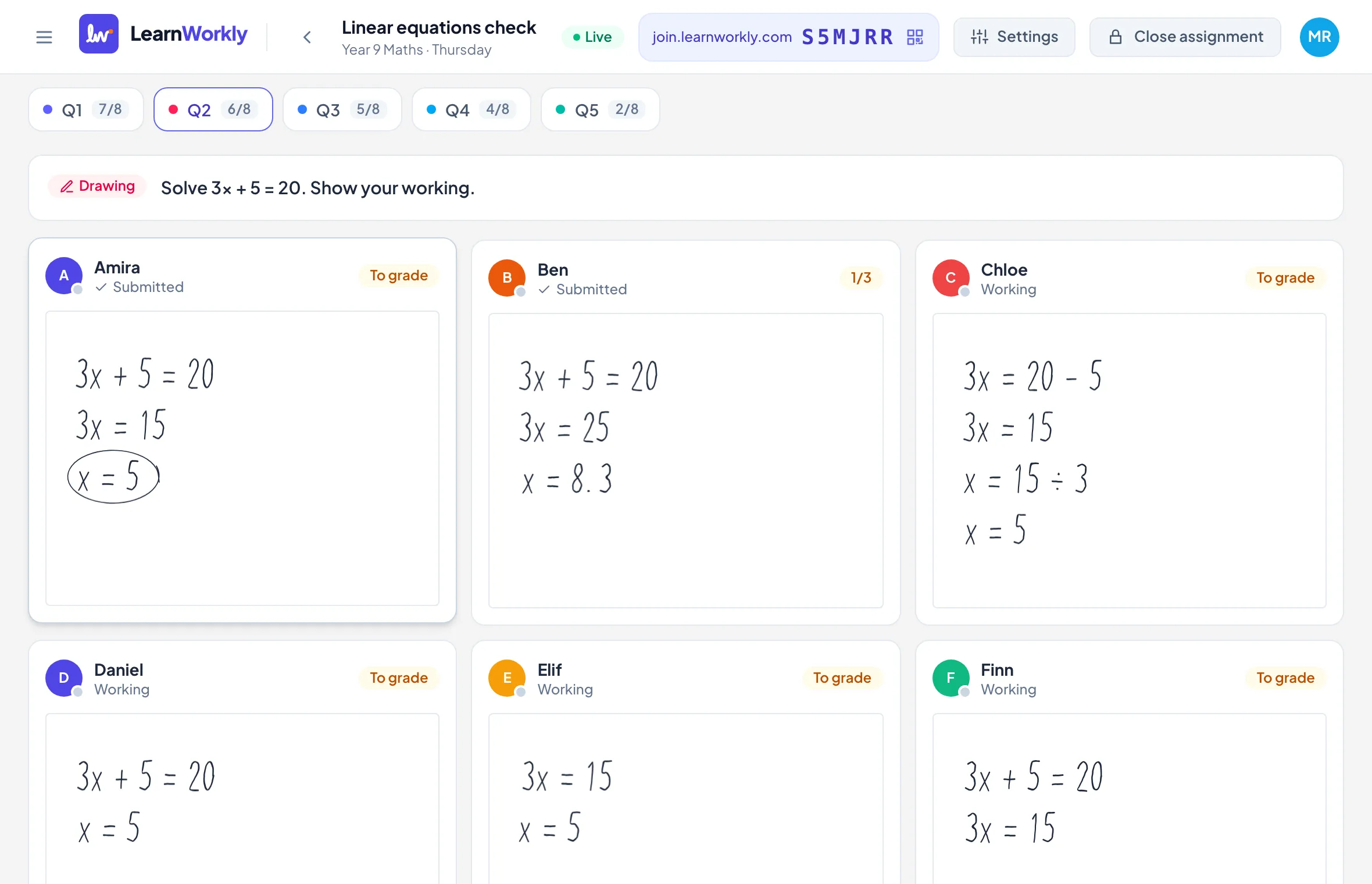
If you want individual boards plus questions that mark themselves, homework and progress tracking, LearnWorkly takes a different approach: students answer an activity on their own device (drawing, photos of paper, maths, multiple choice, audio and more), and the live view shows every answer and every line of working as it arrives. You can draw on top of a student’s working to give feedback. Our Whiteboard.fi comparison sets out the differences in detail.
What about Jamboard?
Google Jamboard is no longer an option. According to Google’s Jamboard help page, the app was shut down at the end of 2024, and existing jams were converted to PDFs in Google Drive in 2025. If an old lesson plan still links to a jam, look for the PDF in Drive.
How to choose
- Mostly 1-to-1, explaining maths or science: a shared tutoring board with equation tools and PDF upload (Bitpaper, Lessonspace, Ziteboard).
- Built-in video matters: Lessonspace, Bitpaper or Limnu, so you need one tab instead of two.
- Small groups, checking who understood: a board per student, so answers are independent (Whiteboard.fi, or an answer-based tool such as LearnWorkly).
- Planning, mind maps, group projects: a general canvas (Miro, Excalidraw).
- Students without a pen tablet: any of the above work with a trackpad or touch screen, but paper plus a phone photo is often clearer. Our guide on tutoring without an iPad or drawing tablet covers the options.
Whatever you choose, test it in a real lesson with a real student before paying for a year. The best online whiteboard is the one your students can use without help in the first five minutes.